P5
1
4
5
6
2
3
x2
3. USING YOUR CLEANER
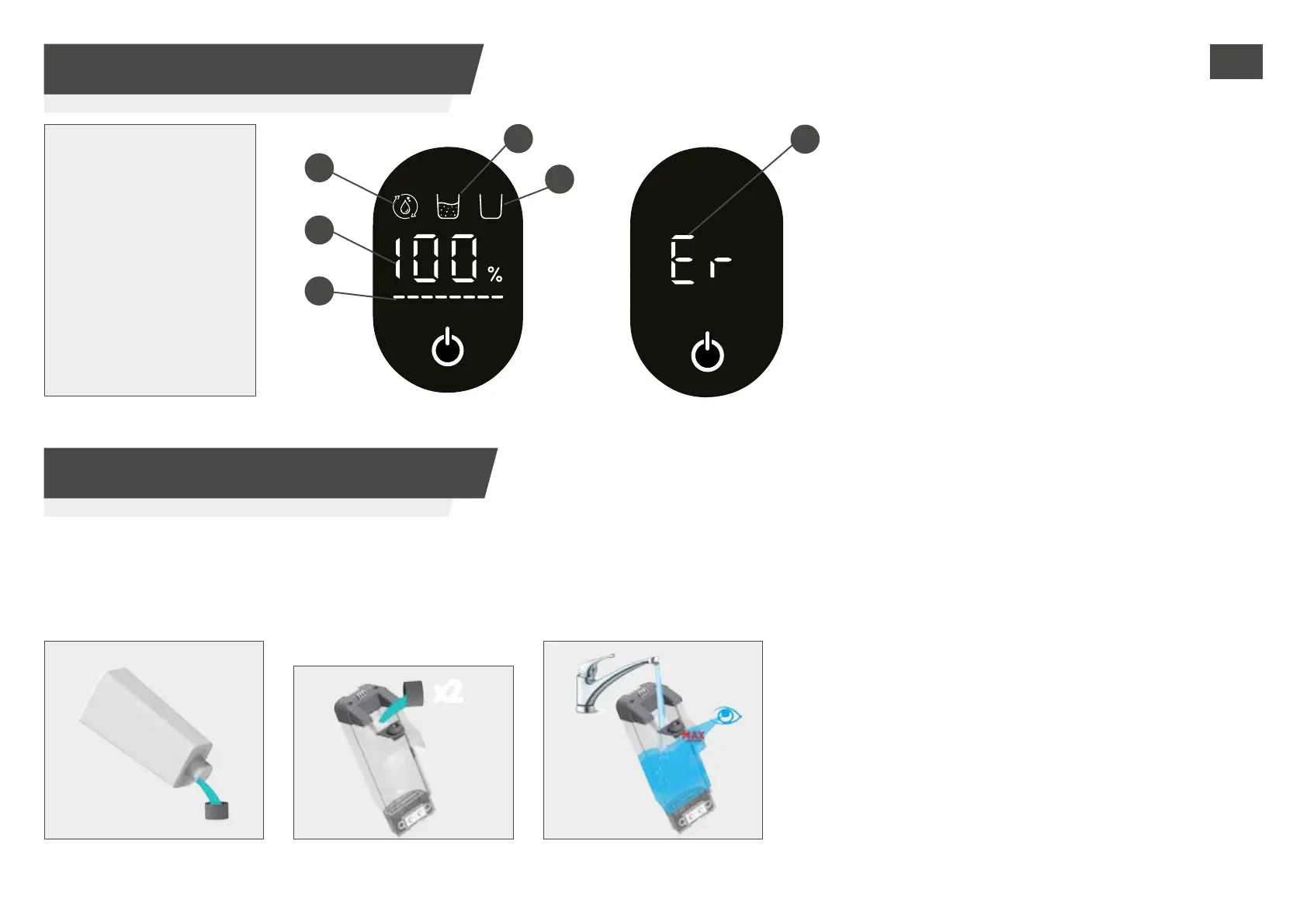
3.4 USE HOOVER FLOOR CLEANING SOLUTION
3. USING YOUR CLEANER
3.3 DISPLAY STATUS
AUTO CLEAN STATUS: this icon turns on when the auto-
clean is in process.
BATTERY STATUS: this icon shows the remaining battery
percentage.
DIRTY WATER TANK IS FULL: this icon turns on when the
dirty water tank is full.
CLEAN WATER TANK IS EMPTY: this icon turns on when
the clean water tank is empty.
POWER BAR: this icon indicates the power consumption
status.
ROLLER STALL: this icon turns on when a roller brush
blockage is occured.
1. AUTO-CLEAN
2. BATTERY STATUS
3. POWER BAR
4. DIRTY WATER TANK
IS FULL
5. CLEAN WATER TANK
IS EMPTY
6. ROLLER STALL
Note: Use only the oor cleaning solution recommended by Hoover, and quantity as stated in the manual.
How to use Hoover oor cleaning solution:
STEP 1:
Pour the cleaning solution into
the bottle cap.
STEP 3:
Fill the clean water tank to
the MAX line to start cleaning.
STEP 2:
Pour 2 caps into the clean water
tank. (Recommended mix rate:
water:clean solution=50:1).
GB


 To Next Page