P7
Note: Only use the approved battery type (type ref.: HW5BAT) recommended by
HOOVER. Failure to do so may cause the lithium-ion battery to become a potential
hazard.
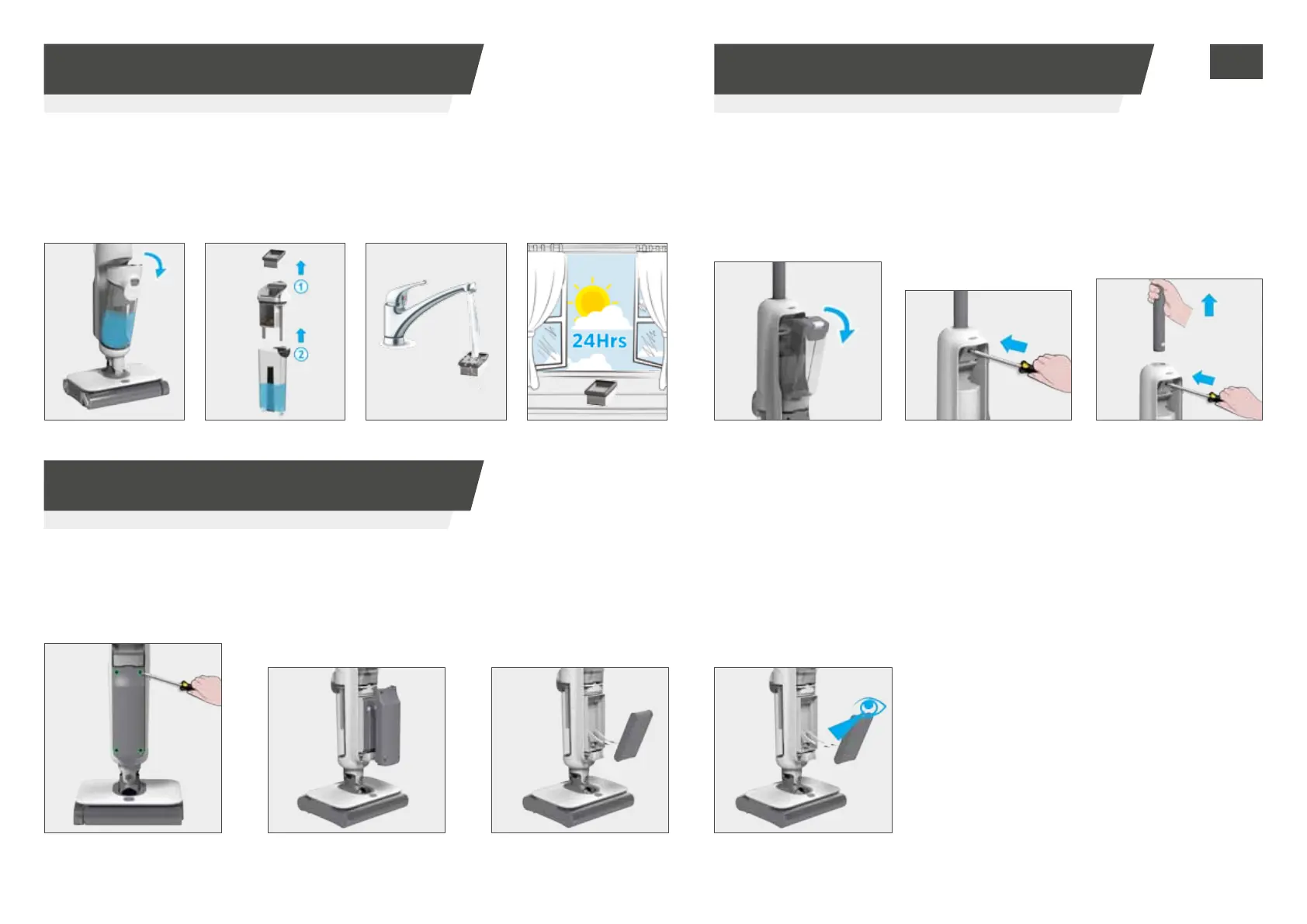
STEP 2: Take o the
battery cover.
STEP 2: Press the
spring underneath
the red rubber with
a narrow tool (like a
screwdriver).
STEP 3: Pull out the
battery pack.
STEP 4: Disconnect the
terminals to remove the
battery pack.
STEP 4.2: Follow the above instructions in reverse to reinstall the new battery pack.
STEP 3: Take o the
wand while pressing
the button.
In the event that the battery pack needs to be replaced, follow the instructions below:
In the event that the handle needs to be disassembled, follow the
instructions below:
STEP 1:
Take o 4
screws of battery cover.
STEP 1: Take o the
clean water tank.
Remove the wand
4. CLEANER MAINTENANCE
4.3 FILTER
6. REPLACE THE BATTERY PACK
5. DISASSEMBLE YOUR CLEANER
Clean the lter
STEP 2: Take o
the lter and debris
collector.
STEP 1: Remove
the dirty water tank.
STEP 4: Leave the
lter to air dry for
24Hrs before re-tting.
STEP 3: Clean
the lter using
lukewarm water.
GB


 To Next Page