On/o switch (1A)
A light on the switch will illuminate to indicate that the appliance is switched on.
When the appliance is switched on and “Steam ready” light (1C) is o, it means
that steam is ready. You can press the steam trigger and steam will escape from the
soleplate. Please note that during use, the steam light will switch on but you can
connue steam ironing.
“Water tank empty” light (1B) is on: There is no more water in the tank.
Please rell the tank following the instrucons in the chapter 2.2
Chapter 1 - Control Panel
Chapter 2: Preparaon for Use
Chapter 2.1 : What Kind of Water May be Used?
Chapter 2.2 : Filling the Water Tank
Due to the powerful output of steam, Hoover recommends the use of an acve iron-
ing board with blowing and vacuuming funcon which allows escape of any excess
steam.
Place the ironing system on a stable and level surface, for example on the hard part of
an ironing board or on a heat-resistant surface.
The Hoover ironing system has been designed to be used with tap water only.
There is no need to use dislled or pure dislled water.
Nevertheless, in case you live in a hard water area, you can mix 50% of dislled water
with 50% of tap water.
Do not use any other kind of water or do not add any contents to water tank as it can
damage your appliance.
Switch o the appliance and unplug it.
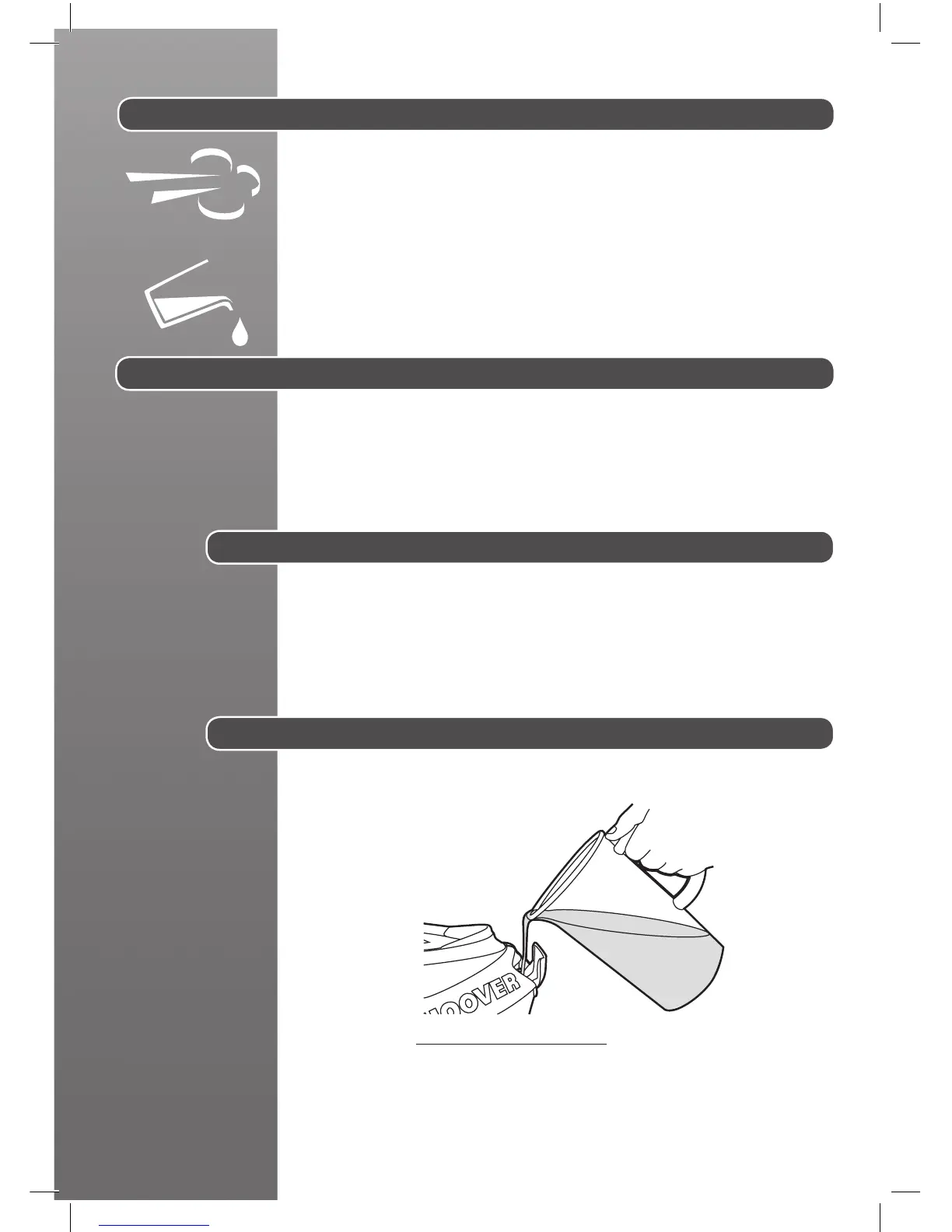
Open the water tank ller cover (3) to gain access to the water tank.
Fill it with tap water with the help of a bole.
Do not exceed the max mark.
Warning: Do not add vinegar, hot water, perfume, or any other kind of chemical
agents or any other contents in the water tank. It could damage the steam generator
and shorten its life use.
Fig. 4: Water Tank Filling



 To Next Page