22/25
LANGUAGE
Export Import Default Cancel
MAIN SENSOR MACRO LIGHT TEST
Save
Profile 1
ENGLISH
Macro Selection Macro Editor
Setting
Delete
New
CUSTOM 0
Recorded Interval
Record/Stop
Fixed Interval 0.05 Seconds
Delete
Insert
0.65SECOND
1
1
A
A
0.6SECOND
1.5SECOND
LANGUAGE
Import Default Cancel
SENSOR MACRO LIGHT TEST
Save
Profile 1
ENGLISH
Macro Editor
Delete
Recorded Interval
Record/Stop
Fixed Interval 0.05 Seconds
Delete
Insert
0.65SECOND
1
1
A
A
0.6SECOND
1.5SECOND
LANGUAGE
Export Import Default Cancel
MAIN SENSOR MACRO LIGHT TEST
Save
Profile 1
ENGLISH
Macro Selection
Macro Editor
Delete
New
CUSTOM 0
Recorded Interval
Record/Stop
Fixed Interval 0.05 Seconds
Delete
Insert
0.65SECOND
1
1
A
A
0.6SECOND
1.5SECOND
Deletingcommands
・Theselectedcommandspushicon,releaseicon,andtimeintervals
shouldbedeletedtogether.
・Bydeletingthetimeintervalbetweenbuttoninputs,timeintervalwillbecome
0(zero)secondswhichistheequivalentofpressingthebuttons
simultaneouslyinthemacro.
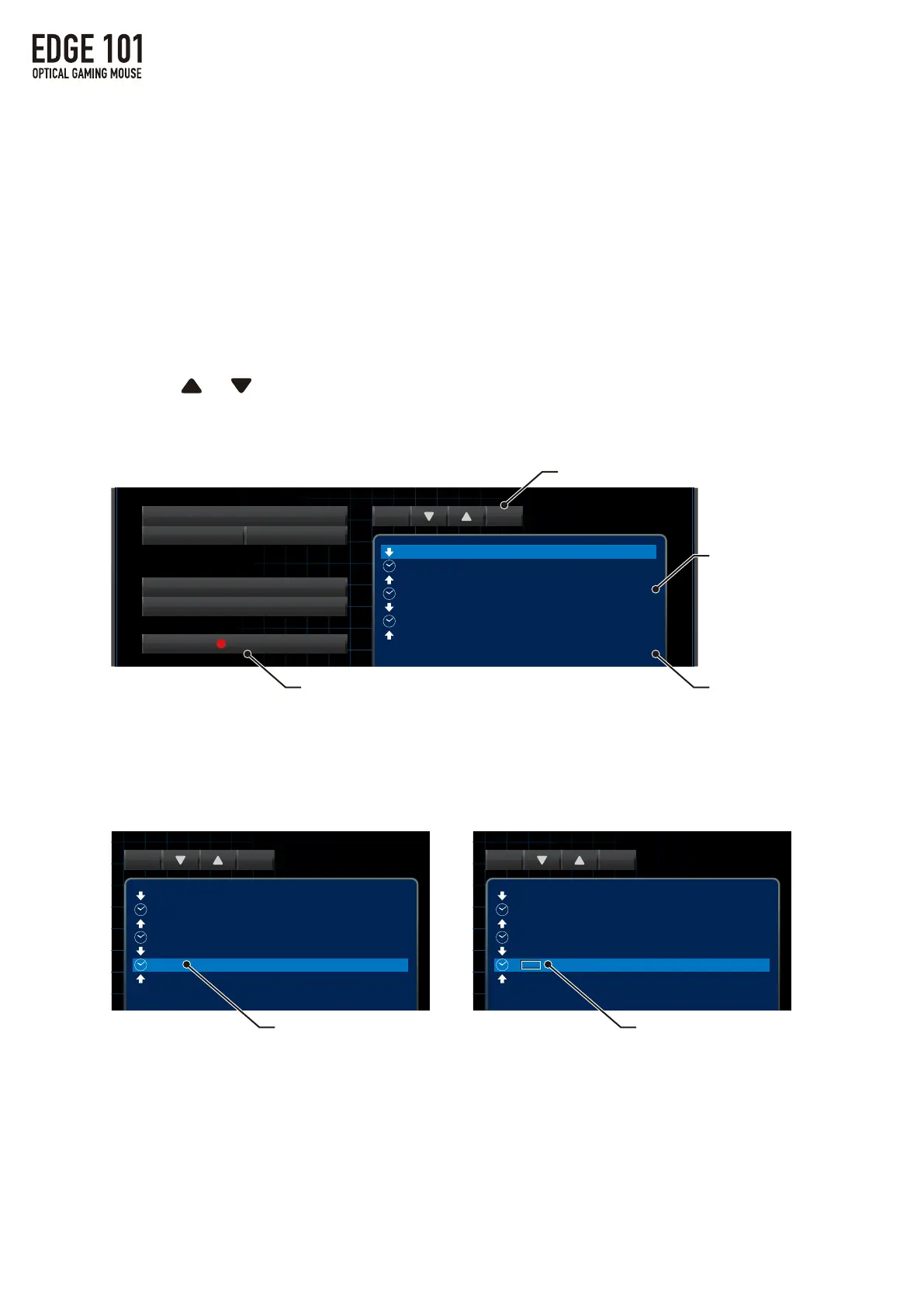
Changingtimeinterval
・Itispossibletheeditthelengthofmacrotimeintervalsbyfollowing
thestepsbelow.
MovingCommands
・Click or whenthecommandishighlightedittomoveitupordown.
※ReleaseiconcannotcomebeforePush,etc.
③ClickRecord/⑤ClickStop
②Clickinsert
①Selectinsertposition
④Enterdesiredkey(s)
①Selecttimeinterval
②Doubleclicktime(numeral)
③Enterdesiredtimeandsave
3.MACROSettings


 To Next Page
 Loading...