23/25
LANGUAGE
Export Import Default Cancel
MAIN SENSOR MACRO LIGHT TEST
Save
Profile 1
ENGLISH
Light Color
Light Color Setting
Brightness Level
Blink Speed
YY
XX
0
YY
XX
3
①
②
③
④
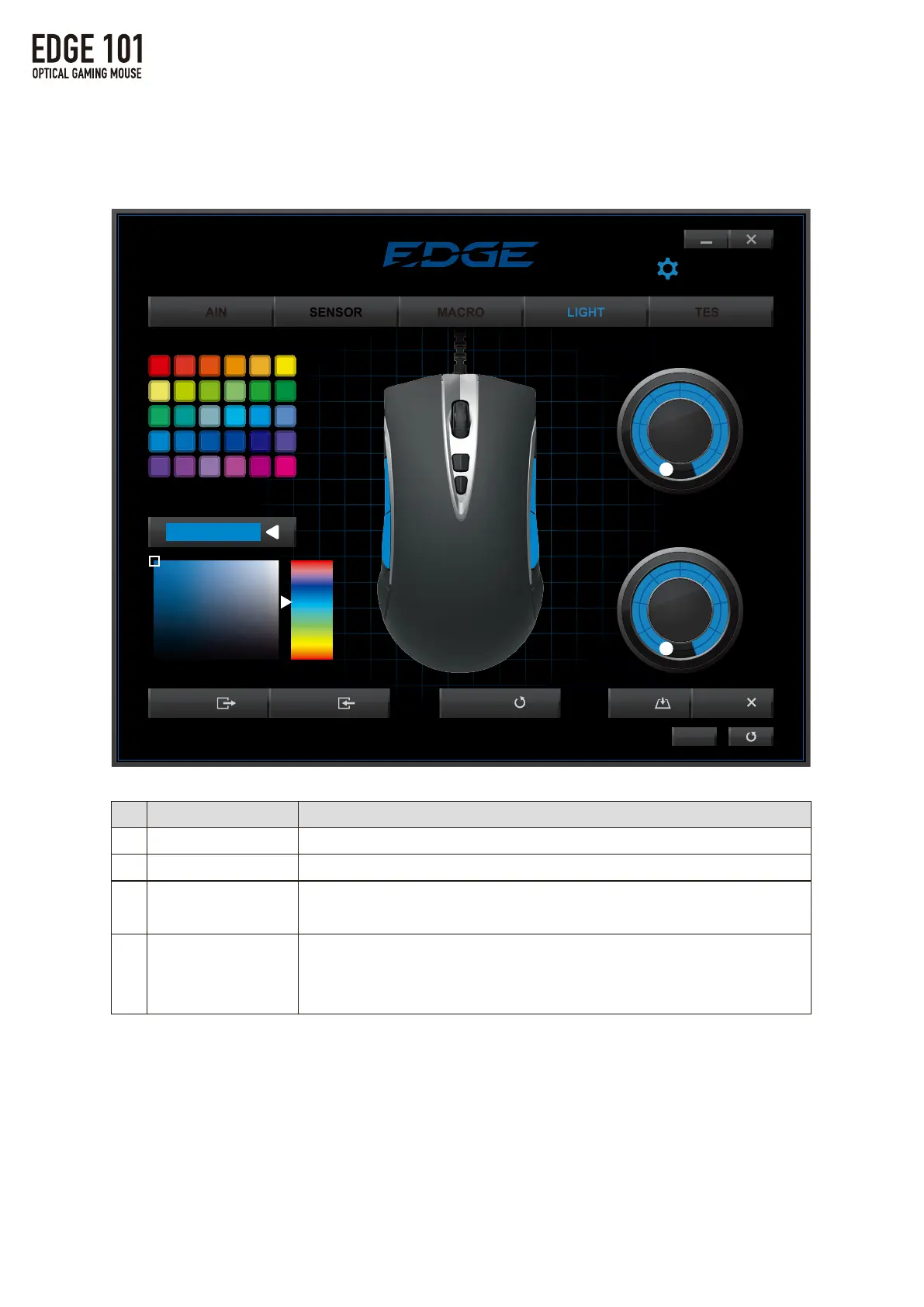
4.LIGHTSettings
①
②
③
④
LightingTools
StandardColors
CustomColors
BrightnessLevel
BreathingSpeed
Function
Selectthelightingcolorfromthestandardcolorpalette.
FurthercustomizethelightingcolorusingCustomColorstool.
Turnthedialtosetthebrightnessto3levels.
Settingto0(zero)willturnthelightoff.
Turnthedialtosetthebreathingspeedto10levels.
Thehigherthenumber,theslowerthespeed.
Settingto0(zero)willturnthelightoff.
4.LIGHTSettings



 To Next Page