Hornby Digital Points Decoder
The Hornby Select Digital Control is capable of operating up to 40 points or solenoid operated accessories when
used in conjunction with the Hornby R8216 Points Decoder Module.
The Point Decoder Module can operate up to 4 points or solenoid operated accessories.
Fitting the Hornby Point/Accessory Decoder:
1. Connect the wires from the point accessory motor to the first available input terminals on the decoder.Then
connect the wires from the point decoder to the track or Programming Track (see page 22). Full wiring
instructions are supplied with each Module.
Addressing Points/Accessories:
Addressing a point motor or accessory that uses a solenoid motor is very similar to addressing a locomotive.
For consistency it is advisable that the first point motor/accessory is addressed No. 60. Once addressed the
other three outlets will be automatically programmed to 61, 62, 63.There after, the Accessory Decoder should
be programmed in consecutive blocks of 4 (i.e 64, 67, 72, 75 etc).When programming subsequent Point Decoders
ensure that other Point Decoders are disconnected from the track.
Programming:
1. Press and hold “SELECT”. The LCD display will flash “LA”.
2. Enter the first address (60) on the keypad, and press “SELECT”.The red LED will flash up to seven times during
which the decoder will be accepting the command. If the LED flashes eight times, it is advisable to
reprogramme the Decoder again.
3.The point/accessory is ready for use.The other outlets have been automatically coded 61, 62, 63.
Operation:
Using the direction buttons
(
and
)
the points/accessories can be controlled.
1. Press Point changes.The LCD will display “P5” for one second.The corresponding green LED will
illuminate for one second.
2. Press Point changes.The LCD will display “P6” for one second.The corresponding green LED will
illuminate for one second.
25
For more information visit:
www.hornby.com
24
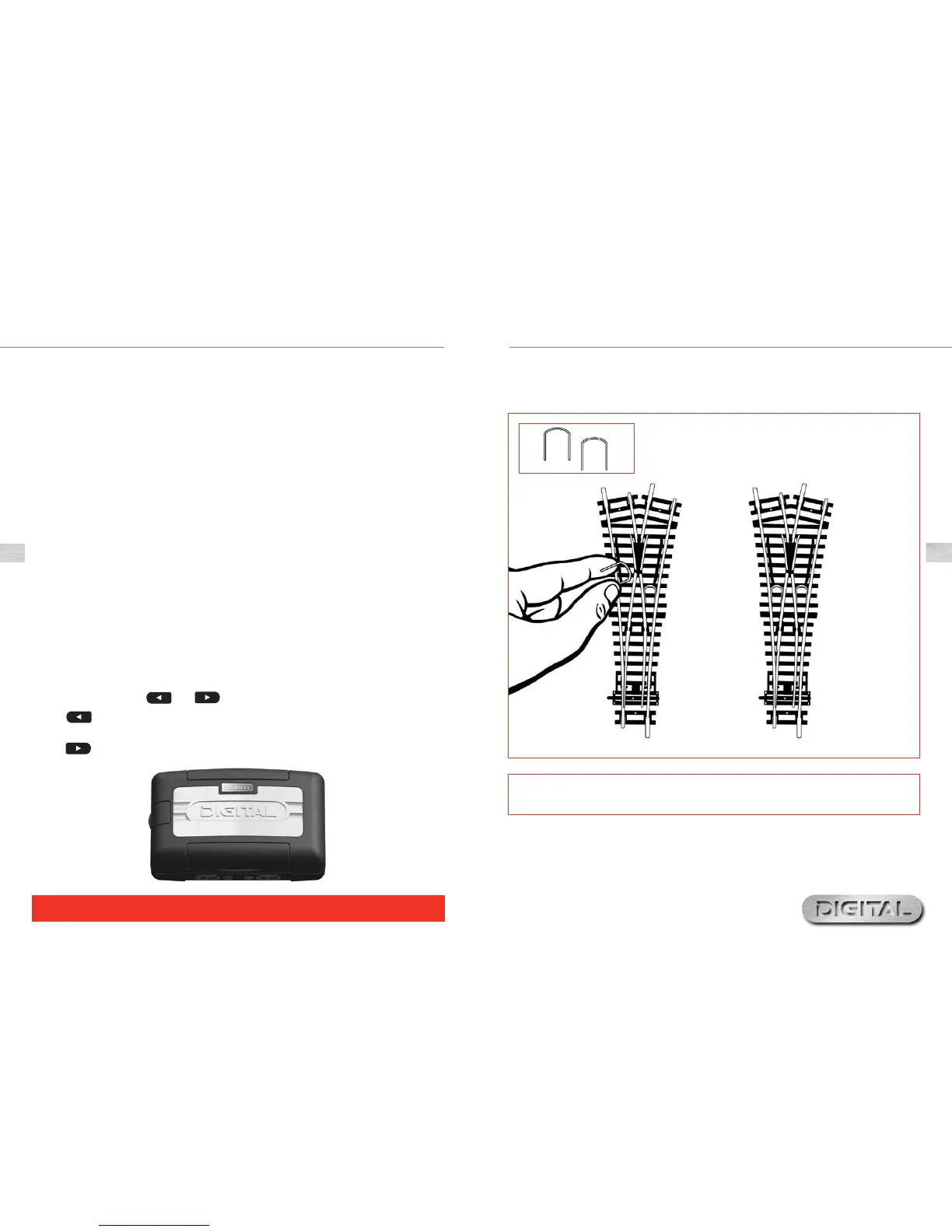
The Hornby Select unit operates most efficiently when the whole of the layout is “live”. Hornby points are self
isolating therefore it is necessary to fit each point with 2 x R8232 Hornby DCC Electric Point Clips.
Some of these clips are included in the Hornby DCC sets, further clips are available from Hornby stockists.
1.
2.
3.
Making Points ‘Live’
Please Note:
Always use Hornby Point Motors with Hornby points.


 To Next Page