Fitting the programmer
If surface wiring has been used, remove the knockout/insert from the
bottom of the programmer to accommodate it.
Loosen the two ‘captive’ retaining screws on the bottom of the backplate.
Now fit the programmer to the backplate, ensuring the lugs on the
backplate engage with the control.
Swing the bottom of the control into position ensuring that the
connection pins on the back of the unit locate into the terminal
slots in the backplate.
Tighten the two captive retaining screws to fix the unit securely.
Then switch on the mains supply.
On completion of the installation please reset the programmer
- detailed below
Resetting the programmer
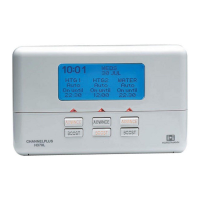
On the CentaurPlus press the SET and SELECT buttons together. Then release the
buttons and the programmer will return to preset factory settings.
The preset factory settings are illustrated on page 5 or 6 of the USER GUIDE.
The unit can now be programmed to suit the user’s requirements.
Please refer to the User Guide provided.
General information
Before handing over the installation to the user, always ensure that the system responds
correctly on all control programmes and that other electrically operated equipment and
controls are correctly adjusted.
Explain how to operate the controls and hand over the users operating instructions to the
user.
5
End view of CentaurPlus
programmer
SET
SELECT



 To Next Page