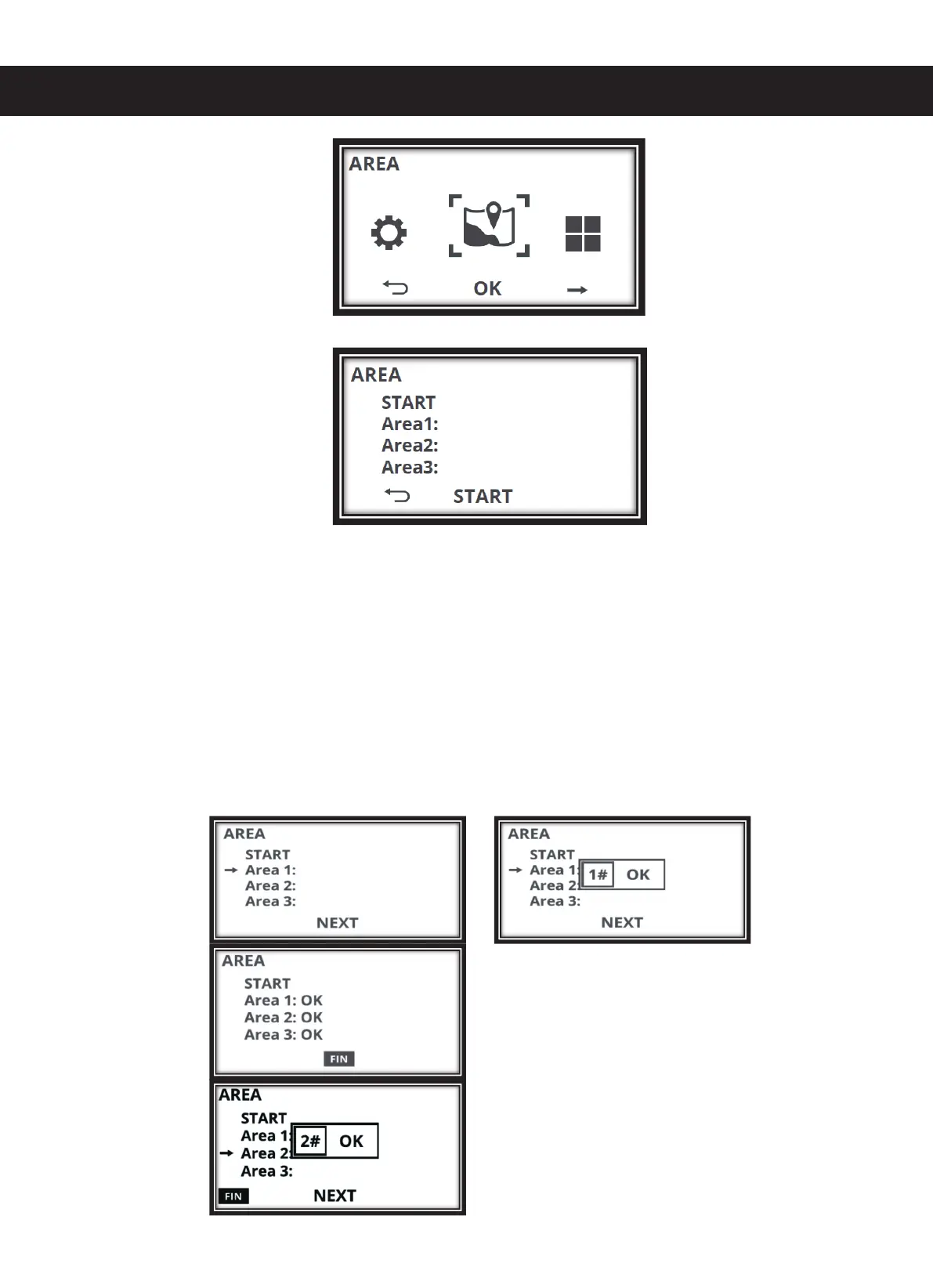
The screen shows the following:
3. Press "START" and the mower will move along the boundary wire away from the charging
station (ATTENTION! Do not press the Start button on the keypad but the "START" on the
screen!).
4. The screen no longer displays "START" but "NEXT" instead. Follow your mower along the
boundary the starting point for area 1. Now press "NEXT" on the screen to define the first
starting point. The mower confirms the first starting point with "OK". The mower moves
further along the boundary wire. As soon as you have reached the starting point for area 2 on
the boundary wire, press "NEXT" again. The mower confirms the second starting point with
OK and moves further on the boundary wire. As soon as you have reached the starting point
for area 3, press "NEXT" again.


 To Next Page