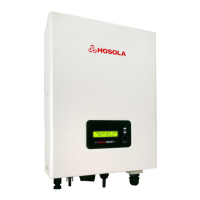
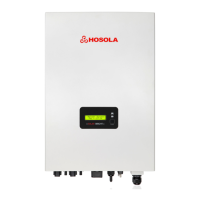
Need help?
Do you have a question about the Hosola 1600TL and is the answer not in the manual?
Defines the manual's scope and the intended audience for its content.
Explains the meaning of symbols and the inverter's intended application.
Describes the inverter's function and explains document symbols.
Details critical safety precautions for product usage and servicing.
Explains symbols found on the inverter and its type label.
Highlights key features like MCU control, MPPT technology, and IP65 rating.
Presents a diagram illustrating the inverter's internal electrical components.
Shows the physical connection points on the inverter unit.
Lists parameters like max DC input power, voltage, and current for different models.
Details AC output parameters including rated power, voltage, and frequency.
Lists efficiency percentages and safety features like overvoltage and islanding protection.
Covers physical specs and explains inverter operation modes (Stand-by, On-Grid, etc.).
Lists conditions to check at the installation site, avoiding humidity and direct sunlight.
Provides specific notes for Hosola Smart series and general installation warnings.
Specifies clearance dimensions and lists required tools for installation.
Details steps for drilling holes and mounting the inverter, including expansion pipe.
Guides on connecting PV modules, specifying voltage limitations and cable use.
Instructions on using a multimeter to check PV array voltage, with safety warnings.
Details AC output, cable sizes, and breaker ratings for different models.
Illustrates AC cable loss and mentions AC waterproof connector parts.
Provides step-by-step instructions for connecting AC wires to the inverter.
Details securing the AC connector and the inverter startup procedure.
Explains the function of the control panel components: LCD, LED indicators, and function key.
Describes how the function key is used to navigate and set the LCD display.
Details information displayed on the LCD for different operating states and parameters.
Explains LCD messages for fault alarms like isolation, leakage, and over/under voltage.
Describes the RS232 interface for data transfer to PC or monitoring equipment.
Explains how RS232 is used for PC communication with the inverter.
Provides a systematic approach to diagnose and resolve issues with the inverter.
Lists common faults like Grid Faults, No Utility, PV Over Voltage, and their solutions.
Addresses faults related to string array communication, bus pressure, and isolation.
Details solutions for consistent faults, relay failures, and leakage current issues.
Covers troubleshooting for EEPROM errors and GFCI failures.
Instructions for safely removing, packing, and storing the inverter.
Guidelines for disposal and explanation of warranty coverage and limitations.
Specifies proof of purchase requirements and lists damages not covered by warranty.
Outlines the process for obtaining an RMA and returning products for service.
Describes options for servicing units after the warranty period has expired.
Provides optimal PV module configurations for different Hosola inverter models.
Details pallet packing and provides an optional guide for connecting DC couplers.
Introduces the quick setup manual for SolarMAN monitoring via WiFi.
Guides on connecting to the inverter's WIFI module and viewing its information.
Instructs users to start the setup wizard for the inverter's WIFI module.
Explains selecting wireless networks and entering passwords for setup.
Details the process of enabling automatic IP address acquisition for the setup.
How to set connection priority for wireless networks in Windows.
Guides on launching the SolarMAN portal and registering a new account.
Instructions for filling in site name, panel type, inverter type, and other registration details.
How to sign into SolarMAN to start monitoring the PV station and checking real-time data.
Process for adding more inverters to the SolarMAN monitoring system using their serial numbers.
How to configure email alerts for abnormal situations on the device.
Prompts to record serial number, purchase date, and installation details for customer service.
 General
| Nominal AC Power | 1600 W |
|---|---|
| Rated Power | 1600 W |
| Output Waveform | Pure Sine Wave |
| Frequency | 50 Hz / 60 Hz |
| Nominal AC Voltage | 230 V |
| Efficiency | 97.5% |
| Output Voltage | 230V |
| Protection Features | Short Circuit |


 To Next Page