20
F6 4-Channel DC Smart Charger
Language
Max. Input Power
LCD Backlight
Min.Input Voltage
Volume
< System Settings
English
1200W
10.5V
High
High
Repeat
Name
Completion Signal
Device Name
Back
Charger Settings > System Parameters
Operation and Setup
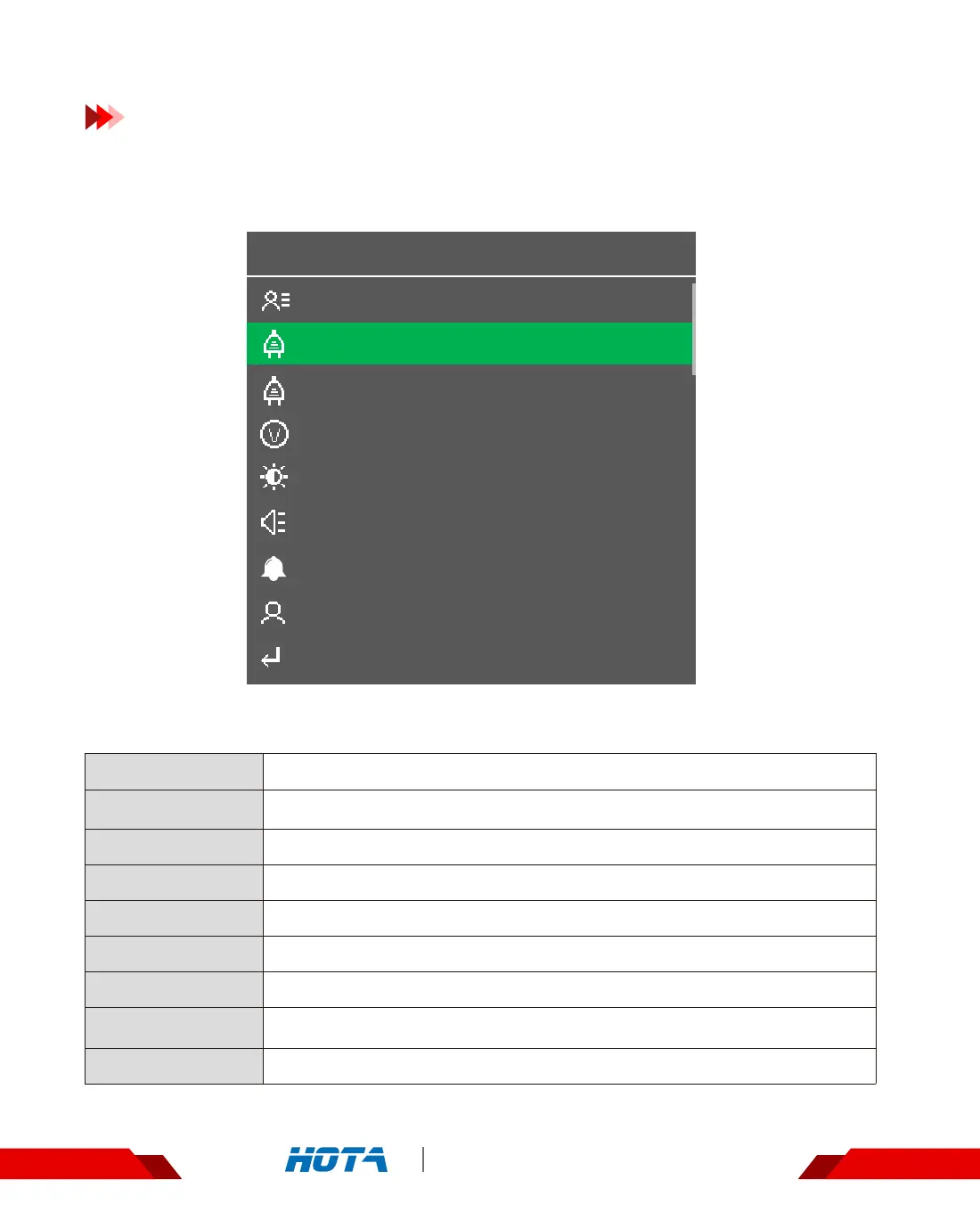
In the standby interface, long press the speed shuttle key to pop up the “Charger
Settings" menu, then choose “System parameters" ; menu items are as follows:
Buzzer volume:if set as OFF, the operation sound will be blocked, but not the
sound of error warning
Input power limit setting
Input voltage limit setting
Backlight adjustment: high, middle, low
Buzzer volume adjustment: high, middle, low
Single or Repeat
Press the speed shuttle key to enter ; need to manually enter the name of
the device, long press the speed shuttle key to exit
Exit to the upper menu
Max.Input Power
Min.Input Voltage
LCD backlight
Volume
Completion Signal
Device Name
Back
Regenerative Discharge ...
Language System language setting
Regenerative
Discharge
Set current, voltage and power


 To Next Page