07
F6 4-Channel DC Smart Charger
How to conform the charging current
Operative Skills
It is important to know the maximum charging current of the battery before charging as
excessive current could influence the life span of battery ,even cause damages. In addi-
tion, excessive current can cause heating even explosion of the battery during the
charging process.
The charging and discharge capacity of battery is usually marked with C value. Multiply-
ing the charging C value and battery capacity equals to the maximum charging current
supported by the battery. For example, for a 1000 mAh battery with a charging capacity
of 5C, its maximum charging current would be l000 * 5 = 5000mA; that is , the maximum
charging current is 5A.
For a lithium battery, if it is impossible to confirm the supported charging C value, please
set the charging current below 1C for the sake of its (lithium battery) safety.
The reference relation between C value and charging time: charging time >= 60
minutes/ charging C value (it therefore needs around 60~70 minutes to complete
charging with 1C). Due to the differences in battery power conversion efficiency, this
period of time to complete the charging may be extended.
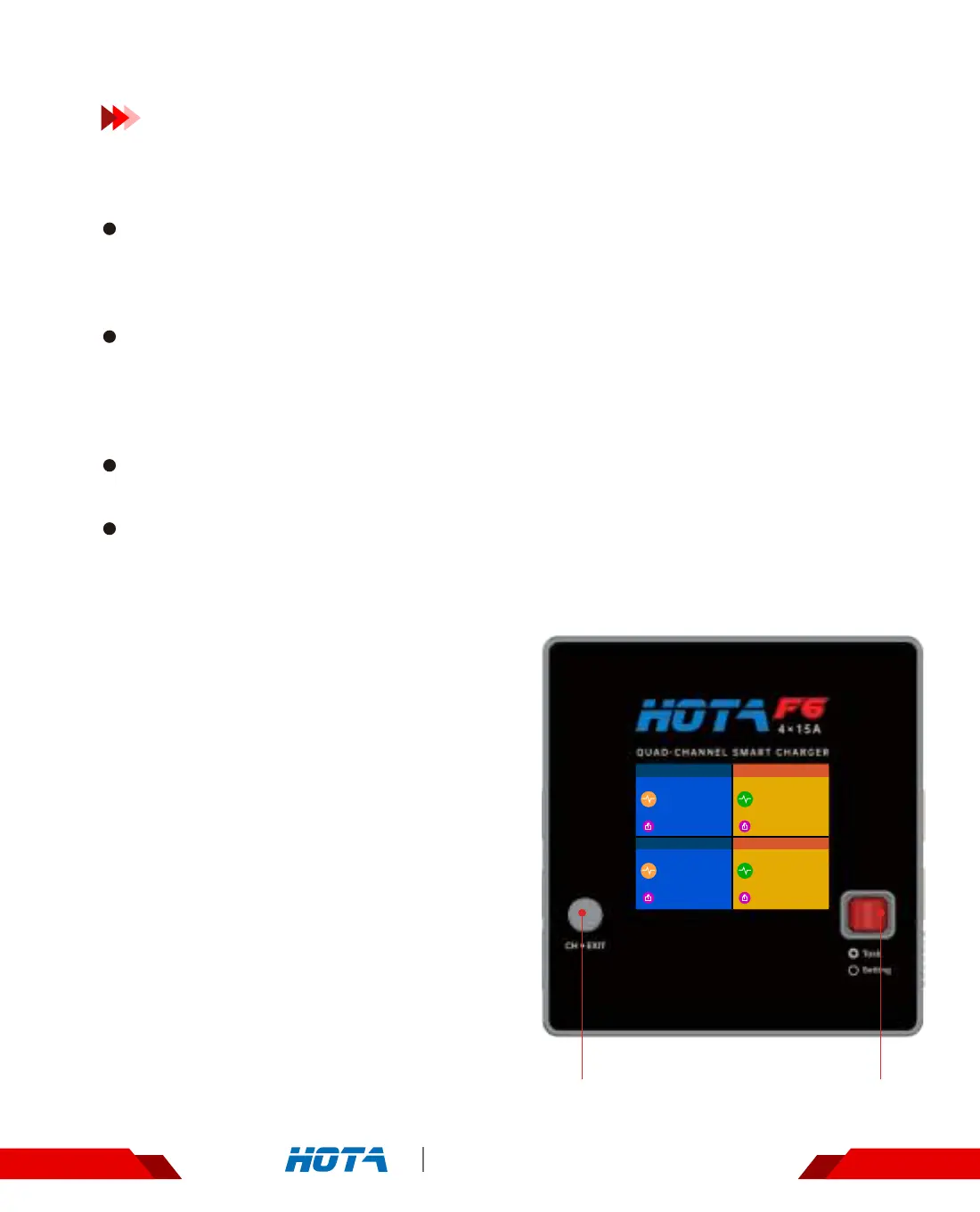
1. Connect power supply to the charger and
wait for the system to complete its self-check-
ing. In standby interface, connect well the
battery to the charger. Short press the Channel
switch key to choose whatever channel prefers
. After having chosen the channel, short press
the speed shuttle key to pop up the “ Task
Settings “ menu ;
2.2.When a task is being executed, short press
the speed shuttle key to pop up the " Adjust
Task" menu to adjust the task’s current ;
3.Long press the Channel switch key can end
the task of current channel quickly or enter the
"Task Settings" menu of the channel .
Operation and Setup
Channel switch key Speed Shuttle Key
Standby
CH1
Standby
CH2
LiPo-�sCHG
CH4
LiPo-�sCHG
CH3
23.44
V
29.1V
23.44
V
29.1V
2.0
A
24.4V/45W
3.8
A
23.3V/85W


 To Next Page