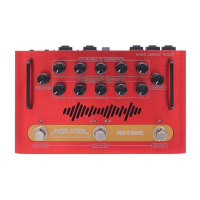
This document is the user manual for the Hotone Pulze Bluetooth Modeling Amplifier.
The Hotone Pulze is a versatile Bluetooth modeling amplifier designed for musicians, offering a range of features for instrument amplification, music listening, and tone shaping. It combines a powerful amplifier with a touchscreen interface, USB audio capabilities, and Bluetooth connectivity for both audio streaming and app control.
Function Description:
The Pulze serves as an instrument amplifier, allowing users to connect guitars, basses, and other instruments to its 1/4" mono input jack. It features a Bluetooth connection for streaming music from phones or pads, enabling practice and jamming along with favorite tracks. The device also supports USB audio, functioning as a 2-in/2-out USB audio interface for connecting to computers or mobile devices, facilitating recording and reamping.
A key feature of the Pulze is its extensive tone shaping capabilities. It offers two main modes: Play Mode and Songlist Mode. In Play Mode, users can select from various amp models and two effects modules (FX1, FX2), including modulation, delay, and reverb effects, with adjustable parameters. Songlist Mode allows for quick access and navigation through a library of tones. The Pulze also includes a custom panel feature, where frequently used parameters can be gathered for faster sound control.
The device integrates a drum machine with 100 rhythm patterns, including a metronome, and allows for adjustment of drum volume and tempo (40-300 BPM). A built-in tuner supports standard A frequency calibration (415Hz-475Hz).
For advanced control and tone shaping, the Pulze Editor app (available for iOS/iPadOS and Android) provides full access to all features. This includes detailed tone adjustments, effect chain management, creation and import of new tones, and access to the Hotone Community for sharing and downloading tones. The app also allows for managing songlists, backing up settings, and performing firmware updates.
Important Technical Specifications:
- Frequency Range: 20Hz-20kHz
- Speakers: Two 3.5" custom full-range speakers
- Power Amp: Class D stereo power amp with 30W output (15W+15W, 1% THD)
- Digital Audio Signal Processing: 24-bit depth, 44.1kHz sample rate
- No. of Effect Modules: 7
- No. of Effects: 177 (including Global EQ)
- Bluetooth®: 5.0 Dual-Mode (BLE & audio) with Bluetooth® MIDI support
- Tones (Presets): Max. 200 tones
- Drum Machine: 100 rhythm patterns including metronome
- Inputs: One 1/4" Tip Sleeve (TS) instrument jack, One 1/8" Stereo Auxiliary In (Aux In) jack
- Outputs: One 1/8" stereo headphones output jack
- Screen: 4" 800 x 480 Color Dynamic Display Touch Screen
- USB Port: USB 2.0 Type-C port, supports USB Audio 2.0
- USB Audio: 2-in/2-out USB audio interface with loopback and reamp support
- IR processing: Supports 24-bit/44.1kHz Mono WAV files, 1024 points; Supports up to 20 user IRs
- Power Requirements: 18V DC Center Positive
- Current Consumption: 2A
- Dimensions: 455mm (W) ×161mm (D) ×171mm (H)
- Weight: 3.8kg
Usage Features:
- Power On/Off: Hold the Power Button to turn the unit on/off.
- Volume Control: The Volume Knob adjusts the overall output volume.
- Touchscreen Interface: The 4" touchscreen allows for selecting tones, turning Bluetooth on/off, making tone adjustments, and accessing various menus.
- Headphones Output: A 1/8" stereo output mutes the speaker when headphones are connected.
- Aux In: A 1/8" stereo input for connecting external audio devices (phone, MP3 player).
- Bluetooth Audio: Connect to "Pulze Audio" on your phone/pad for music streaming. The Bluetooth Audio indicator flashes when waiting for connection and lights solid when connected. Atmosphere lights breathe to indicate successful connection.
- USB Audio: Connect to PC/Mac/Phones/Pads via USB 2.0 Type-C for audio playback, recording, and reamping. Hotone USB ASIO driver installation is recommended for PC.
- Tuner: Access the tuner via the Menu icon. Displays current note name and indicates pitch flat, in tune, or sharp. Reference pitch is adjustable.
- Drum Machine: Start/stop drum machine via the icon. Adjust drum volume, tempo, and select rhythm categories.
- Play Mode: Choose amp models and effects (FX1, FX2) with adjustable parameters.
- Songlist Mode: Quickly navigate through a library of tones.
- Custom Panel: Configure frequently used parameters for quick access.
- Settings Menu: Access audio settings (input gain, instrument volume, Bluetooth audio volume, Aux In volume, Space+ soundstage enhancement), display settings (language, screen display time, theme color, knob type, screen brightness, atmosphere light brightness), and device information.
- Pulze Editor App:
- Connection: Connect via Bluetooth (Pulze BLE) for full app control.
- Tone Shaping: Adjust tone BPM and volume, save tones, rename, upload, and manage effects chains (DYN, PRE, AMP, CAB, EQ, FX1, FX2 modules).
- Effect Parameters: Adjust parameters by sliding or holding to enter values. View detailed effect descriptions.
- Auto CAB: Automatically matches a cab when switching amps (AMP module only). Can be turned off for custom cab/IR use.
- Sync and Tap Tempo: Sync time-based parameters (delay time, mod speed) to tap tempo values. Tap tempo division values are configurable.
- Create/Import Tones: Start with an empty tone or import .prst tone files.
- Save Tones: Save changes to tones.
- Songlist Management: Create, rename, add tones to, export, upload, and delete songlists.
- Hotone Community: Find, download, and upload tones.
- My Tones: Manage downloaded and uploaded tones.
- Custom Panel Setup: Choose and configure templates for the custom panel, assigning parameters to virtual knobs.
- Feedback: Submit suggestions or report issues.
- Backup: Export/import global settings and all tones.
- Firmware Update: Update firmware via the app and USB connection.
- Reamping: Detailed steps for reamping dry instrument tracks through the Pulze's effects chain using a DAW.
- Global EQ: Turn on/off and adjust a 4-band parametric EQ with low cut/high cut filters for overall tone sculpting.
Maintenance Features:
- Cleaning: Disconnect power, use a soft, slightly moistened cloth. Avoid cleansers, wax, or solvents.
- Factory Reset: Options to reset songlists/tones, settings, or perform a full factory reset via the device or Pulze Editor app. Users are advised to back up data before resetting.
- Firmware Update: Update the device firmware using the Pulze USB Updater on PC/Mac. Instructions are provided for entering firmware update mode.
- Troubleshooting Guide: Provides solutions for common issues such as device not turning on, no sound, or noise. Users are advised to check connections, volume levels, effect settings, and power adapters. If issues persist, contact service team.
Safety Precautions:
- Use only the original power adapter or one that matches the device's requirements.
- Do not open the device or attempt self-repairs.
- Avoid exposing the device to rain, water, or damp conditions.
- Do not place burning items or open flames near the device.
- Avoid operating in strong electromagnetic fields.
- Always start with minimum volume to protect hearing.
- Ensure all volume levels are at minimum before connecting/disconnecting devices.
- Keep away from children due to small parts and packaging materials.
- Do not cover the device or block jacks during use.
- Avoid excessive force on knobs, switches, jacks, or the screen.
- Do not expose the unit to strong impact or drop it.
- Do not place foreign objects (liquid or solid) into the device.
- In case of malfunction (e.g., dropped, damaged, unusual smells, loss of sound), immediately turn off and disconnect power, then contact service.
- Dispose of packaging materials and the old device according to local regulations. Batteries must be disposed of in accordance with hazardous waste regulations.

 Need help?

 To Next Page
 General