EasyManua.ls Logo

HOTOWELL HTW-31-WKT19-WF - User Manual

HOTOWELL HTW-31-WKT19-WF
4 pages
Print Icon
To Next Page IconTo Next Page
Loading...
WIFI BOILER THERMOSTAT
HTW-31-WKT19-WF
1
This smart thermostat has been developed to be able to switch electric and conventional heating systems on and off using
a set temperature and time remotely at anytime anywhere.
Technical Data
Sender Power Supply - 2*AAA battery Backlight - White
Receiver Load current - 230Vac/Max 10A
Sensor - NTC 10K, 3950ohms at 25
Set Point Range - 5~35
Accuracy - ± 0.5
(step control by +0.5
)
Ambient - 0~50
Protection Class - IP30
Relative Humidity - 85% Housing - ABS to UL94-5 fire retardant plastic
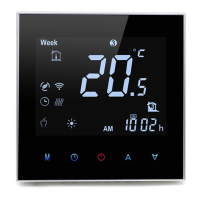
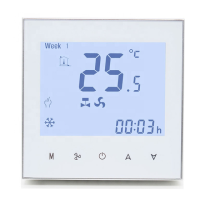
Display and Buttons
Weekday
Clock
Battery Indicator
Set Temp.
Room Temp. Display
Heating Icon.
Programmable Period
PRG. Button
On/off Button
Temp. & Parameters setting
Modes Select
Question and Answer IconNeed help?

Do you have a question about the HOTOWELL HTW-31-WKT19-WF and is the answer not in the manual?

Summary

Technical Specifications

Power Supply and Load

Sender uses 2*AAA batteries; receiver load current is 230Vac/Max 10A.

Temperature Settings

Set point range is 5-35°C, ambient temperature range is 0-50°C, accuracy is ±0.5°C.

Environmental and Material

Operates at 85% relative humidity, IP30 protection class, and features a fire retardant ABS housing.

Sensor and Backlight

Equipped with an NTC 10K sensor and a white backlight.

User Interface and Controls

Display Indicators

Key display elements include Weekday, Clock, Battery Indicator, Room Temp Display, and Heating Icon.

Control Buttons

Buttons for PRG, On/off, Modes Select, and Temp & Parameters setting are present.

Programmable Period Status

Indicates the current programmable period status on the display.

Programming and Settings

Period Setting (PRG. Setting)

Guide to set time and temperature for up to 4 daily periods, with default settings provided.

Hour;Date Setting

Procedure to set the current hour, minute, and day using the M button.

Open Window Detection Function

Automatic heating stop when a sudden room temperature drop is detected.

Connectivity and Pairing

Code Pairing with Sender

Instructions for pairing the thermostat with the receiver unit via a code.

Code Pairing with App

Steps to connect the thermostat to a smartphone app via Wi-Fi.

Clear All Pairing

Procedure to remove all existing paired devices and connections.

Signal Lost Indicator

LED 2 flickers slowly to indicate RF and Wi-Fi signal loss or disconnection.

Parameter Settings

Temperature Calibration

Adjust internal sensor calibration for accurate temperature readings.

Set Point Limits

Configure maximum and minimum set point values for heating control.

Frost Protection and Dead Zone

Set frost protection temperature and dead zone to prevent freezing and cycling.

Open Window Detection Settings

Configure OWD function, detect time, and temperature drop thresholds.

Factory Reset

Option to restore the thermostat to its original factory default settings.

Installation and Wiring

Wiring Diagrams

Schematics showing AC 220V connections for normally closed (NC) and normally open (NO) circuits.

Installation Methods

Instructions for portable use with foot pod and wall mounting using a bracket.

Dimensions

Provides physical dimensions of the thermostat unit for installation planning.

Overview

The HTW-31-WKT19-WF is a WiFi Boiler Thermostat designed to remotely control electric and conventional heating systems based on set temperature and time. It offers the convenience of managing your heating from anywhere at any time.

Function Description

The thermostat operates by allowing users to set desired temperatures and schedules, which can be adjusted remotely via a smartphone application. It features an Open Window Detection (OWD) function that automatically stops heating if a sudden drop in room temperature is detected, indicating an open window or door. After a set delay, the device returns to its previous operating mode. The system consists of a sender unit (the thermostat itself) and a receiver unit that connects to the boiler. Code pairing between the sender and receiver, as well as with the "Smart Life" mobile app, enables the full range of remote control functionalities.

Important Technical Specifications

Sender Unit:

  • Power Supply: 2*AAA battery
  • Set Point Range: 5~35°C
  • Ambient Temperature: 0~50°C
  • Relative Humidity: 85%
  • Backlight: White
  • Sensor: NTC 10K, 3950 ohms at 25°C
  • Accuracy: ± 0.5°C (step control by +0.5°C)
  • Protection Class: IP30
  • Housing: ABS to UL94-5 fire retardant plastic

Receiver Unit:

  • Load Current: 230Vac/Max 10A

Parameter Settings:

  • Temperature Calibration: -8°C to 8°C (Default: 0°C)
  • Set Point Max.: 5°C to 35°C (Default: 35°C)
  • Set Point Min.: 5°C to 35°C (Default: 5°C)
  • Frost Protection Temp.: 5°C to 15°C (Default: 5°C)
  • Dead Zone: 0°C to 3°C (Default: 0°C)
  • Open Window Detect Function: 1: Enable, 0: Disable (Default: 0 - Disabled)
  • OWD Detect Time: 2~30 minutes (Default: 15 minutes)
  • OWD Drop Temp. Select: 2, 3, 4°C (Default: 2°C)
  • OWD Delay Time Select: 10~60 minutes (Default: 30 minutes)
  • Factory Reset: Option available (Default: 0 - No)
  • Software Version: 5055-02

Usage Features

Display and Buttons: The thermostat features a clear display showing weekday, clock, battery indicator, current room temperature, set temperature, and a heating icon. Buttons include:

  • PRG. Button: Used for program setting and navigating through settings.
  • On/off Button: Powers the device on or off.
  • Modes Select: For choosing different operating modes.
  • Temp. & Parameters Setting: Up and down arrows for adjusting values.

Programming (PRG) Setting:

  • Users can set 4 periods for each day of the week (Monday to Sunday).
  • Each period allows setting both time and temperature.
  • Default settings are provided for weekdays (Mon-Fri), Saturday, and Sunday, with varying temperatures throughout the day (e.g., 22°C during active hours, 19°C during inactive hours).

Hour/Date Setting:

  • Long press the 'M' button to enter hour/date setting.
  • Adjust minutes, hours, and day using the up/down buttons.
  • Settings can be saved by pressing the ON/OFF button or by waiting for 15 seconds.

Open Window Detection (OWD):

  • When enabled in parameter settings, the system automatically stops heating if a temperature drop of 2°C (default) is detected within 15 minutes (default).
  • The device returns to its previous mode after a 30-minute delay (default), and the "OP" icon disappears.
  • Pressing any button during the heating-off period will exit the OWD function.

Installation and Dimension:

  • The device can be used portably with a foot pod or wall-mounted using a bracket.
  • Dimensions: 135mm (width) x 88mm (height) x 22mm (depth).

Maintenance Features

Code Pairing:

  • With Sender: Long press the code pairing button on the receiver until LED 1 flickers quickly. Then, on the thermostat, long press 'M' until "Code" displays, and press the up button. LED 1 will stop flickering once pairing is complete.
  • With App:
    1. Scan the QR code to download the "Smart Life" app.
    2. Install the app and register an account.
    3. Add the device by pressing '+' in the app, then select "Home Appliances II" and "Thermostat."
    4. Long press the pairing button on the receiver to enter Wi-Fi connection mode (LED will flash quickly).
    5. Confirm "indicator rapidly blink" in the app.
    6. Wait for connection; LED on the receiver will stop flashing upon successful connection. If the LED flashes slowly, the connection failed, and the process should be repeated.

Clear All Pairing:

  • Long press both the code pairing button and the On/Off button for 5 seconds until LED1 and LED2 light up, then turn off, indicating that all pairing has been eliminated.

Signal Lost Indication:

  • If the RF and Wi-Fi signals are lost or disconnected, LED 2 on the receiver will flicker slowly.

Parameter Setting:

  • To access parameter settings, turn the thermostat off, then long press the 'M' and up arrow buttons. This allows for fine-tuning various operational aspects like temperature calibration, set point limits, frost protection, dead zone, and OWD settings.
  • A factory reset option is available (Parameter 17) to restore default settings.

HOTOWELL HTW-31-WKT19-WF Specifications

General IconGeneral
BrandHOTOWELL
ModelHTW-31-WKT19-WF
CategoryThermostat
LanguageEnglish

Related product manuals