EasyManua.ls Logo

HOTOWELL HTW-WF02 Series - User Manual

HOTOWELL HTW-WF02 Series
4 pages
Print Icon
To Next Page IconTo Next Page
Loading...
Smart Wifi Thermostat
Reference No.:HTW-WF02 Series
- 1 -
Version 2020-1.0
HTW-WF02 series Wifi thermostat is widely used in these environment like Homes, Residential buildings,
Schools, Hotels, Hospitals, Offices and etc. to main an ideal room temperature purpose. It can be used in
Electric Underfloor Heating, Water Heating or Water/Gas Boiler systems.
47 Mainstreaming Languages synchronize in APP(
English, Spanish, Russian, Hungarian, Turkey, Hebrew, German,
Italian, Japanese, French, Poland, simplified Chinese, traditional Chinese, Holland, Portuguese, Vietnamese, Arabic, Korean
)
Snap-In Easy Installation
Fit for EU & Standard Junction Electric Box
Easily Work with Amazon Echo, Google Home, Tmall Genie
Group Control in 1 App
Consise Design
Ordering Information
HTW-WF02- **
Smart Wifi Thermostat
Code Application
-3A Water Heating, 3A, NC+NO+Com output terminals
-16A Electric Underfloor Heating, 16A, L+N line voltage output terminals
-NV Water/Gas Boiler, 3A, 1 pair of Non-Voltage output terminals
e.g. HTW-WF01-3A refers to application:Water Heating, 3A, NC+NO+Com output terminals
General
Features
Ordering Guide
-3A
-16A -NV
Question and Answer IconNeed help?

Do you have a question about the HOTOWELL HTW-WF02 Series and is the answer not in the manual?

Summary

General

Features

Ordering Guide

Specification

Installation

Dimensions and Display

Operation

Lock;Unlock

Functionality for locking/unlocking thermostat controls.

Programmable Schedule Configuration (5+2 weekly)

Setting up heating schedules for weekdays and weekends.

Floor Temperature Display

How to view floor sensor temperature readings.

Installer Set-UP Process (ISU)

Temperature Calibration

Adjust internal sensor temperature readings.

Dead Zone

Configure switching differential for heating/cooling control.

Keypad Lock Type

Define which buttons are locked to prevent accidental changes.

Sensor Selection

Choose internal, external, or combined sensor for temperature control.

Standby Backlight Time

Set the duration the display backlight remains active.

Max. Set-Point Limit

Define the maximum allowable temperature setting.

12;24 Hour Display

Select the time format for the thermostat display.

Display Mode

Choose what information is shown on the display.

Low Temperature Protection

Set a minimum temperature threshold to prevent damage.

High Temperature Protection

Set a maximum temperature threshold to prevent overheating.

Return to Factory

Reset thermostat settings to their default factory values.

Warranty

Overview

This document describes the HTW-WF02 series Smart Wi-Fi Thermostat, a device designed for maintaining an ideal room temperature in various environments such as homes, residential buildings, schools, hotels, hospitals, and offices. It supports Electric Underfloor Heating, Water Heating, and Water/Gas Boiler systems.

Function Description

The HTW-WF02 series thermostat allows users to control heating systems to achieve a desired room temperature. It features Wi-Fi connectivity, enabling remote control and scheduling via a smartphone application. The thermostat supports 47 mainstream languages in the app, including English, Spanish, Russian, Hungarian, Turkish, Hebrew, German, Italian, Japanese, French, Polish, Simplified Chinese, Traditional Chinese, Dutch, Portuguese, Vietnamese, Arabic, and Korean. It is compatible with smart home ecosystems like Amazon Echo, Google Home, and Tmall Genie, allowing for voice control. Group control of multiple thermostats is also possible through a single app.

The device offers both manual and programmable modes. In manual mode, the temperature is set directly. In programmable mode, users can set a 5+2 weekly schedule with six periods per day (three for weekdays and three for weekends), each with a specific time and temperature. The default settings for weekdays include "Comfort" at 20°C from 06:00, "Economy" at 15°C from 08:00, "Comfort" at 15°C from 11:30, "Economy" at 15°C from 13:30, "Comfort" at 22°C from 17:00, and "Economy" at 15°C from 22:00. Weekend defaults are similar, with "Comfort" at 20°C from 06:00, "Economy" at 20°C from 08:00, "Comfort" at 20°C from 11:30, "Economy" at 20°C from 13:30, "Comfort" at 15°C from 17:00, and "Economy" at 15°C from 22:00. When connected to Wi-Fi, the thermostat prioritizes the programmable schedule set via the app over the device's internal schedule.

The thermostat includes a keypad lock function, configurable to lock all buttons except the power button or all buttons completely. It also features low and high temperature protection settings to prevent extreme temperatures.

Important Technical Specifications

  • Power Supply: 95~240Vac, 50/60Hz
  • Current Load:
    • 3A (for -3A, -NV applications: Water Heating, Water/Gas Boiler)
    • 16A (for -16A application: Electric Underfloor Heating)
  • Sensor: NTC3950, 10K
  • Temperature Accuracy: ±0.5°C or ±1°F
  • Set-Point Range: 5~35°C
  • Display Temp. Range: 5~99°C
  • Storage Temperature: -5~45°C
  • Power Consumption: < 1.5W
  • Timing Error: < 1%
  • Housing Material: PC+ABS (Fireproof)
  • Wires on Terminals: 2 x 1.5 mm² or 1 x 2.5 mm²
  • Protection Class: IP20
  • Installation Box: EU or Standard Electric Box
  • Operating Buttons: Capacitive Touch Buttons
  • Dimensions: 86.0 x 86.0 x 13.0 mm (display part depth: 26.0 mm)

Ordering Codes:

  • -3A: Water Heating, 3A, NC+NO+Com output terminals.
  • -16A: Electric Underfloor Heating, 16A, L+N line voltage output terminals.
  • -NV: Water/Gas Boiler, 3A, 1 pair of Non-Voltage output terminals.

Usage Features

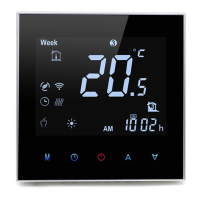
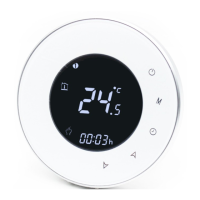
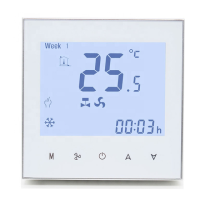
The thermostat features a user-friendly interface with capacitive touch buttons.

  • Power On/Off: A dedicated button switches the thermostat on or off.
  • Temperature Adjustment: Up and down arrow icons allow increasing or decreasing the set-point or parameters.
  • Time and Weekday Setting: A clock icon is used to set the minute, hour, and weekday (1=Monday, 2=Tuesday, etc.). Parameters are adjusted using the arrow icons and confirmed by pressing the clock icon again to switch to the next parameter.
  • Lock/Unlock: Pressing both the up and down arrow buttons simultaneously for 5 seconds locks or unlocks the thermostat. The keypad lock type can be configured in the Installer Set-UP (ISU) process.
  • Mode Switching: The 'M' button switches between Manual and Programmable modes. In manual mode, an 'M' icon appears; in programmable mode, a period icon appears.
  • Programmable Schedule Configuration: In programmable mode, the 'M' button is pressed, then the clock icon is used to set time and weekday. Touching the clock icon again allows setting the weekday schedule (1-5) and then the weekend schedule (6-7), adjusting time and temperature for each of the six periods using the arrow icons.
  • Floor Temperature Display: Pressing and holding the down arrow for 5 seconds displays the floor sensor temperature (if connected).
  • Installer Set-UP (ISU) Process: This advanced configuration mode is accessed by pressing 'M' and the clock icon simultaneously for 5 seconds when the thermostat is off. It allows configuration of:
    • Temperature calibration (-9°C to +9°C).
    • Dead Zone (0°C to 5°C switching differential).
    • Keypad Lock type (all buttons except power, or all buttons).
    • Sensor selection (internal, external, or internal with external limit).
    • Standby Backlight time (1-60S).
    • Max. set-point limit (15°C - 45°C).
    • 12/24 hours display.
    • Display Mode (both set temp. and room temp., or set temp. only).
    • Low Temperature Protection (0°C - 15°C).
    • High Temperature Protection (10°C - 70°C).
    • Return to Factory settings.

Maintenance Features

  • Installation: The thermostat features a snap-in design for easy installation and fits EU & Standard Junction Electric Boxes. Installation involves disconnecting power, removing the faceplate, connecting wires to appropriate terminals, fixing the installation plate to the junction box, and then fastening the display part and faceplate.
  • Warning: A critical warning is provided regarding the risk of electrical shock. Users are advised to disconnect the power supply before making electrical connections and to ensure the power is off by testing the heating/cooling system.
  • Warranty: Products are warranted for 2 full years from the date of purchase, covering defects not caused by man-made factors. Service outside the warranty period may incur an extra charge. For more details, users are advised to contact Hotowell directly.

HOTOWELL HTW-WF02 Series Specifications

General IconGeneral
BrandHOTOWELL
ModelHTW-WF02 Series
CategoryThermostat
LanguageEnglish

Related product manuals