8
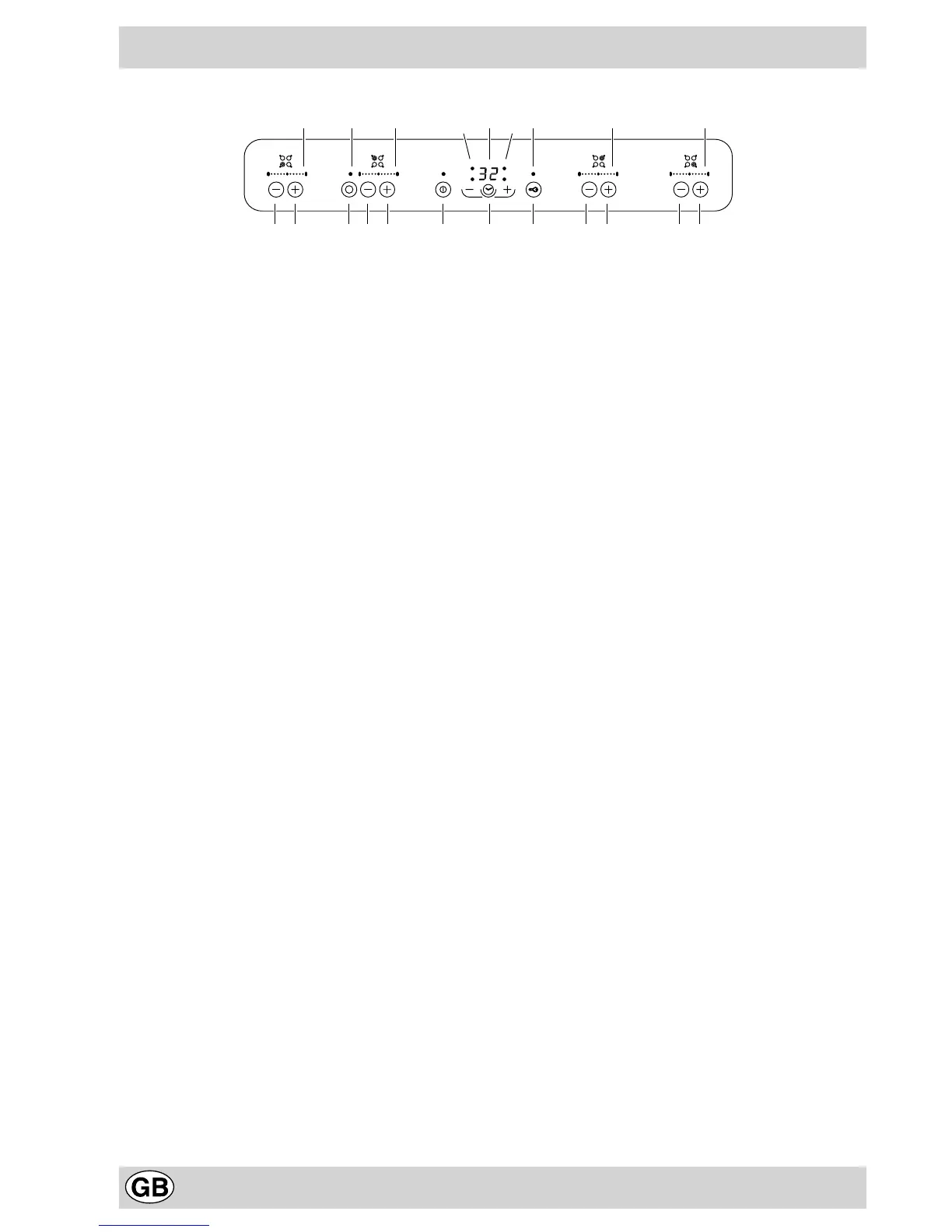
The controls
6 5 67 1 9 2
483 3 3 310
11
11
5 6 5 6 5
1. On/ off key
2. Control lock key
3. Power indicators
4. Lock indicator light
5. Power increase key
6. Power decrease key
7. Extension key for the extendable cooking zone/s (con-
centric or oval): found on hobs where there are 1 or 2
extendable cooking zones
8. Surface operation indicator light for the extendable
cooking zone/s (concentric or oval): found beside each
extendable cooking zone
9. Timer- adjustment key to programme the cooking time
10.Programmed duration indicator
11.Programmed cooking zone indicator light
Note
• The extension key for the extendable cooking zone/s (7) and the relative indicator lights (8) are only found on
models that have extendable cooking zones (concentric or oval).



 To Next Page