This document provides instructions for the Hotpoint HR 651 C H glass ceramic hob, covering installation, operation, and maintenance.
Function Description:
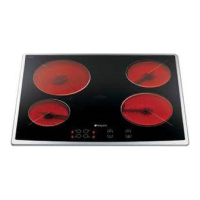
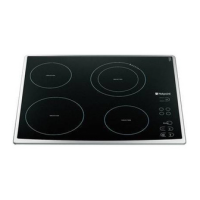
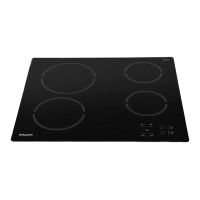
The Hotpoint HR 651 C H is a glass ceramic hob designed for domestic cooking. It features four radiating cooking zones of varying diameters: two Ø 145 mm zones, one Ø 180 mm zone, and one Ø 210 mm zone. The hob is controlled via a touch-sensitive panel with a display. Key functions include On/Off, cooking zone and timer selection, heat setting increase and decrease, and a key lock. Some models may also include a "Booster" function for rapid heating and a "Multiple Zone" feature for activating additional cooking areas. The hob incorporates safety features such as automatic switch-off and a residual heat indicator.
Important Technical Specifications:
- Cooktop Depth: The cooktop must be set into a worktop between 20 mm and 50 mm deep.
- Clearance: A minimum distance of 20 mm is required between the lower face of the glass ceramic hob and any cupboard or separating panel. If installed next to a column unit, a minimum distance of 100 mm from the edge of the cooktop to the side of the column unit is necessary.
- Electrical Connection: The appliance requires an all-pole disconnect switch with a minimum contact gap of 3 mm. The power supply cable must be long enough to allow removal from the worktop and positioned to avoid damage or overheating.
- 220-240V ~ +: 3 x 4 mm² conductors.
- 230-240V ~ + (Australia only): 3 x 4 mm² conductors.
- 220-240V 3~+: 4 x 1.5 mm² conductors.
- 380-415V 3N~ +: 5 x 1.5 mm² conductors.
- 380-425V 2N~ +: 4 x 1.5 mm² conductors.
- Earthing: The appliance must be earthed, and the yellow/green earth wire must be connected to the terminal with the symbol and be longer than other wires.
- Cooling System: If an oven is installed beneath the cooktop, it must be equipped with a cooling system to prevent the hob's electronic circuits from overheating.
- Dimensions (Hob):
- Overall width: 580 mm
- Overall depth: 510 mm
- Cut-out width: 560+2 mm
- Cut-out depth: 490+2 mm
- Minimum front clearance: 20 mm
- Minimum rear clearance: 5 mm
- Minimum side clearance: 5 mm
- Minimum distance to wall (rear): 70 mm
- Minimum distance to wall (front): 20 mm
- Minimum distance to furniture (above hob): 40 cm
- Minimum distance to furniture (side): 10 cm
- Minimum distance to furniture (front): 7 cm
- Minimum distance to furniture (below hob): 6 mm (for support springs)
Usage Features:
- Initial Setup: Upon first installation, the control panel performs a functional test for about 1 second, then automatically switches to the "Key lock" function. This must be deactivated by pressing and holding button "D" until an acoustic signal sounds and the corresponding LED turns off.
- Switching On/Off: To switch the hob on, press and hold button "A" for approximately 2 seconds. The cooking zone displays will show "0". If no cooking zone is activated within 20 seconds, the hob automatically switches off as a safety precaution. To switch off, press and hold button "A" again.
- Heat Setting: Select a cooking zone by pressing its corresponding "B" button, then adjust the heat setting from 1 to 9 using buttons "E" (decrease) or "C" (increase). Pressing "+" when level 9 is reached activates the "Booster" function (if available), indicated by an "A" on the display. The control is deactivated 10 seconds after the heat setting is selected. To change the heat setting, press the selection button "B" again, then adjust.
- Multiple Zone (if present): After selecting a zone and setting its level, press button "F". An indicator above the button will turn on, activating the additional zone. This feature is only available if the cooking zone supports multiple zones and the power level is greater than 0. To deactivate, press button "B" of the desired zone, then "F" again.
- Timer Function: To set the timer, select the desired cooking zone and power setting, then press the cooking zone key again. A luminous dot will appear on the display of the timer-controlled cooking zone, and "00" will blink on the 2 displays. Use buttons "C" or "E" to set the time from 1 to 99 minutes. After 10 seconds, the timer displays will show the power setting of other cooking zones. To view the remaining cooking time, press the timer-controlled cooking zone key twice.
- Key Lock: This function is activated by holding down button "D" until a dot lights up above the function button. It locks all hob functions except the On/Off button "A". The lock remains active even after the hob is switched off and on again and can be deactivated by pressing button "D" again.
- Residual Heat Indicator: An "H" or "0" (flashing) indicates residual heat when a cooking zone is switched off, remaining until the temperature returns to safe levels.
- Energy Saving Tips: Use pots and pans with a bottom diameter equal to or slightly larger than the cooking zone. Use flat-bottomed pots and pans. Keep pot lids on when cooking. Cook vegetables and potatoes with minimal water. Use a pressure cooker for greater energy and time savings.
Maintenance Features:
- Cleaning: Clean the cooktop when it is cool after each use to prevent dirt buildup. Avoid high-pressure water or steam cleaning equipment. Use a clean cloth, absorbent kitchen wipes, and washing-up liquid or a specific glass ceramic cleaner.
- Removing Baked-on Dirt: Use a special scraper tool (if provided) and specific cleaning products.
- Food Spills: Clean food spills before they bake onto the glass ceramic surface. Immediately remove foods with high sugar content (toffee, fruit juice, jam, etc.) that boil over or splatter, using a scraper.
- Avoid Abrasives: Do not use abrasive products, bleach, oven-cleaner spray, or pan scourers.
- Protective Wax: Treat the cooktop periodically with a proprietary brand of protective wax for glass-ceramic hobs.
- Troubleshooting:
- If the cooktop is not working, ensure the control buttons were pressed correctly as per the "Using the hob" section, check for power failure, and ensure the hob is dry after cleaning.
- If "F" or "ER" followed by a number appears on the display (except "F03" or "ER03"), contact After Sales Service. "F03" or "ER03" indicates incorrect cleaning of the controls area; follow the cleaning instructions.
- If the hob does not work after intensive use, the internal temperature may be too high. Wait a few minutes for it to cool down.
- After-Sales Service: Before contacting service, try to resolve the problem using the troubleshooting guide. Turn off and restart the appliance to see if the fault persists. If the fault continues, provide a short description of the fault, the precise type and model of the appliance, and the service number (found on the data plate under the hob or on the Product Description Sheet). Always request a certification of the job carried out by an authorized technician and insist on using original spare parts. Failure to comply may compromise safety and product quality.

 Need help?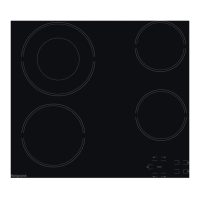


 To Next Page
 General