EasyManua.ls Logo

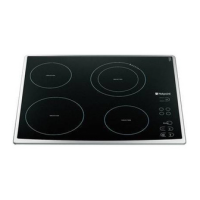
Hotpoint ET 6124 X - User Manual

Hotpoint ET 6124 X
12 pages
Print Icon
To Next Page IconTo Next Page
Loading...
Operating Instructions
HOB
Contents
Installation, 2-3
Positioning
Connecting the hob
Disposal
Description of the appliance, 4-5
Control panel
Cooking zone description
Start-up and use, 6
Turning on the hob
Turning off the hob
The booster
The safety devices, 7
Pan recognition
What cookware to use
Acoustic signal
Safety cut out
Overheating protection device
Precautions and tips, 8
Practical advice on using the appliance
General safety
Care and maintenance, 9
Switching the appliance off
Cleaning the appliance
Disassembling the hob
English, 2
GBGB
GBGB
GB
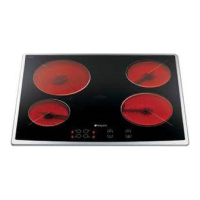
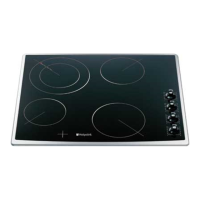
ET 6124
ET 6124 X
ET 7424
GB
Question and Answer IconNeed help?

Do you have a question about the Hotpoint ET 6124 X and is the answer not in the manual?

Summary

Installation Guide

Positioning and Ventilation

Guidance on placing the hob for proper installation and ventilation.

Built-in Appliance Requirements

Specifications for cabinets and supporting surfaces for hob installation.

Fixing Procedures

Instructions on how to securely fix the hob to the supporting surface.

Connecting the Hob

Electrical Connection Options

Details for models with and without a power supply cable.

Disposal Information

Guidelines for the environmentally safe disposal of packaging and the appliance.

Appliance Description

Control Panel Overview

Explanation of the hob's control panel layout and functions.

Hob Specifications

Cooking Zone Details

Information on power output and features for different cooking zones.

Start-up and Use

Hob Operation

Procedures for switching the hob on/off and controlling cooking zones.

Booster Function

How to activate the temporary high power cooking feature.

Controls Lock and Programming

Features for locking controls and programming cooking times.

Safety Devices

Pan Recognition

Detection system for suitable cookware on induction zones.

Cookware Compatibility

Guidance on suitable and unsuitable cookware for induction.

Automatic Safety Cut-outs

Information on safety cut-out and overheating protection devices.

Precautions and Tips

Practical Usage Advice

Tips for optimal hob performance, cookware, and cleaning.

General Safety Guidelines

Important safety warnings for operation, installation, and maintenance.

Care and Maintenance

Switching Off and Cleaning

Instructions for safely powering off and cleaning the hob.

Disassembling the Hob

Steps for removing the hob from its installation cavity.

After Sales Service

Repair Service and Information

Contact details for technical support, repairs, and general inquiries.

Extended Warranties and Plans

Information on service cover plans for enhanced peace of mind.

Genuine Parts and Accessories

Details on obtaining genuine replacement parts and accessories.

Guarantee Information

Guarantee Terms and Conditions

Conditions applicable to the appliance guarantee.

Recycling & Disposal Information

Guidelines for environmentally responsible disposal of the appliance.

Key Contacts

Repair Service Contact Details

Phone numbers and website for repair service and information.

Extended Warranty Contacts

Contact details for purchasing extended service plans.

Parts and Accessories Contacts

Contact information for genuine replacement parts and accessories.

Summary

Installation Guide

Positioning and Ventilation

Guidance on placing the hob for proper installation and ventilation.

Built-in Appliance Requirements

Specifications for cabinets and supporting surfaces for hob installation.

Fixing Procedures

Instructions on how to securely fix the hob to the supporting surface.

Connecting the Hob

Electrical Connection Options

Details for models with and without a power supply cable.

Disposal Information

Guidelines for the environmentally safe disposal of packaging and the appliance.

Appliance Description

Control Panel Overview

Explanation of the hob's control panel layout and functions.

Hob Specifications

Cooking Zone Details

Information on power output and features for different cooking zones.

Start-up and Use

Hob Operation

Procedures for switching the hob on/off and controlling cooking zones.

Booster Function

How to activate the temporary high power cooking feature.

Controls Lock and Programming

Features for locking controls and programming cooking times.

Safety Devices

Pan Recognition

Detection system for suitable cookware on induction zones.

Cookware Compatibility

Guidance on suitable and unsuitable cookware for induction.

Automatic Safety Cut-outs

Information on safety cut-out and overheating protection devices.

Precautions and Tips

Practical Usage Advice

Tips for optimal hob performance, cookware, and cleaning.

General Safety Guidelines

Important safety warnings for operation, installation, and maintenance.

Care and Maintenance

Switching Off and Cleaning

Instructions for safely powering off and cleaning the hob.

Disassembling the Hob

Steps for removing the hob from its installation cavity.

After Sales Service

Repair Service and Information

Contact details for technical support, repairs, and general inquiries.

Extended Warranties and Plans

Information on service cover plans for enhanced peace of mind.

Genuine Parts and Accessories

Details on obtaining genuine replacement parts and accessories.

Guarantee Information

Guarantee Terms and Conditions

Conditions applicable to the appliance guarantee.

Recycling & Disposal Information

Guidelines for environmentally responsible disposal of the appliance.

Key Contacts

Repair Service Contact Details

Phone numbers and website for repair service and information.

Extended Warranty Contacts

Contact details for purchasing extended service plans.

Parts and Accessories Contacts

Contact information for genuine replacement parts and accessories.

Hotpoint ET 6124 X Specifications

General IconGeneral
TypeElectric Hob
Number of Cooking Zones/Burners4
Control TypeTouch Control
Width60 cm
ColorStainless Steel
Power Levels9
Installation TypeBuilt-In
Residual Heat IndicatorYes
Surface MaterialGlass Ceramic
MaterialGlass Ceramic

Related product manuals