AUTO COOKING PROGRAMMES
There are two Auto Cooking programmes that can be selected using your timer:–
(a) To set the Timer to switch the oven(s) ON immediately and OFF at a preset time - Up to
180 minutes.
(b) To set the Timer to switch the oven(s) ON and OFF Automatically.
a) TO SET THE TIMER TO SWITCH THE OVEN(S) ON IMMEDIATELY AND OFF
AT A PRE-SET TIME – UP TO 180 MINUTES.
Step 1 Check that the correct time of day is set, if not follow instructions for setting the
time of day.
Step 2 Place food onto the correct shelf position in the oven and close the oven door.
Step 4 Turn the oven control(s) to the required temperature, and if necessary select the
appropriate oven function.
At the end of the Cook Period, the oven(s) will switch off and a Bell will ring.
Step 5 Return the oven control to the OFF position.
Clock & Automatic Oven Timer Operation
18
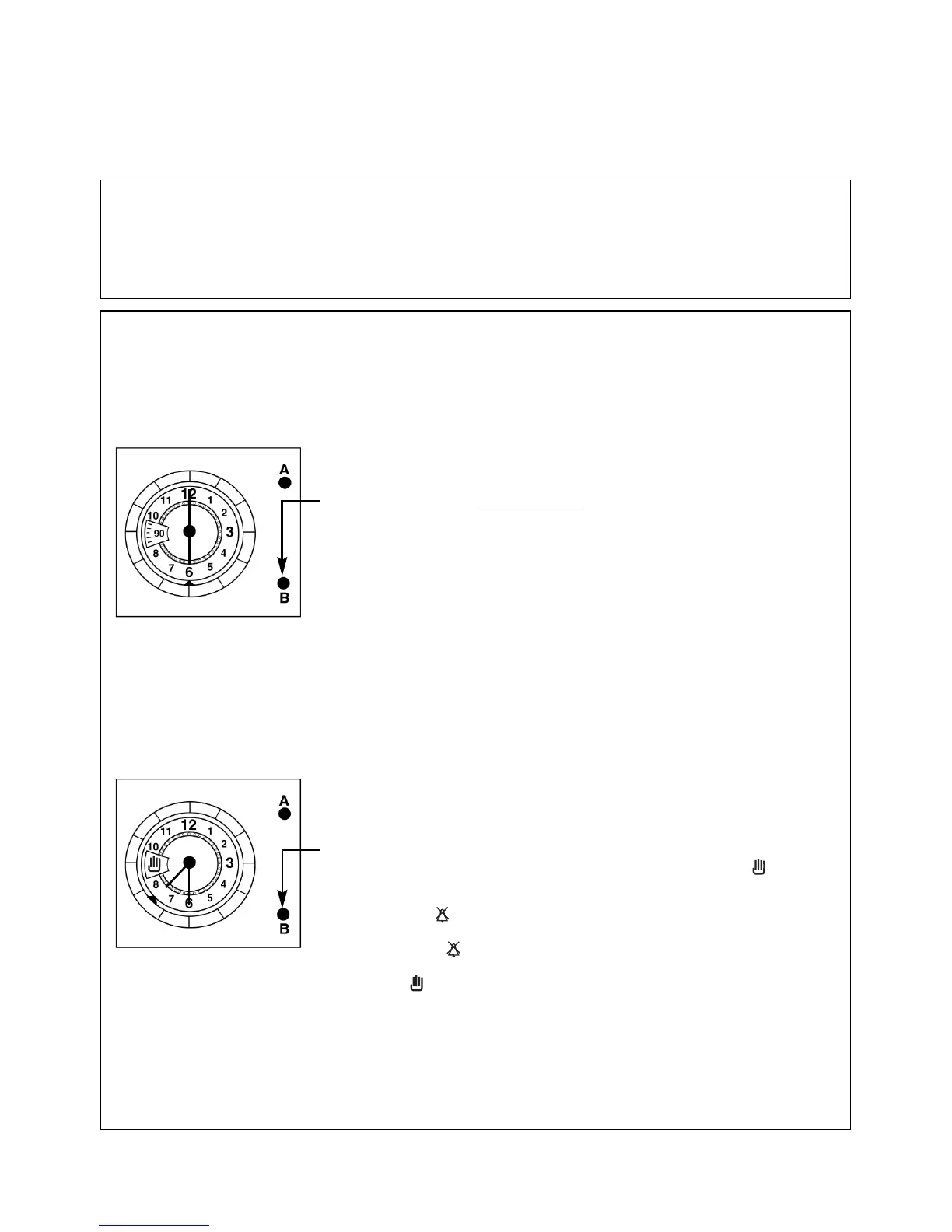
Step 3 Turn knob (B) anti-clockwise until the required cook period in
minutes is indicated in the display
window.
e.g. 90 minutes (as shown).
Note: Cook period is the length of time that you wish the
food to cook (Up to 180 minutes).
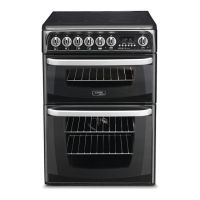
Step 6 To cancel the Bell and return the timer to "Manual
Operation", turn knob (B) anti-clockwise, until the
symbol is shown in the display window.
Note: Cancel Bell
The bell can be cancelled by turning knob (B) anti-clockwise
until the symbol is shown in the display window.
For normal oven operation, turn knob (B) anti-clockwise until
the symbol is shown in the display window.



 To Next Page