EasyManua.ls Logo

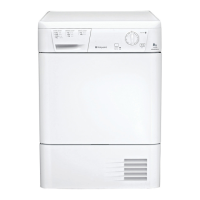
Hotpoint CTD40 - User Manual

Hotpoint CTD40
16 pages
Print Icon
To Next Page IconTo Next Page
Loading...
Instructions
CTD40

Questions and Answers

  • C
    Christopher SteinJul 30, 2025
    Why won't my Hotpoint CTD40 start?
    • M
      Monica BennettJul 31, 2025
      Your Hotpoint Dryer might not start due to several reasons: the plug might not be properly inserted into the socket, there could be a power failure, or a blown fuse. Also, check if you're using an extension cord and try plugging the dryer directly into the socket. Ensure the door is securely closed, the PROGRAMMES knob is correctly set, and the START button has been pressed. Try plugging another appliance into the socket to check if it works.
  • C
    Cheryl BatesAug 5, 2025
    What to do if the empty water light is flashing on my Hotpoint CTD40?
    • R
      Richard IbarraAug 5, 2025
      If the empty water light is flashing on your Hotpoint Dryer, it likely means the water container wasn't emptied before starting the drying programme. To prevent this, always check and empty the container before beginning a new drying cycle.
  • N
    nicholas32Aug 12, 2025
    Why is my Hotpoint CTD40 taking a long time to dry clothes?
    • M
      Mark KhanAug 12, 2025
      Several factors can cause your Hotpoint Dryer to take longer than usual: the filter may need cleaning, the temperature setting might not be appropriate for the fabric type, the water container could need emptying, or the condenser might require cleaning. Also, ensure the correct drying time is selected for the load, the air intake grille or rear vents aren't obstructed, the items aren't too wet, and the dryer isn't overloaded.
  • J
    Jacob HubbardAug 18, 2025
    What to do if my Hotpoint Dryer programme finishes and clothes are damper than expected?
    • C
      Crystal SmithAug 18, 2025
      If your Hotpoint Dryer programme finishes and your clothes are damper than expected, it could be that an automatic programme hasn't sensed the required final moisture in the allotted time. Check the points mentioned in the manual and run the programme again. If the results are still damp, contact the Service Centre.
  • S
    Scott SantiagoAug 25, 2025
    What does it mean when the empty water light is on but not flashing on my Hotpoint Dryer?
    • D
      Dennis SheltonAug 25, 2025
      If the empty water light is on but not flashing on your Hotpoint Dryer, it's normal. The light serves as a reminder to empty the container. The light only flashes when the container is full.

Summary

Installation

Electrical Connections and Plug Safety

Ensuring the electrical socket is grounded and compatible, and plug safety.

Dryer Description

Control Panel Overview

Explanation of the control panel buttons, lights, and programme selector knob.

Start and Programmes

Programme Selection Table

A table outlining programmes, their functions, and how to set them.

Dryer Controls and Operation

Explanation of controls like the programme knob, option buttons, and progress lights.

Warnings and Suggestions

General Safety Precautions

Essential safety guidelines for operating the dryer, including child safety and electrical hazards.

Maintenance and Care

Switching Off and Filter Cleaning

Instructions for powering down the dryer and cleaning the lint filter after each cycle.

Troubleshooting

Dryer Fails to Start

Common causes and solutions for when the tumble dryer does not start.

Drying Cycle Issues

Troubleshooting steps for problems like the cycle not beginning or taking too long.

Water Container Alerts and Fault Lights

Resolving issues related to water container alerts and ON/OFF light flashing.

Hotpoint CTD40 Specifications

General IconGeneral
BrandHotpoint
ModelCTD40
CategoryDryer
LanguageEnglish

Related product manuals