EasyManua.ls Logo

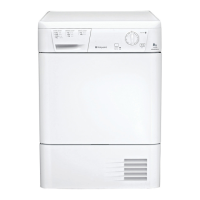
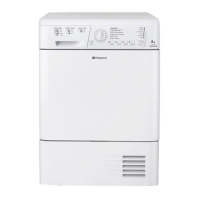
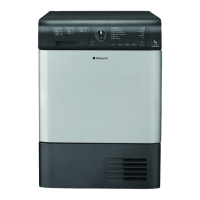
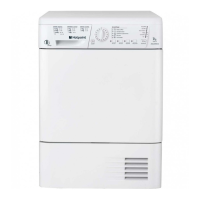
Hotpoint TCM570 - User Manual

Hotpoint TCM570
16 pages
Print Icon
To Next Page IconTo Next Page
Loading...
Instruction booklet
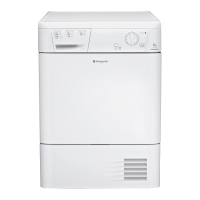
TUMBLE DRYER
Contents
Important information, 2-3
Installation, 4
Where to put your dryer
Ventilation
Door reversal instructions
Water drain
Electrical connection
Before you start using your dryer
Dryer description, 5
To open the door
The features
Control panel
Start and programmes, 6
Choosing a programme
Laundry, 7-8
Sorting your laundry
Wash care labels
Special clothing items
Drying times
Warnings and Suggestions, 9
General safety
Disposal
Saving energy and respecting the environment
Maintenance and Care, 10
Switching off the electricity
Cleaning the filter after each cycle
Check the drum after each cycle
Empty the water container after each cycle
Cleaning the condenser unit
Cleaning the dryer
Troubleshooting, 11
Service, 12
GB
English
TCM570
! Keep this instruction booklet on hand in order to refer to it when necessary. Take it with you when you move, and
should you sell this appliance or pass it on to another party, make sure that this booklet is supplied along with the
dryer so that the new owner may be informed about warnings and suggestions on how the appliance works.
! Read these instructions carefully; the following pages contain important information on installation and suggestions
on how the appliance works.
1
Important
Information
Installation Description
Start and
Programmes Laundry
Warnings and
Suggestions
Maintenance
and Care Service
Troubleshooting
GB

Questions and Answers

  • K
    kyliegrahamJul 29, 2025
    Why won't my Hotpoint TCM570 start?
    • K
      Kimberly MilesJul 29, 2025
      Your Hotpoint Dryer might not start due to several reasons: * The plug may not be properly inserted into the socket or is not making good contact. Try plugging another appliance into the same socket to test it. * There may have been a power failure. * A fuse might have blown. * You might be using an extension cord. Try plugging the dryer's power cord directly into the socket. * The door might not be closed securely. * The TIMER knob might not be set correctly. * The START button might not have been pressed.
  • K
    Katrina KennedyAug 14, 2025
    What to do if my Hotpoint Dryer is taking too long to dry?
    • L
      Laura AdamsAug 14, 2025
      If your Hotpoint dryer is taking longer than usual to dry clothes, consider the following: It could be that: * The filter needs cleaning. * The water container needs emptying or the empty water light is on. * The condenser needs cleaning. * The temperature setting is not appropriate for the fabric type. * The drying time selected is not suitable for the load. * The air intake grille or rear vents are blocked. * The items were too wet when put in the dryer. * The dryer was overloaded.

Summary

Important information

Fluff filter

Instructions for cleaning the fluff filter after each drying cycle.

Water Container

Instructions for emptying the water container after each drying cycle.

Condenser Unit

Monthly procedure for cleaning the condenser unit.

Installation

Where to put your dryer

Guidance on dryer placement for proper airflow and to prevent damage.

Electrical connections

Safety checks and requirements before plugging in the dryer.

Start and programmes

Choosing a programme

Step-by-step guide to selecting and starting a drying programme.

Laundry

Warnings and Suggestions

General safety

Essential safety precautions for operating the tumble dryer.

Maintenance and Care

Daily Maintenance Checks

Critical daily tasks to maintain dryer performance and prevent issues.

Troubleshooting

The tumble dryer wont start

Common causes and solutions for the dryer not starting.

Its taking a long time to dry

Reasons and fixes for slow drying performance.

Hotpoint TCM570 Specifications

General IconGeneral
TypeCondenser Dryer
Loading TypeFront Loading
Capacity7 kg
Delay startYes
Child lockYes
Drying ProgramsCotton, Synthetics, Delicates
Number of programs14
Dimensions (H x W x D)85 cm x 59.5 cm x 58.4 cm

Related product manuals