EasyManua.ls Logo

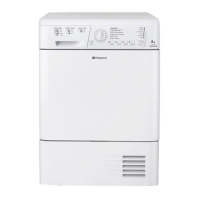
Hotpoint TCL780 - User Manual

Hotpoint TCL780
16 pages
Print Icon
To Next Page IconTo Next Page
Loading...
Instruction booklet
TUMBLE DRYER
Contents
Important information, 2-3
Installation, 4
Where to put your dryer
Ventilation
Door reversal instructions
Water drain
Electrical connection
Before you start using your dryer
Dryer description, 5
To open the door
The features
Control panel
Start and programmes, 6-8
Choosing a programme
Laundry, 9-10
Sorting your laundry
Wash care labels
Special clothing items
Drying times
Warnings and Suggestions, 11
General safety
Disposal
Saving energy and respecting the environment
Maintenance and Care, 12
Switching off the electricity
Cleaning the filter after each cycle
Check the drum after each cycle
Empty the water container after each cycle
Cleaning the condenser unit
Cleaning the dryer
Troubleshooting, 13
Service, 14
Hotpoint Guarantee, 15
Hotpoint After Sales Service, 16
GB
English
TCL780
! Keep this instruction booklet on hand in order to refer to it when necessary. Take it with you when you move, and
should you sell this appliance or pass it on to another party, make sure that this booklet is supplied along with the
dryer so that the new owner may be informed about warnings and suggestions on how the appliance works.
! Read these instructions carefully; the following pages contain important information on installation and suggestions
on how the appliance works.
This symbol reminds you to read this booklet.
1
Important
Information
Installation Description
Start and
Programmes Laundry
Warnings and
Suggestions
Maintenance
and Care Service
Troubleshooting
GB

Questions and Answers

  • D
    Danny DawsonJul 30, 2025
    Why won't my Hotpoint TCL780 Dryer start?
    • E
      edgar64Jul 31, 2025
      Your Hotpoint Dryer might not start due to several reasons: * The plug may not be properly inserted into the socket or is not making good contact. Try plugging another appliance into the same socket to test it. * There may be a power failure. * The fuse might have blown. * If you're using an extension cord, try plugging the dryer's power cord directly into the socket. * The door might not be closed securely. * The PROGRAMMES knob may not be set correctly. * The START/PAUSE button might not have been pressed.
  • E
    Erin RamseyAug 4, 2025
    What to do if the empty water light is flashing on my Hotpoint TCL780 Dryer?
    • B
      Barry ParksAug 4, 2025
      If the empty water light is flashing on your Hotpoint Dryer, it likely means the water container wasn't emptied before starting the drying program. To prevent this, always check and empty the container before starting a new drying program.
  • J
    Joseph PhillipsAug 9, 2025
    Why is my Hotpoint TCL780 Dryer taking so long to dry?
    • A
      anthonymcbrideAug 10, 2025
      Several factors can cause your Hotpoint Dryer to take longer than expected to dry clothes: * The filter may need cleaning. * The water container might need emptying. * The condenser could need cleaning. * The temperature setting may not be appropriate for the fabric you're drying. * The drying time selected may not be sufficient for the load. * The air intake grille or rear vents might be obstructed. * The items being dried may have been too wet to begin with. * The dryer may have been overloaded.
  • P
    Peter BrownAug 15, 2025
    Why won't the drying cycle begin on my Hotpoint Dryer?
    • E
      Erika BlackAug 15, 2025
      The drying cycle on your Hotpoint Dryer might not begin because you have set a delayed time.
  • R
    Ryan PhillipsAug 19, 2025
    What does it mean when the empty water light is on but not flashing on my Hotpoint TCL780?
    • A
      Amber ReidAug 19, 2025
      If the empty water light is on but not flashing on your Hotpoint Dryer, it's simply a reminder to empty the water container.
  • C
    Chad HallAug 25, 2025
    What to do if the OPTION lights and the START/PAUSE light flash together with the START/PAUSE light on my Hotpoint TCL780 Dryer?
    • M
      Michael WolfAug 25, 2025
      If the OPTION lights and the START/PAUSE light are flashing together with the START/PAUSE light on your Hotpoint Dryer, turn off the dryer and remove the plug. Clean the filter and the condenser. Then, replace the plug, turn the dryer on, and start another program.

Summary

Important Information

Fluff Filter and Water Container Maintenance

Essential daily cleaning steps for the fluff filter and water container for optimal dryer performance.

Condenser Unit Cleaning

Monthly guide for cleaning the condenser unit to ensure dryer efficiency and prevent issues.

Installation Guide

Placement, Ventilation, and Electrical Safety

Covers dryer positioning, airflow requirements, and electrical connection safety procedures.

Dryer Description and Controls

Control Panel and Feature Overview

Explains the dryer's controls, buttons, lights, and main operational features.

Starting and Using Programmes

Programme Selection and Options

Guide to choosing programmes, setting options, and understanding programme indicators.

Programme Controls and Operation

Detailed explanation of controls, delay timers, and door opening effects during operation.

Laundry Preparation

Sorting, Loading, and Care Labels

Advice on sorting laundry, maximum loads, and interpreting garment care labels.

Special Items and Drying Times

Guidance for specific clothing items and approximate drying durations.

Safety and Environmental Advice

General Safety and Energy Saving

Key safety precautions, plus tips for energy efficiency and environmental care.

Maintenance and Care

Daily and Periodic Cleaning

Instructions for cleaning the filter, water container, condenser, and drum.

Troubleshooting

Common Dryer Problems and Solutions

Addresses issues like the dryer not starting, long drying times, or damp clothes.

Service and Spare Parts

Before Calling Service and Parts

Guidance on troubleshooting before service and information on spare parts.

Guarantee Information

Warranty Terms and Activation

Details of the 12-month guarantee and how to activate the 5-year parts guarantee.

After Sales Support

Contact, Registration, and Recycling

Essential contact info, appliance registration, and recycling guidelines.

Hotpoint TCL780 Specifications

General IconGeneral
BrandHotpoint
ModelTCL780
CategoryDryer
LanguageEnglish

Related product manuals