20
GB
PLEASE PHONE US TO REGISTER YOUR APPLIANCE AND ACTIVATE YOUR PARTS GUARANTEE ON 08448 24 24 24
Care and Cleaning
(b) Inner Door Panels & Glass
Open the door fully. The glass panel may now be
washed. Stubborn stains can be removed by using a
well soaped, fine steel wool soap pad.
(c) Stainless trims
Regularly wipe with a clean, damp cloth and polish
with a clean dry cloth.
DO NOT use scouring pads, or abrasive powder,
which will scratch the glass.
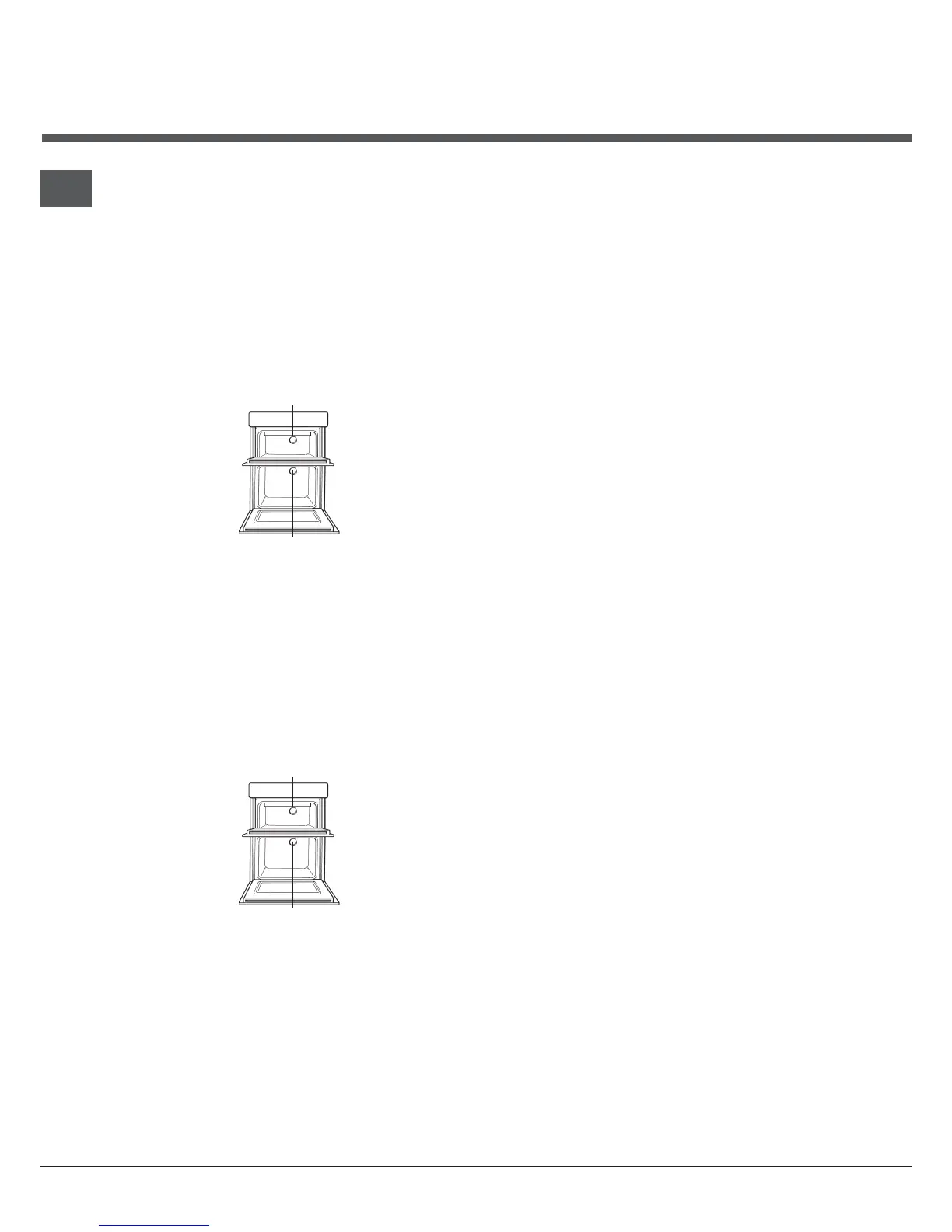
4. REPLACEMENT OF THE OVEN LAMP
TOP OVEN LAMP
MAIN OVEN LAMP
Warning: To avoid electric shocks - please ensure
that the electricity supply to the appliance is
switched off and the appliance is fully cold, before
removing the lamp lens.
Open the oven door and remove the oven shelves.
Using a thick cloth, grip the lamp lens, unscrew
anticlockwise and remove the lens.
Carefully unscrew the bulb anti-clockwise.
Fit replacement bulb (25W 300°C SES) and refit lens.
5. HOW TO CLEAN THE LAMP LENS
TOP OVEN LAMP
MAIN OVEN LAMP
Warning: To avoid electric shocks - please ensure
that the electricity supply to the appliance is
switched off and the appliance is fully cold, before
cleaning lamp lens.
Open the oven door and remove the oven shelves.
Using a thick cloth, grip the lamp lens, unscrew
anticlockwise and remove.
Clean with a non-abrasive cleansing cream and refit
lamp lens.
DO NOT use scouring pads, or abrasive powder,
which will scratch the glass lens



 To Next Page