Getting to Know your Appliance...
7
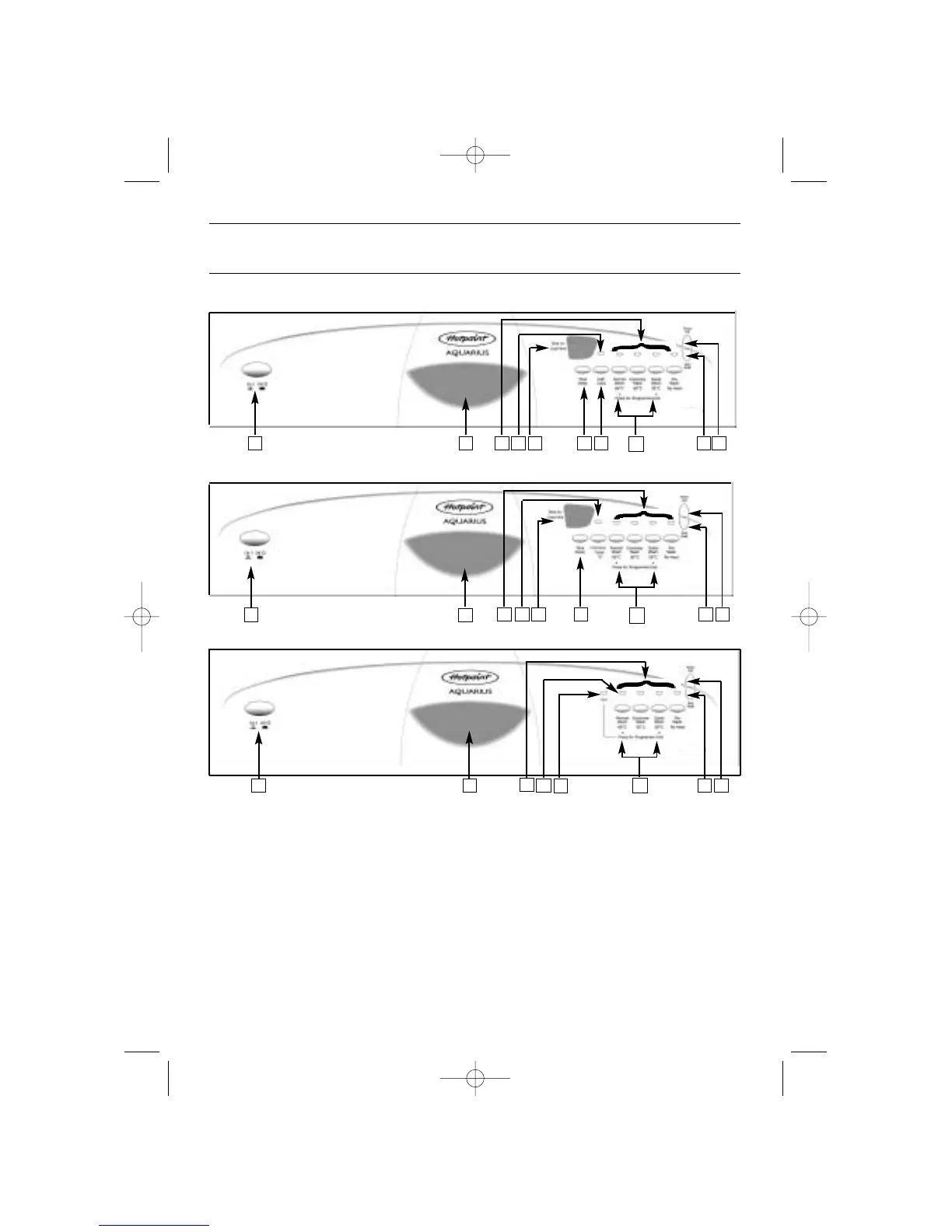
Fascia...
1.Mains Switch (ON/OFF) 8. Time Delay Selection Button )
2.Door Handle (DWF35 / 34 only)
3.Programme Selection Buttons.
4.Low Salt Indicator 9. Half Load Selection Button
5.Low Rinse Aid Indicator (for Upper Basket washing)
6.Selection Indicators (DWF35 only)
7.Numerical Display
10.Programme End Light
(DWF33 / 30 only)
11.Programme End Buttons (Reset)
1 76 9
11
82 3 4 5
1
76 8
2
3 4 5
1
10
6
2
3
4 5
DWF35
DWF34
DWF33 and DWF30
11
11
7



 To Next Page