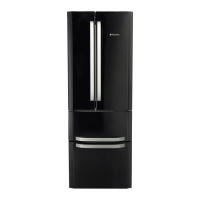
This document provides operating instructions for a Hotpoint refrigerator/freezer combination, specifically model FSFL 1xxx X. It includes details on installation, usage, maintenance, troubleshooting, and guarantee information.
General Description
The appliance is a refrigerator/freezer combination designed for domestic use. It features separate compartments for refrigeration and freezing, controlled by distinct knobs. The design emphasizes energy efficiency with "SMART" settings for optimal temperature.
Control Panel Features
The control panel, located on the appliance, includes several key elements:
- REFRIGERATOR OPERATION Knob (1): Used to regulate the temperature of the refrigerator compartment. The "SMART" setting is recommended for energy-saving levels. The "holiday function" (indicated by a snowflake icon) maintains the refrigerator at approximately +12°C to minimize energy usage during extended absences, while the freezer temperature should be set to minimum. The "OFF" setting switches the refrigerator off.
- SUPER COOL Button (2): Activates rapid cooling for the refrigerator compartment. When pressed, the "SUPER COOL Yellow indicator light" (3) illuminates.
- SUPER COOL Yellow Indicator Light (3): Illuminates when the SUPER COOL button is pressed, indicating rapid cooling is active.
- POWER Indicator Light (4): Illuminates when the appliance is connected to the electricity network.
- SUPER FREEZE Button (5): Activates rapid freezing for fresh food in the freezer. When pressed, the "SUPER FREEZE Yellow indicator light" (6) illuminates.
- SUPER FREEZE Yellow Indicator Light (6): Illuminates when the SUPER FREEZE button is pressed, indicating rapid freezing is active.
- FREEZER OPERATION Knob (7): Used to regulate the temperature of the freezer compartment. The "SMART" setting is the optimal temperature for energy-saving levels. The "OFF" setting switches the entire appliance off, including the refrigerator.
The indicator lights also serve to signal an unusual temperature increase in the freezer compartment, as detailed in the troubleshooting section.
Appliance Overview
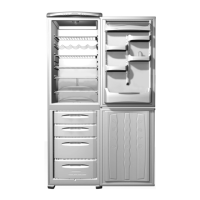
The appliance's internal layout is designed for practical storage:
- Levelling FEET (1): Adjustable feet for stabilizing the appliance on uneven floors.
- STORAGE compartment (2): General storage area.
- FREEZER and STORAGE compartment (3): Combined freezer and storage area, with specific drawers for different types of food.
- FRUIT and VEGETABLE bin (4): A dedicated drawer for storing fruits and vegetables, helping to maintain their freshness.
- FOOD CARE ZONE for MEAT and CHEESE (5): A specialized zone designed to store meat and cheese at an optimal low temperature, extending their shelf life.
- WINE RACK (6): A dedicated rack for storing wine bottles horizontally.
- SHELVES (7): Various shelves within the refrigerator compartment.
- LAMP (8): Internal lighting for the refrigerator compartment.
- Removable multipurpose SHELVES (9): Adjustable shelves that can be repositioned to accommodate items of different sizes.
- BOTTLE shelf (10): A shelf specifically designed for storing bottles.
Note that the number and position of certain features (marked with an asterisk) may vary depending on the specific model.
Technical Specifications
The rating plate (located on the bottom left side of the fridge) provides important technical details:
- Model: RG 2330
- Cod: 93139180000
- S/N: 704211801
- Voltage: 220-240 V~
- Total Gross Capacity: 340 liters
- Total Net Capacity: 75 liters
- Freezing Capacity: 4.0 kg/24h
- Compressor: R 134a
- Compressor Charge: 0.090 kg
- Test Pressure: HIGH-235, LOW-140
- Fuse: 13 A
- Climate Class: N
- Power: 150 W
- Made in Italy
The appliance is CFC-free and FCKW-free, indicating an environmentally conscious design. It conforms to EEC directives for Low Voltage Equipment (73/23/EEC & 93/68 EEC) and Electromagnetic Compatibility (89/336/EEC, 92/31/EEC & 93/68/EEC).
Installation
Proper installation is crucial for the appliance's performance and safety:
- Positioning: Place in a well-ventilated, humidity-free room, away from direct sunlight, electric stoves, or other heat sources. Maintain at least 10 cm clearance above and 5 cm clearance on the sides from any furniture/side walls. Ensure rear fan grills are not obstructed. Spacers (supplied in the installation kit) should be fitted to maintain distance from the wall.
- Levelling: Install on a level, rigid floor. Adjust front feet if the floor is not perfectly horizontal.
- Electrical Connections: After transport, wait at least 3 hours before connecting to the mains. Ensure the appliance is earthed, the plug is compliant with the law, and the socket can withstand the appliance's maximum power. The voltage must be within the range indicated on the data plate. Do not use extension cords or multiple sockets. The power supply cable and electrical socket must be easily accessible after installation. The cable must not be bent or compressed and should be checked regularly for damage.
- Earthing: The appliance must be earthed. Wires in the mains lead are colored according to standard code: Green & Yellow for Earth, Blue for Neutral, and Brown for Live.
- Plug Replacement: If replacing a non-rewireable molded plug, use a fused 13amp re-wireable plug bearing the BSI mark of approval or wire directly into a 13amp cable outlet controlled by a switch.
- Fuse Replacement: Use a 13amp ASTA approved fuse to BS 1362.
Usage Features
- Starting the Appliance: Clean compartments with lukewarm water and bicarbonate before connecting. The compressor starts approximately 8 minutes after being switched on. Set the FREEZER OPERATION knob to "OFF" initially, then insert the plug. Turn the REFRIGERATOR OPERATION knob to an average value. After a few hours, food can be placed in the refrigerator. For the freezer, turn the FREEZER OPERATION knob to an average value and press the SUPER FREEZE button. The SUPER FREEZE indicator light will illuminate until the optimal temperature is reached.
- No Frost System: Continuously circulates cold air to prevent ice and frost formation, maintaining optimal humidity. Avoid blocking aeration cells and ensure food is wrapped tightly.
- Shelves: Removable and height-adjustable shelves allow for flexible storage of various food sizes.
- Temperature Indicator Light ("OK"): A visual indicator to confirm the refrigerator's temperature is optimal. If "OK" does not appear, the temperature is too high, and the REFRIGERATOR OPERATION knob should be adjusted to a colder setting.
- Food Care Zone: A dedicated area for fresh food (meat, fish) at a lower temperature to extend shelf life.
- Dual LED Lighting: Provides clear visibility inside the refrigerator without shadowy areas.
- Freezer Usage: Use the FREEZER OPERATION knob to adjust temperature. Do not re-freeze defrosted food; it must be cooked and consumed within 24 hours. To maximize space, drawers (except the bottom one) can be removed.
- Easy Ice: A double tub system designed to optimize freezer space and ensure ice is readily available. Trays can be stacked or filled separately and positioned flexibly.
Maintenance and Care
- Cleaning: Clean external and internal parts, as well as rubber seals, with a sponge soaked in lukewarm water and bicarbonate of soda or neutral soap. Avoid solvents, abrasive products, bleach, or ammonia. Removable accessories can be soaked in warm water and soap. The back of the appliance can be cleaned with a vacuum cleaner. Always switch off and unplug the appliance before cleaning.
- Avoiding Mould and Odours: The appliance is made with hygienic materials. To maintain an odour-free environment, food must be properly covered and sealed. If the appliance is switched off for an extended period, clean the inside and leave the doors open.
- Holiday Function: To minimize energy usage during holidays, set the REFRIGERATOR OPERATION knob to the snowflake icon. This maintains the refrigerator at +12°C. The freezer temperature should be set to minimum. An acoustic signal confirms activation/deactivation.
- Replacing the Light Bulb: Unplug the appliance. Access the bulb by removing its cover and replace it with a similar bulb within the power range indicated on the cover.
Precautions and Tips
- General Safety: Designed for domestic use only. Do not install outdoors. Avoid touching internal cooling elements with bare feet or wet hands. Always pull the plug, not the cable, when unplugging. Disconnect from electrical supply before cleaning/maintenance. Do not attempt repairs yourself. Do not use sharp utensils or electrical equipment (other than manufacturer-recommended) inside freezer compartments. Keep packaging material away from children.
- Environmental Conservation: Install in a fresh, well-ventilated room away from heat sources and direct sunlight. Avoid keeping doors open for long periods. Do not overfill the appliance. Do not place hot food directly into the refrigerator. Defrost if ice forms.
- Reversible Doors: The doors can be reversed, but this feature is only available on certain models. Instructions for reversing the doors are provided with diagrams.
Troubleshooting
Before calling for assistance, check these common issues:
- Green POWER indicator light does not illuminate: Check plug insertion and power supply.
- Motor does not start: The appliance has a motor protection control (wait 8 minutes after switching on).
- Indicator lights are dim: Pull out and reverse the plug.
- Alarm sounds:
- Refrigerator door open: Close the door.
- Freezer temperature too high (yellow lights flash): Check food quality and dispose if necessary.
- Freezer temperature dangerous (yellow and green lights flash): Dispose of food immediately.
- Green POWER indicator light flashes: Appliance is not operating correctly; contact Technical Assistance Centre.
- Refrigerator/freezer not cooling well: Check if doors are closed properly, seals are damaged, doors are opened too frequently, OPERATION knobs are on correct setting, or if the compartments are over-filled.
- Food in refrigerator freezing: REFRIGERATOR OPERATION knob is not on correct setting or food is in contact with the back wall.
- Motor runs continuously: SUPER FREEZE button is pressed, or the door is not closed properly/continuously opened.
- Appliance makes a lot of noise: Check if installed on a level surface or between vibrating cabinets. Internal refrigerant noise is normal.
- Frost/water droplets on back wall: This indicates normal operation.
Guarantee and Service
- 12 Months Parts and Labour Guarantee: Covers breakdown repairs for 12 months from purchase, provided conditions are met (correct installation, domestic use, authorized repairs, etc.). Excludes damage from improper use, consumable items, and removable glass/plastic parts.
- 5 Year Parts Guarantee: Available upon registration of the appliance. Parts fitted by authorized engineers.
- Extended Guarantees: Protection plans available for longer coverage.
- Helpdesk Service: Free advice and assistance for technical difficulties within the first 90 days of ownership.
- After Sales Service: Contact Hotpoint for service from trained technicians.
- Parts and Accessories: Genuine replacement parts and accessory products are available.
- Appliance Registration: Register your appliance to activate the 5-year parts guarantee and log your information for future assistance.
- Recycling and Disposal: Dispose of packaging and old appliances carefully. Remove doors, plug, and cut the mains cable to prevent injury to children and ensure the appliance cannot be plugged in or locked shut.
Contact numbers for UK and Republic of Ireland are provided for assistance, parts, registration, and general inquiries.

 Need help?
 General

 To Next Page