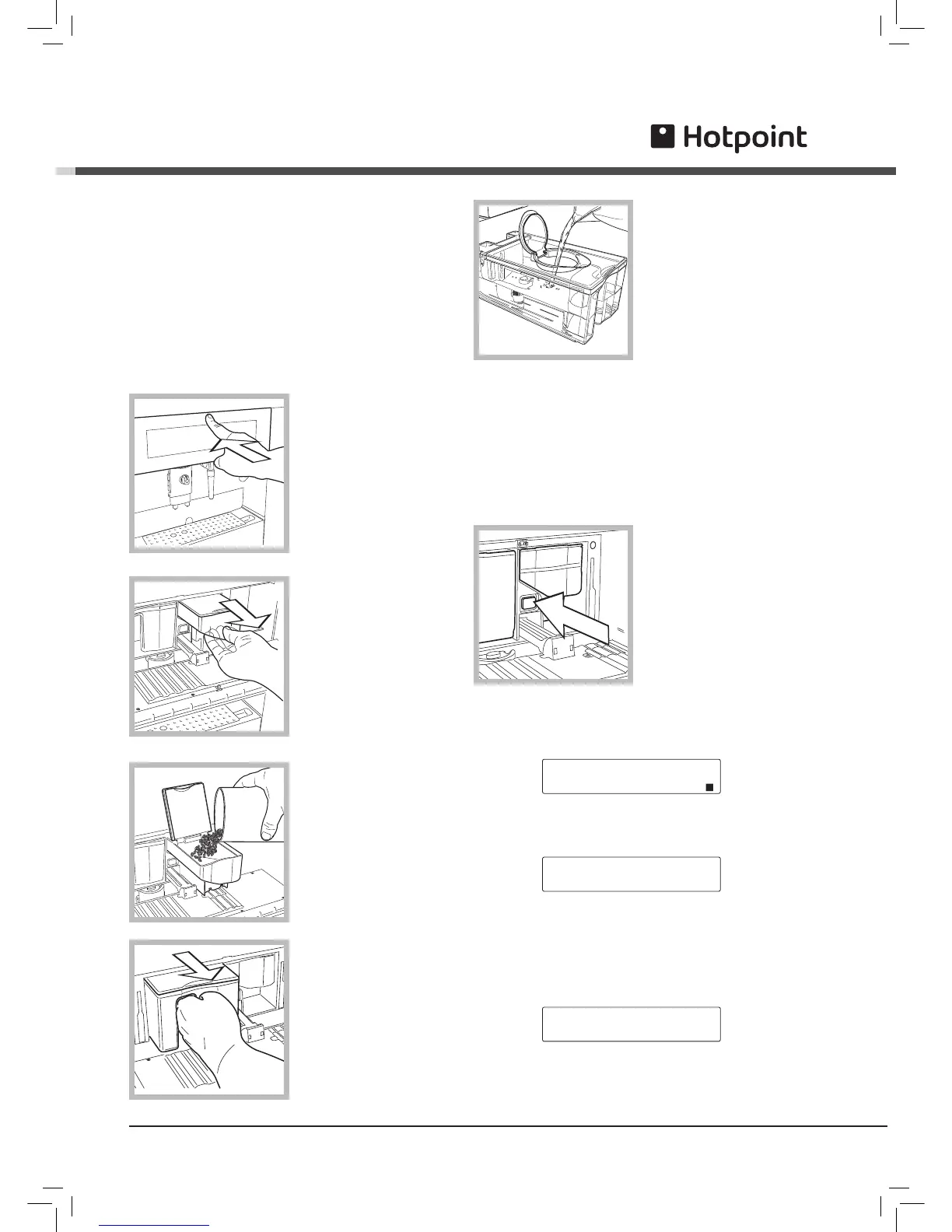
Rinse and fill the
tank with fresh drinking
water.
Close the lid and
replace the tank in
position.
! The machine requires
the tank to be filled
even when the level
is still high. This
happens because the tank of the coffee machine has
been preset to house the optional “water filter”, thus
requiring a minimum level of water in the tank for
filtering to be performed.
! Always use fresh, non-sparkling water to fill the tank.
Hot water or any other liquid may damage the tank
and/or the machine. Do
not switch the machine
on without water: make
sure there is enough
water in the tank.
The main switch is in
the “O” position. To
switch on, press the key
in the “I” position.
Close the front panel by pressing firmly in the centre.
The machine begins to heat up and the display shows:
When the right temperature is reached, the machine
goes through a rinsing cycle.
The machine dispenses water from the brew unit as it
rinses the internal circuits.
After rinsing, the machine returns to normal operating
conditions. The display shows:
SELECT PRODUCT
READY FOR USE
! To disable the rinse cycle, see the paragraph on
programming the machine.
Starting and using
! Before starting the machine make sure the hoppers
contain the amount described in the manual.
Prime the circuit immediately to prevent damage to the
machine.
! After starting the machine, regulate water hardness.
That will allow you to keep your machine in perfect
order (see Programming).
The first time you switch on
1. Open the front panel
by pressing firmly in the
centre
2. Remove only part of
the bean hopper.
3. Pour coffee beans
into the hopper being
careful not to add too
many.
Close the lid and repla-
ce the hopper inside the
machine.
4. Remove the water
tank fully from the
machine.



 To Next Page