GB
13
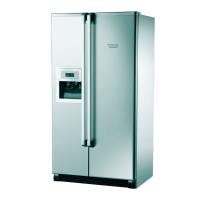
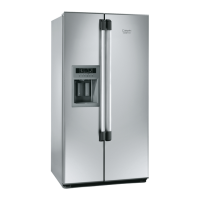
Using the ice and
water dispenser
First use
When the ice and water dispenser is used for the first
time, the first ice cubes and water coming out of the
dispenser may have an unpleasant taste and should
therefore be discarded.
Ice Mode
To activate the Ice Mode, press the button in the
Ice Maker Control section. The function is now
selected and the ice maker is on.
Press the ice mode button to select the symbol
corresponding to the type of ice required (cubes or
crushed); the symbol will light up.
To dispense ice:
1.Press the Ice Mode button and select the required
type of ice.
2.Press a rigid glass against the ice dispenser lever.
Hold the glass close to the dispenser opening so
that ice does not fall outside of the glass.
3.Press lightly on the lever to activate the ice
dispenser. Pressing hard will not result in faster
dispensing or greater quantities.
4.To stop dispensing, remove the glass slowly so that
ice does not fall outside the glass.
5.Do not use fragile glasses to dispense ice.
Water dispensing
To dispense water press a glass against the water
dispenser lever, removing the glass to stop
dispensing; at the same time the light inside the
dispenser comes on, and goes off when the lever is
released.
It is not necessary to press hard on the levers to
activate the dispenser. Pressing hard will not result in
faster dispensing or greater quantities.



 To Next Page