EasyManua.ls Logo

Hotpoint RVM1425 - User Manual

Hotpoint RVM1425
40 pages
Print Icon
To Next Page IconTo Next Page
Loading...
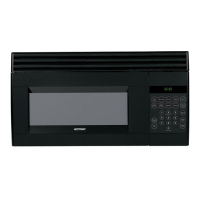
Countersaver Plus Microwave Oven
Owner’s Manual
Model:
900 Watts
RVM1425
2
28
Helpful Information
Care and Cleaning 29
34
If Something Goes Wrong
Before You Call For Service 34
Hotpoint Service Numbers 38
Warranty Back Cover
GE Answer Center
®
800.626.2000
11
Important Safety Information
Precautions to Avoid Possible Exposure
to Excessive Microwave Energy 2
Special Notes About Microwaving 6
Operating Instructions
Features of Your Microwave 11
The Controls on Your Microwave 12
Time Cooking 15
Automatic Cooking 21
Other Features 24
39-40038
164D3370P038
164D3370P038 12-97

Questions and Answers

  • D
    davisamandaJul 31, 2025
    How to unlock Hotpoint RVM1425 Microwave Oven when 'LOCKED' appears on display?
    • K
      kayla57Jul 31, 2025
      If 'LOCKED' appears on the display of your Hotpoint Microwave Oven, it means the control has been locked. To unlock it, press and hold the CLEAR/OFF button for about 3 seconds.
  • J
    John WeissAug 6, 2025
    What to do if my Hotpoint Microwave Oven will not start?
    • D
      Derrick FoxAug 6, 2025
      If your Hotpoint Microwave Oven won't start, a blown fuse or tripped circuit breaker in your home could be the cause. A power surge or an improperly inserted plug can also prevent the oven from starting. Try replacing the fuse or resetting the circuit breaker. Unplug the microwave oven and then plug it back in. Ensure the 3-prong plug is fully inserted into the wall outlet.
  • T
    Tyler BerryAug 14, 2025
    Why do I hear an unusual, low-tone beep from my Hotpoint Microwave Oven?
    • R
      Robert HansonAug 14, 2025
      If you hear an unusual, low-tone beep from your Hotpoint Microwave Oven, it could be because you tried to start the Reminder without setting a valid time, or you attempted to change the power level when it's not allowed. Start over and enter a valid time. Remember that many of the oven’s features are preset and cannot be changed.
  • C
    Christopher HuntAug 22, 2025
    Why is the floor of my Hotpoint Microwave Oven warm when it's not in use?
    • A
      Alexis MeyersAug 22, 2025
      If the floor of your Hotpoint Microwave Oven is warm even when it hasn't been used, it's likely due to the cooktop light located below the oven. When the light is on, the heat it produces can warm the oven floor. This is normal.

Summary

Microwave Safety Guidelines

Precautions to Avoid Excessive Microwave Exposure

Safety guidelines to prevent harm from microwave energy exposure.

Special Notes for Microwaving

Important tips and warnings for safe and effective microwaving practices.

Microwave Operation Guide

Microwave Features Overview

Overview of the microwave's physical components and their functions.

Control Panel Functions

Explanation of the control panel buttons and their uses.

Time Cooking and Defrosting

Instructions for using Time Cook and Time Defrost functions.

Convenience Cooking Programs

Guides for using specialized cooking programs like Popcorn and Reheat.

Additional Microwave Features

Details on additional functions like Clock, Timer, and reminders.

Microwave User Information

Microwave Operation Terms

Definitions of common terms used in microwave operation.

Microwave Care and Cleaning

Instructions for maintaining and cleaning the microwave oven.

Microwave Troubleshooting & Support

Before Calling for Service

Troubleshooting tips to resolve common issues before contacting support.

Hotpoint Service and Support

Contact information for customer support and repair services.

Microwave Warranty Information

Warranty Coverage Details

Details on the warranty coverage for the microwave oven.

Hotpoint RVM1425 Specifications

General IconGeneral
BrandHotpoint
ModelRVM1425
CategoryMicrowave Oven
LanguageEnglish

Related product manuals