Time Features
®
®®®
0)(9(9
@
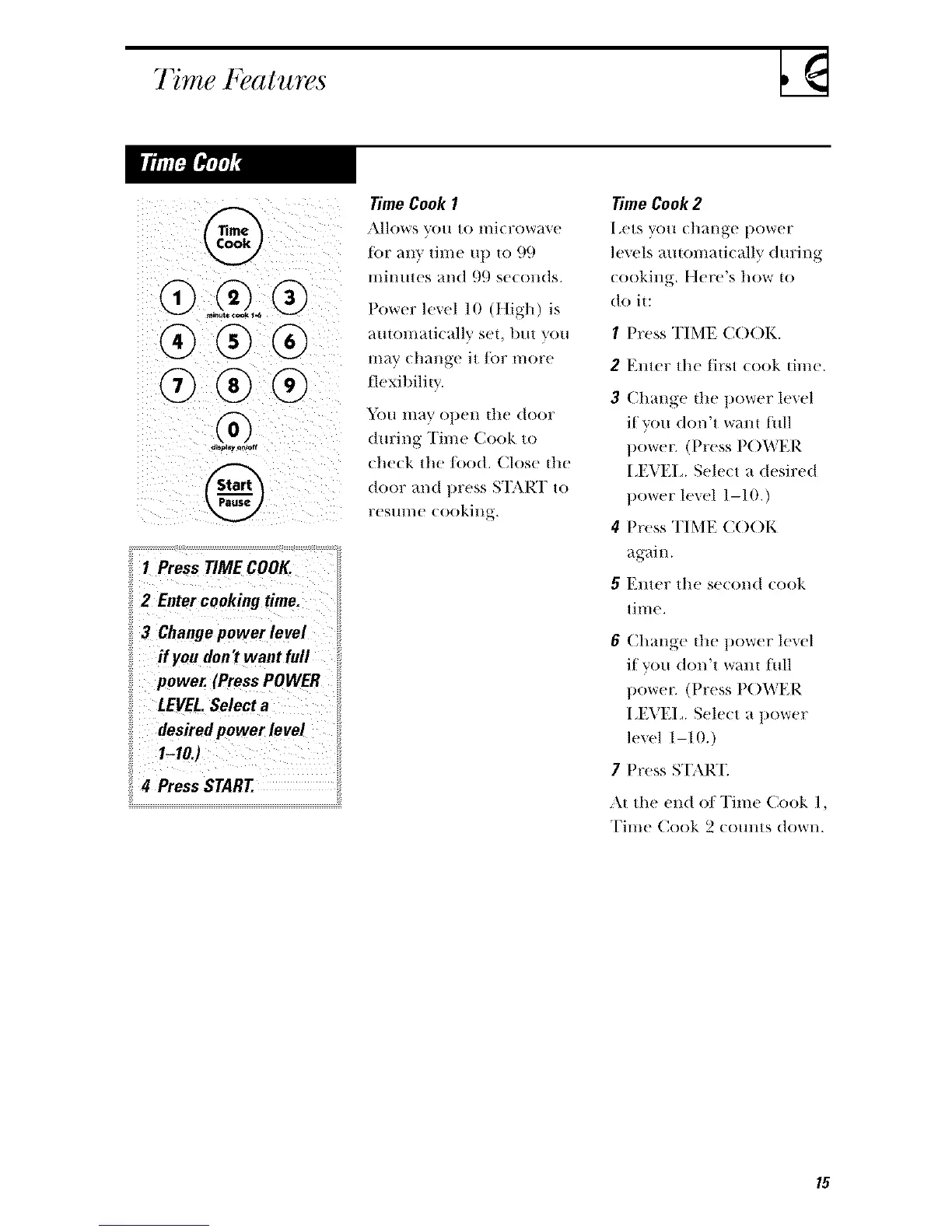
1 Press TIME COOK.
2 Enter cookiug time.
3 Change power level
if you don't want full
power. (Press POWER
LEVEL.Select a
desired power level
1-10.}
4 Press START.
Time Cook 1
Jk]lows VO/I tO lIli(row;tve
tor rely time up to 99
mimnes and 99 seconds.
Power level 10 (t[igh) is
automatically set, but you
may change it/or more
flexibilitv.
You may ot)en the door
d m:ing Time Cook to
che(k the/oo(t. Close tll('
door and t)ress START to
res/ll//e (ookil lg.
Time Cook 2
I _ets you change power
levels ;mtomatically dm:ing
cooking. Here's how to
(t1) it:
1 Press TIME C()()K.
2 Emer the first cook time.
3 Change die t)ower level
if you don't warn full
power. (Press P()WER
I J-;VH, Select a desired
power level 1-10.)
4 Press TIME COOK
again.
5 Enter the se(ond cook
time.
6 Change the power level
if you don't walH full
t)owe_: (Press P()WER
I,EVEI, Sele(t a power
level 1-10.)
7 Press ST\R'E
:M the end oI Time Cook 1,
Time Cook 2 (omns do_'l/.




 To Next Page