EasyManua.ls Logo

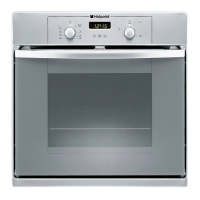
Hotpoint SY36X/1 - User Manual

Hotpoint SY36X/1
12 pages
Print Icon
To Next Page IconTo Next Page
Loading...
Operating Instructions
Contents
Installation, 2
Positioning
Electrical connection, 3
Data plate
Description of the appliance, 4
Overall view
Control panel
Start-up and use, 5
Starting the oven
The electronic cooking programmer, 6
Cooking modes, 7-8
Cooking modes
Practical cooking advice
Cooking advice table
Precautions and tips, 9-10
General safety
Disposal
Respecting and conserving the environment
Maintenance and care, 10
Switching the appliance off
Cleaning the appliance
Cleaning the oven door
Replacing the light bulb
After Sales Service, 11
Guarantee, 12
SY36B/1
SY36K/1
SY36W/1
SY36X/1
SY37B/1
SY37K/1
SY37W/1
SY37X/1
SH33K
SH33W
SH33X
SHS33X
SHS33XK
SHS33CX
KSO33CX
English,1
GB
OVEN
GB
Please phone us on
08448 24 24 24
to activate your
guarantee
Question and Answer IconNeed help?

Do you have a question about the Hotpoint SY36X/1 and is the answer not in the manual?

Summary

Installation

Positioning

Appliance placement and safety guidelines for installation.

Fitting the appliance

Cabinet requirements, material compatibility, and dimensions for installation.

Ventilation

Ensuring proper airflow by modifying cabinet back panel.

Centring and fastening

Securing the oven within the cabinet using provided tabs and screws.

Electrical Connection

Fitting the power supply cable

Step-by-step guide to connect the power cable to the terminal board.

Mains power connection

Using suitable cables and ensuring plug accessibility for safe operation.

Data plate details

Technical specifications including dimensions, volume, and electrical ratings.

Energy label information

Details on energy consumption and EU directive compliance.

Appliance Description

Overall view diagram

Visual guide to oven components and rack positions.

Control panel layout

Explanation of buttons, knobs, and indicators on the control interface.

Starting and Using the Oven

Initial oven start-up

First-time use procedure involving heating the empty oven.

Cooling fan operation

How the oven's cooling system functions after use.

Oven interior light

Explanation of the oven light's activation and usage.

Electronic Cooking Programmer

Setting the kitchen clock

Instructions for setting the time display on the programmer.

Using the timer function

How to set a countdown timer with a buzzer alert.

Programming cooking duration

Setting the desired length of time for the cooking cycle.

Scheduling cooking end time

Programming the oven to finish cooking at a specific time.

Cancelling cooking programs

Steps to abort or reset programmed cooking settings.

Cooking Modes and Advice

Fan-assisted cooking

Details on using the oven with fan for temperature-controlled cooking.

Grill function usage

How to operate the grill for browning and specific cooking tasks.

Practical cooking tips

Advice on rack placement and food preparation for best results.

Pizza cooking guide

Specific recommendations for baking pizzas effectively.

Safety Precautions and Tips

General safety guidelines

Essential warnings for safe domestic appliance operation.

Appliance disposal instructions

Environmentally responsible methods for discarding the oven.

Environmental conservation tips

Advice on energy saving and appliance efficiency.

Maintenance and Care

Power disconnection

Safety step to unplug appliance before any maintenance.

Cleaning oven exterior

Methods for cleaning stainless steel, enamel, and rubber seals.

Cleaning oven door

Instructions for cleaning glass and removing the door for thorough cleaning.

Door seal inspection

Checking seals for damage and contacting service if needed.

Light bulb replacement

Guide to safely replace the internal oven lamp.

After Sales Support

Contacting Hotpoint Service

Essential phone numbers and website for support.

Ordering parts & accessories

Information on obtaining genuine replacement items.

Registering your appliance

How to activate the 5-year parts guarantee.

Recycling and disposal info

Hotpoint's commitment to environmental responsibility.

Guarantees and Services

12-month guarantee terms

Conditions and coverage for the standard parts and labour guarantee.

5-year parts guarantee

Details on the extended parts warranty and activation process.

Extended guarantee plans

Information on purchasing additional protection plans.

Free helpdesk assistance

Details on the 90-day free technical support service.

Summary

Installation

Positioning

Appliance placement and safety guidelines for installation.

Fitting the appliance

Cabinet requirements, material compatibility, and dimensions for installation.

Ventilation

Ensuring proper airflow by modifying cabinet back panel.

Centring and fastening

Securing the oven within the cabinet using provided tabs and screws.

Electrical Connection

Fitting the power supply cable

Step-by-step guide to connect the power cable to the terminal board.

Mains power connection

Using suitable cables and ensuring plug accessibility for safe operation.

Data plate details

Technical specifications including dimensions, volume, and electrical ratings.

Energy label information

Details on energy consumption and EU directive compliance.

Appliance Description

Overall view diagram

Visual guide to oven components and rack positions.

Control panel layout

Explanation of buttons, knobs, and indicators on the control interface.

Starting and Using the Oven

Initial oven start-up

First-time use procedure involving heating the empty oven.

Cooling fan operation

How the oven's cooling system functions after use.

Oven interior light

Explanation of the oven light's activation and usage.

Electronic Cooking Programmer

Setting the kitchen clock

Instructions for setting the time display on the programmer.

Using the timer function

How to set a countdown timer with a buzzer alert.

Programming cooking duration

Setting the desired length of time for the cooking cycle.

Scheduling cooking end time

Programming the oven to finish cooking at a specific time.

Cancelling cooking programs

Steps to abort or reset programmed cooking settings.

Cooking Modes and Advice

Fan-assisted cooking

Details on using the oven with fan for temperature-controlled cooking.

Grill function usage

How to operate the grill for browning and specific cooking tasks.

Practical cooking tips

Advice on rack placement and food preparation for best results.

Pizza cooking guide

Specific recommendations for baking pizzas effectively.

Safety Precautions and Tips

General safety guidelines

Essential warnings for safe domestic appliance operation.

Appliance disposal instructions

Environmentally responsible methods for discarding the oven.

Environmental conservation tips

Advice on energy saving and appliance efficiency.

Maintenance and Care

Power disconnection

Safety step to unplug appliance before any maintenance.

Cleaning oven exterior

Methods for cleaning stainless steel, enamel, and rubber seals.

Cleaning oven door

Instructions for cleaning glass and removing the door for thorough cleaning.

Door seal inspection

Checking seals for damage and contacting service if needed.

Light bulb replacement

Guide to safely replace the internal oven lamp.

After Sales Support

Contacting Hotpoint Service

Essential phone numbers and website for support.

Ordering parts & accessories

Information on obtaining genuine replacement items.

Registering your appliance

How to activate the 5-year parts guarantee.

Recycling and disposal info

Hotpoint's commitment to environmental responsibility.

Guarantees and Services

12-month guarantee terms

Conditions and coverage for the standard parts and labour guarantee.

5-year parts guarantee

Details on the extended parts warranty and activation process.

Extended guarantee plans

Information on purchasing additional protection plans.

Free helpdesk assistance

Details on the 90-day free technical support service.

Hotpoint SY36X/1 Specifications

General IconGeneral
Fuel TypeElectric
Energy RatingA
Number of Functions6
Cleaning SystemCatalytic
TypeBuilt In
Control TypeRotary

Related product manuals