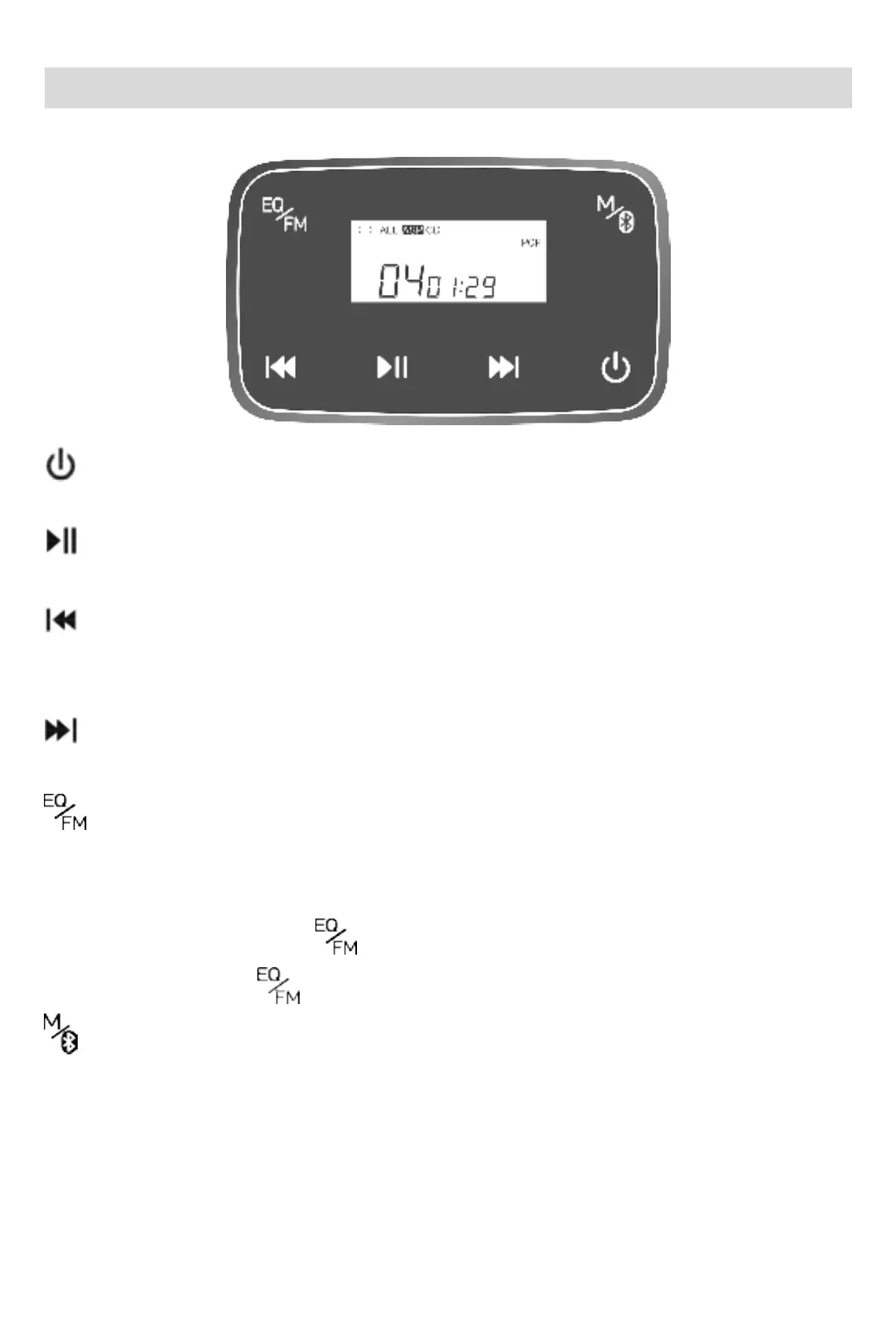
Key Function Description
: Turn on / Turn off
Long press 3s to start and play. Under backlight starting state, long press 3s above to shut down.
: Play/Pause
Short-press to pause / play when playing.
: Prev song/Fast Rewind
Short-press for once to replay the song when playing, short-press for twice to skip to the previous
track, long-press to fast backward
:Next song/Fast forward
In the playing state, press short to play the next song, and press long to fast forward
:EQ Sound mode /MP3 disk track list selecting play
Short-press sequence(BBS)→(POP)→(JAZZ)→(ROCK)→(CLASSIC)→(Back to the
original state).
In the playing state, double-click
, skip to DIR track area and select play. CD has no track
function. Double-clicking has no effect.
:Play mode
In the playing state, short press to skip to: Single cycle play; ALL: All songs are played in a loop;
DIR Select to play in the track area; INTRO: INTROSCAN; SHUF: Play in any order, and unplay
the mode.(Note: MP3 disc has full play mode. Except for "select play" in the DIR track area, the
CD has all other play modes.)



 To Next Page