4 211 793 / 004 Subject to modication
5
│
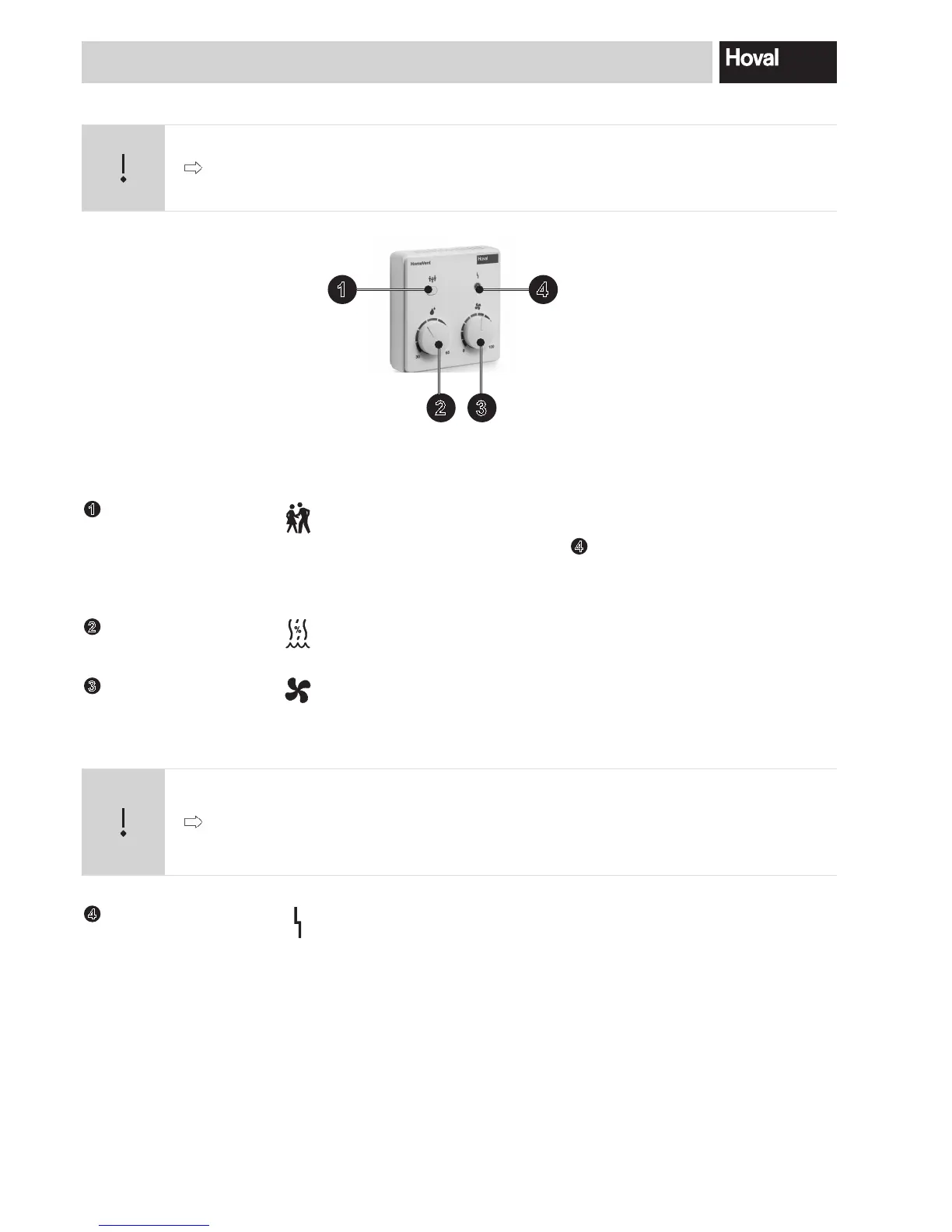
Brief info on the BG02 operator terminal
1
Party button
PressingthePartybuttonfor2secondsincreasestheairowratefor3
hours. After this, the system switches back to the set operating mode.
Theoperatingmodedisplay(LED)
4
ashesgreenwhentheParty
function is active. The Party function can be reset prematurely by pres-
sing the Party button again for 2 seconds.
2
PUSH & TURN button
air humidity
This button is used to set the set value for the air humidity.
Guide value 45 % – 55 %
3
PUSH & TURN button
airowrate
Usedtosetthedesiredairowrate(basicventilation):
0..................... Comfort ventilation unit Off
10..100........... Basic ventilation 10 % – 100 %
Guide value 40 % – 60 %
Caution
Switching off the comfort ventilation when outside temperatures are low leads to
uncontrolled air currents in the pipes; this can result in damage as a result of con-
densation. Only switch the comfort ventilation off in winter if the fresh air and ex-
haust air ducts are tightly sealed!
4
Operating mode dis-
play(LED)
The LED displays the operating state of the system:
No display ................. Comfort ventilation unit not in operation
Green........................ Comfort ventilation unit in operation
Greenashing .......... Party function
Orange......................Supplyair/extractairltersoiled
Red ........................... Alarm
Fig. 2: BG02 operator terminal
Caution
To guarantee safe and trouble-free operation, operate your HomeVent
®
ventilation
unit in accordance with the instructions in the operating manual supplied with the
operator terminal at all times.
3
1 4
2


 To Next Page