FOLDING & UNFOLDING
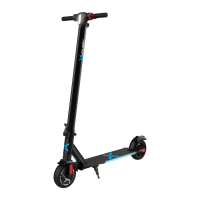
To fold your Journey 2.0, push the folding hinge release button and pull the
folding hinge down. Push the steering column down to the rear fender. Find
the folding clip on the left handlebar and align the opening with the folding
hook protruding from the rear fender to lock them together. Your Journey
2.0 should be locked in a folded position.
To unfold your Journey 2.0, pull on the bottom edge of the folding clip to
unlock the steering column. Raise the steering column until it is pointing
straight up. Pull the folding hinge up and press it against the steering
column to ensure it is securely locked.
FOLDING
HINGE
RELEASE FOLDING HINGE TO
FOLD STEERING COLUMN
HIGH SPEED MODE
To activate high speed mode, ensure the Journey 2.0 is powered on and not
in motion. Press the power button twice. The high speed mode indicator
should light up on your display to indicate it is activated.
CRUISE CONTROL
To activate cruise control, long press the throttle down for 5-8
seconds, while riding at a constant speed above 3 mph. You will hear
a beep and the cruise control indicator will light up on the LCD display
indicating that it is activated. Press the throttle down once or squeeze
the brake handle to cancel the cruise control
KICK TO START
For safety reasons, the Journey 2.0 will not accelerate unless it is already
moving at least 1.8 mph (3 km/h). You must push off the ground with your
foot to get the Journey 2.0 moving, then press the throttle to ride it.
19


 To Next Page