Cropping
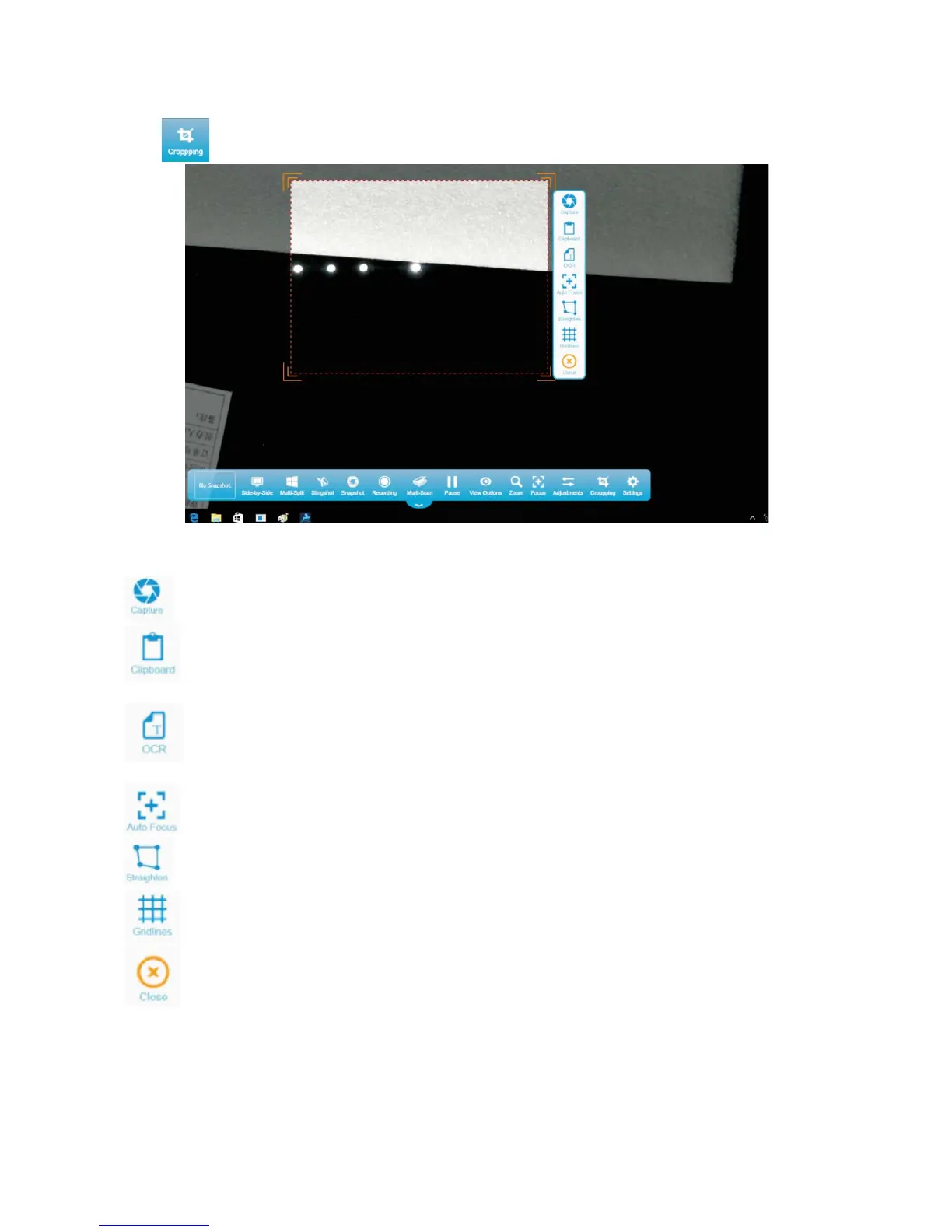
Click and drag the frame to crop out the desired image collection area.
Description of other cropping functions
: Click to take a picture. You can also double-click the cropped area to take a picture of it.
: Click to take a picture of the selected image collection area and paste the picture to a Word
document or other types of document and software for direct use.
: Click to implement electronic recognition of the text in the selected area by using the OCR
function.
: Click to manually adjust the focal length when a focusing error occurs.
: Click to fine-tune image collection on uneven objects by using the tilt correction function.
: Click to adjust the collection area in transverse and longitudinal directions in a grid.
: Click to exit the cropping function.


 To Next Page