Installation procedure:
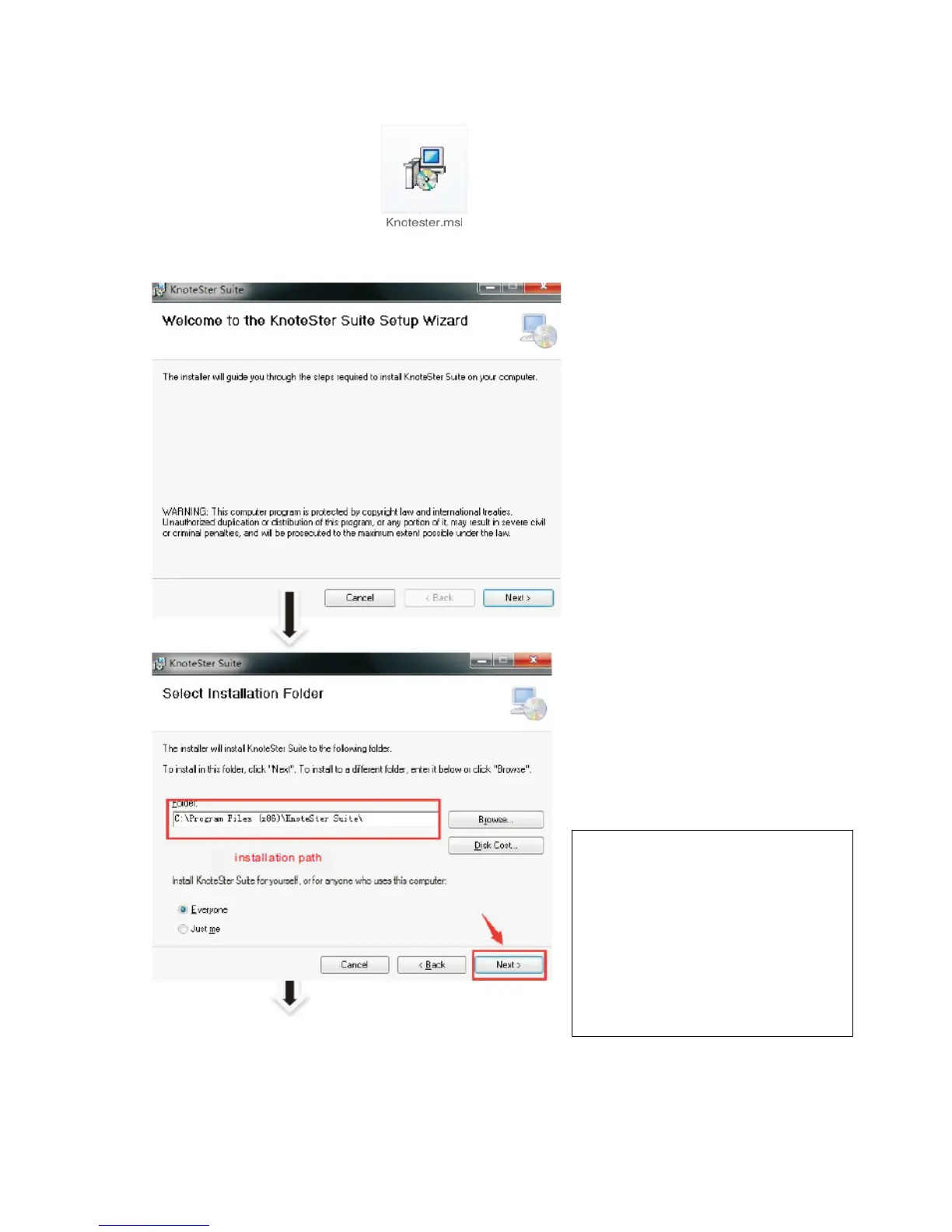
Double-click the installation program . The installation wizard is displayed, as shown in the
following figure. Install KnoteSterSuite step by step according to instructions. To continue installation,
click Next.
The left-side figure shows the
interface for selecting the
installation folder. If you use the
default installation path, click
Next. If you want to use another
installation path, click Browse
and select the desired path. Then
click Next.



 To Next Page