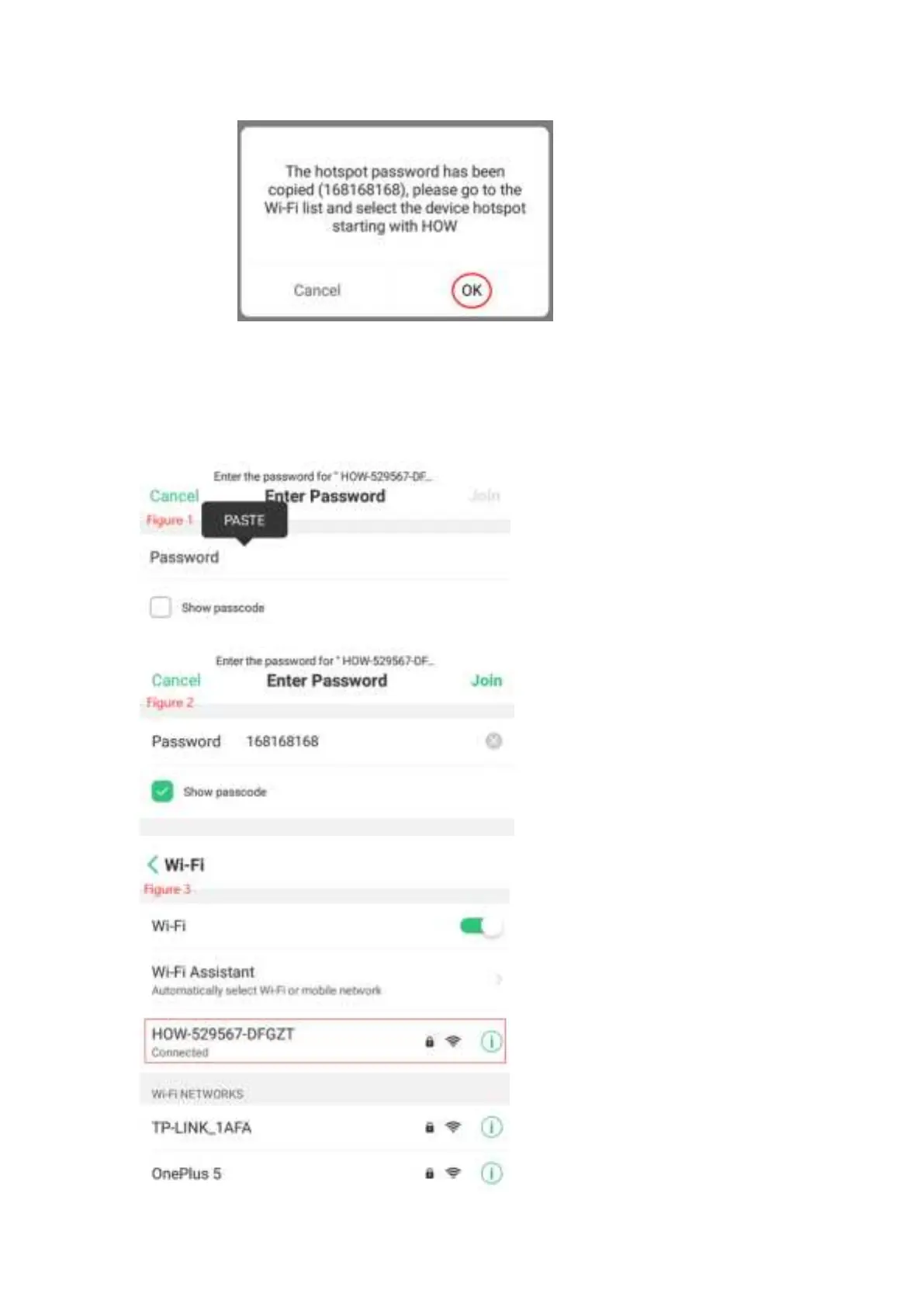
The Fourth Step:Click OK,then go to WiFi list automatically,then connect the hot
spot of device with the beginning HOW,then press Enter Password position,paste
it,the password will be appeared,the password of hot spot is 168168168 in
default,see the Picture 1,Picture 2 and Picture 3.


 To Next Page