3
Step 3
Camera Installation
You can install the camera on the wall or ceiling.
Make sure the wall is strong enough to withstand three times the weight of the
camera.
1
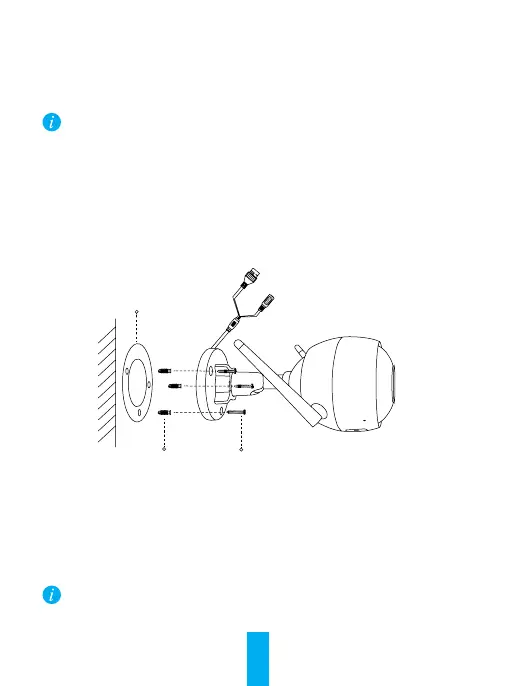
Installing the Camera
- Place drill template onto the surface you have chosen to mount the camera.
- (For the cement wall/ceiling only) Drill screw holes according to the template, and insert
three expansion screws.
- Use three metal screws to fix the camera base according to the template.
Mounting
Template
Metal Screws
Expansion Screws
2
Adjusting the Surveillance Angle
- Loosen the adjusting screw.
- Adjust the surveillance angle as desired.
- Tighten the adjusting screw.
Make sure the microSD card slot is facing downward.



 To Next Page