4
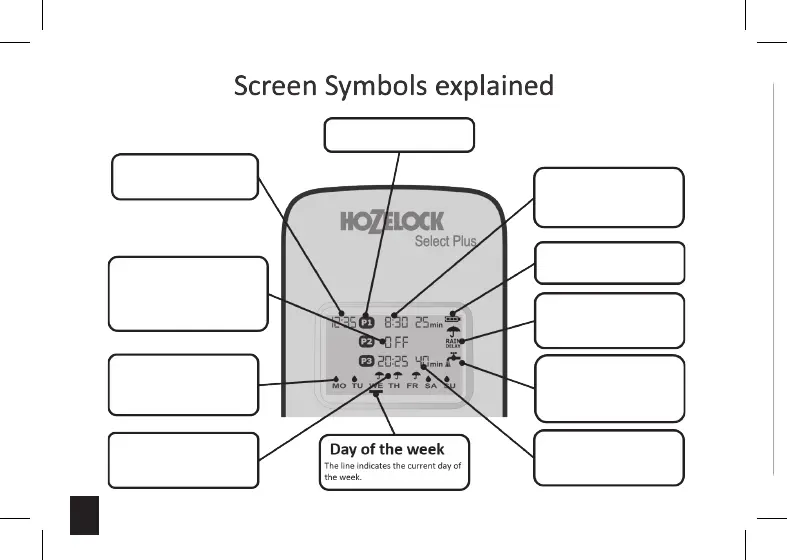
Clock Time
clock is 24 hour format.
Turned OFF programs
The Start Times (programs)
that are turned OFF and non-
programmed Start Times will be
shown as OFF.
Watering days
The droplets indicate watering
will occur only on these days.
No Watering
Umbrella symbols indicates a
Rain Delay (pause) day.
Programs P1 – P3
Start times
P1, P2 and P3 start times are
displayed in 24 hour format. P2
is turned OFF in this example.
Battery status
The current status of the
batteries
Rain Delay
You can set a Rain Delay (pause
watering) for up to 7 days.
Watering
When displayed this means the
valve is now open and water is
flowing.
Durations
The watering durations are
shown in minutes (Maximum
199 minutes).






 To Next Page