Two-nger scroll (TouchPad only)
Use the two-nger scroll to move up, down, or sideways on a page or image.
●
Place two ngers slightly apart on the TouchPad zone and then drag them up, down, left, or right.
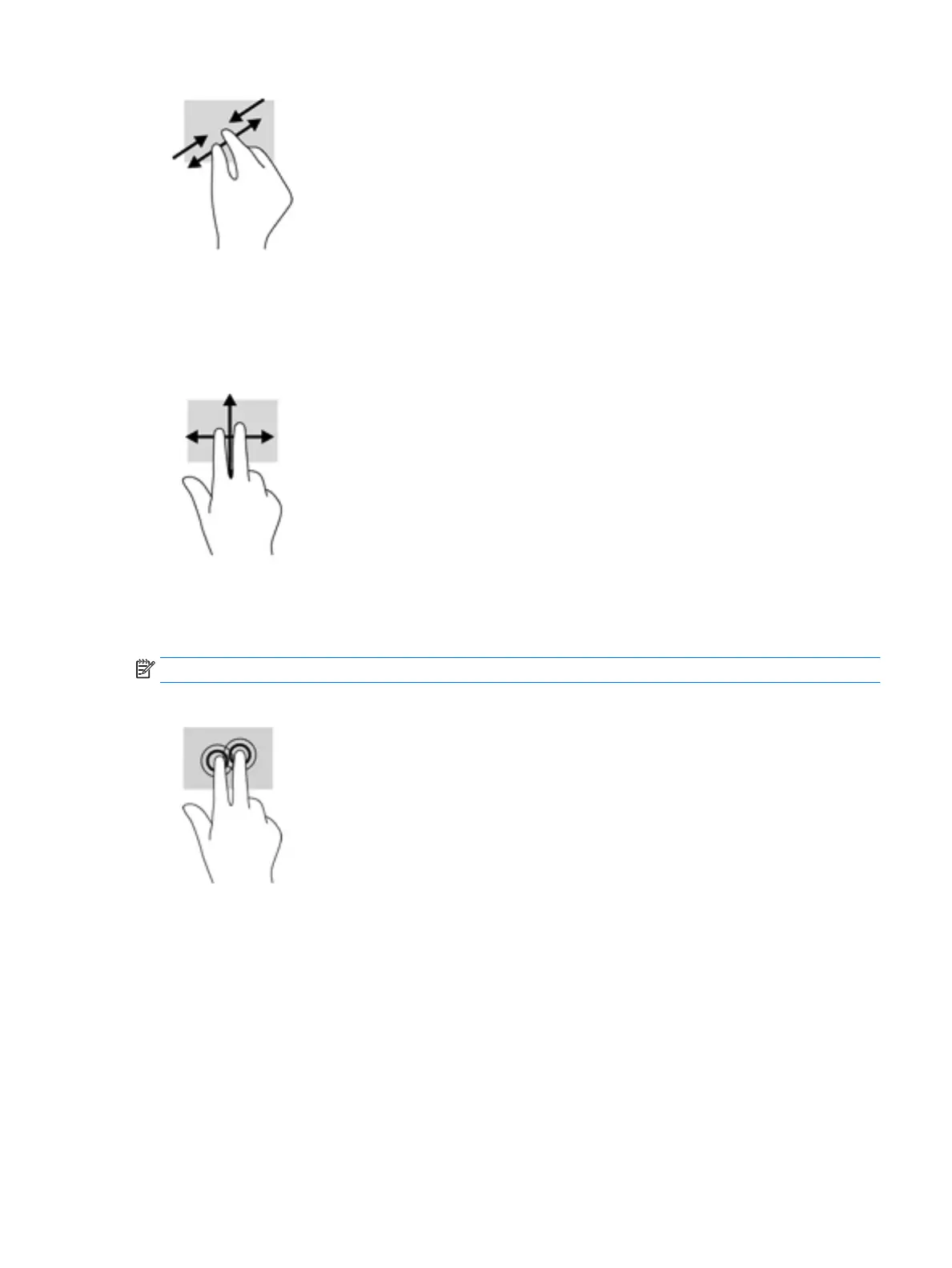
Two-nger tap (TouchPad only)
Use the two-nger tap to open the menu for an object on the screen.
NOTE: The two-nger tap performs the same function as right-clicking with the mouse.
●
Tap two ngers on the TouchPad zone to open the options menu for the selected object.
One-nger slide (touch screen only)
Use the one-nger slide to pan or scroll through lists and pages, or to move an object.
●
To scroll across the screen, lightly slide one nger across the screen in the direction you want to move.
●
To move an object, press and hold your nger on an object, and then drag your nger to move the object.
Using the TouchPad and touch screen gestures 27


 To Next Page
 Loading...