Need help?
Do you have a question about the HP 2509m and is the answer not in the manual?
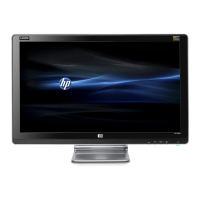
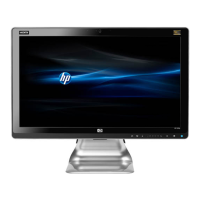
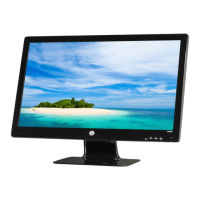
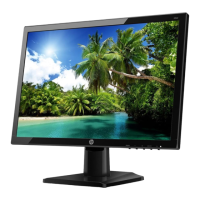
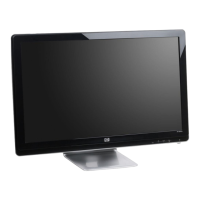
This document outlines the disassembly process for the HP 2509m Flat Panel Monitor, primarily for end-of-life recycling and selective treatment of components as mandated by EU directive 2002/96/EC (WEEE). The monitor is a display device designed for visual output, commonly used with computers and other electronic equipment. Its primary function is to present graphical user interfaces, video content, and static images to the user.
The HP 2509m Flat Panel Monitor is a standard display unit, likely featuring a liquid crystal display (LCD) panel for image rendering. LCD technology is widely adopted for its ability to produce clear images while maintaining a relatively thin profile. The monitor would typically connect to a host device, such as a desktop computer or a laptop, via standard video input ports like DVI or VGA, as indicated by the presence of these ports in the disassembly instructions. The inclusion of speakers, as suggested by the removal of "2 speakers," indicates that the monitor also provides integrated audio output, enhancing its utility as a complete multimedia display solution without requiring external speakers. This integrated audio feature simplifies the setup for users, reducing cable clutter and the need for additional peripherals.
From a user perspective, the monitor is designed for ease of setup and operation. The VESA mounting cover suggests compatibility with VESA-standard mounts, allowing users to attach the monitor to wall mounts or adjustable arms for ergonomic positioning, rather than being limited to its included stand. This flexibility in mounting options is a significant usage feature, catering to various workspace configurations and user preferences for viewing angles and height. The presence of a stand assembly, which is disassembled in the instructions, confirms that the monitor comes with a default base for desktop placement. The stand is designed to provide stable support and may offer some degree of tilt or swivel adjustment for user comfort.
The monitor incorporates a keypad and OSD (On-Screen Display) buttons, which are essential maintenance and user interface features. These buttons allow users to navigate the monitor's settings menu to adjust display parameters such as brightness, contrast, color temperature, and input source selection. The OSD provides a visual interface for these adjustments, making it intuitive for users to customize their viewing experience. The keypad cable, which needs to be pulled out during disassembly, connects these physical buttons to the monitor's internal control board. The HP logo, which is removed using a sharp object, is a branding element typically located on the front bezel, contributing to the product's aesthetic and brand identity.
The internal structure of the monitor, as revealed by the disassembly process, includes several key components. Printed Circuit Boards (PCBs) or Printed Circuit Assemblies (PCAs) are central to the monitor's operation, housing the electronic circuitry that controls the display, power management, and input signal processing. The instructions mention a "power board" and an "IF board," indicating separate boards for power supply and interface functions, respectively. The "PI/IF BD" likely refers to a combined power and interface board or a main board that integrates these functions. These boards are critical for the monitor's functionality, converting incoming video signals into images displayed on the LCD panel and managing the power required for operation.
The LCD panel itself is a major component, with a surface area greater than 100 sq cm, as noted in the selective treatment section. This panel is responsible for generating the visual output. The mention of "mercury in lamps, display backlights" and "gas discharge lamps" suggests that the monitor utilizes Cold Cathode Fluorescent Lamps (CCFLs) for backlighting the LCD panel. CCFLs are a common form of backlighting that contain mercury, hence their classification as mercury-containing components requiring selective treatment. The backlight assembly is crucial for illuminating the LCD, making the images visible. The disassembly process involves removing the front bezel, back cover, and internal shields to access these components.
Maintenance features, beyond user-adjustable settings, are primarily focused on the repair and recycling aspects. The modular design, where components like PCBs, speakers, and the LCD panel are distinct units, facilitates replacement or repair if a specific part fails. For instance, if a power surge damages the power board, it can potentially be replaced without discarding the entire monitor. The detailed disassembly steps provided in the document are invaluable for technicians performing repairs or for recycling facilities separating materials. The use of standard tools like a crossing screwdriver (Phillips head) and a bushing screwdriver (hex driver) indicates that the monitor is designed to be serviceable with commonly available tools.
The document also highlights environmental considerations, specifically the selective treatment of hazardous materials. Components like capacitors/condensers (especially electrolytic capacitors greater than 2.5 cm in diameter or height), external electrical cables and cords, and plastics containing brominated flame retardants are identified for special handling. These materials are common in electronic devices and require specific recycling processes to prevent environmental contamination. The instructions for pulling out cables, removing screws, and separating various assemblies are all geared towards systematically isolating these components for proper disposal or recycling.
In summary, the HP 2509m Flat Panel Monitor is a functional display device offering integrated audio, flexible mounting options, and user-friendly on-screen controls. Its internal design, while complex, is structured to allow for maintenance and responsible end-of-life processing, with clear guidelines for the selective treatment of potentially hazardous materials, underscoring a commitment to environmental responsibility in its product lifecycle.
 General
| Screen Size | 25 inches |
|---|---|
| Resolution | 1920 x 1080 |
| Aspect Ratio | 16:9 |
| Panel Type | TN |
| Brightness | 400 cd/m² |
| Contrast Ratio | 1000:1 |
| Inputs | VGA, DVI-D, HDMI |
| Viewing Angle | 160° (H) / 160° (V) |
| Weight | 6.7 kg (with stand) |

 To Next Page