- 17 -
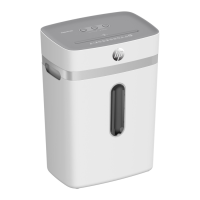
Emptying the Waste Bin
is about 80% full, empty it. This prevents the shredded material from accumulating, which could
lead to malfunctions.
1 button.
2 Disconnect the power plug from the power socket.
Caution!
mechanism has sharp edges and corners. Only take hold of the cutting mechanism by the
grips.
3 Lift the shredder attachment from the waste bin.
4 Empty the waste bin.
Caution!
mechanism has sharp edges and corners. Only take hold of the cutting mechanism by the
grips.
5 Mount the shredder attachment on the waste bin.
Î The waste bin latches audibly in place.
Clearing Residual Material
If the shredder no longer shreds material as you expect, remove any residual material from the
cutting mechanism.
1 Press and hold the REV button.The cutting mechanism runs in reverse and releases any mate-
rial remaining in the cutting mechanism.
2 Release the REV button.
3 button.
4 Disconnect the power plug from the power socket.
Caution!
removing the material residue.
5 Remove the residual material carefully from the cutting mechanism using an appropriate



 To Next Page