114 Removal and replacement
EN
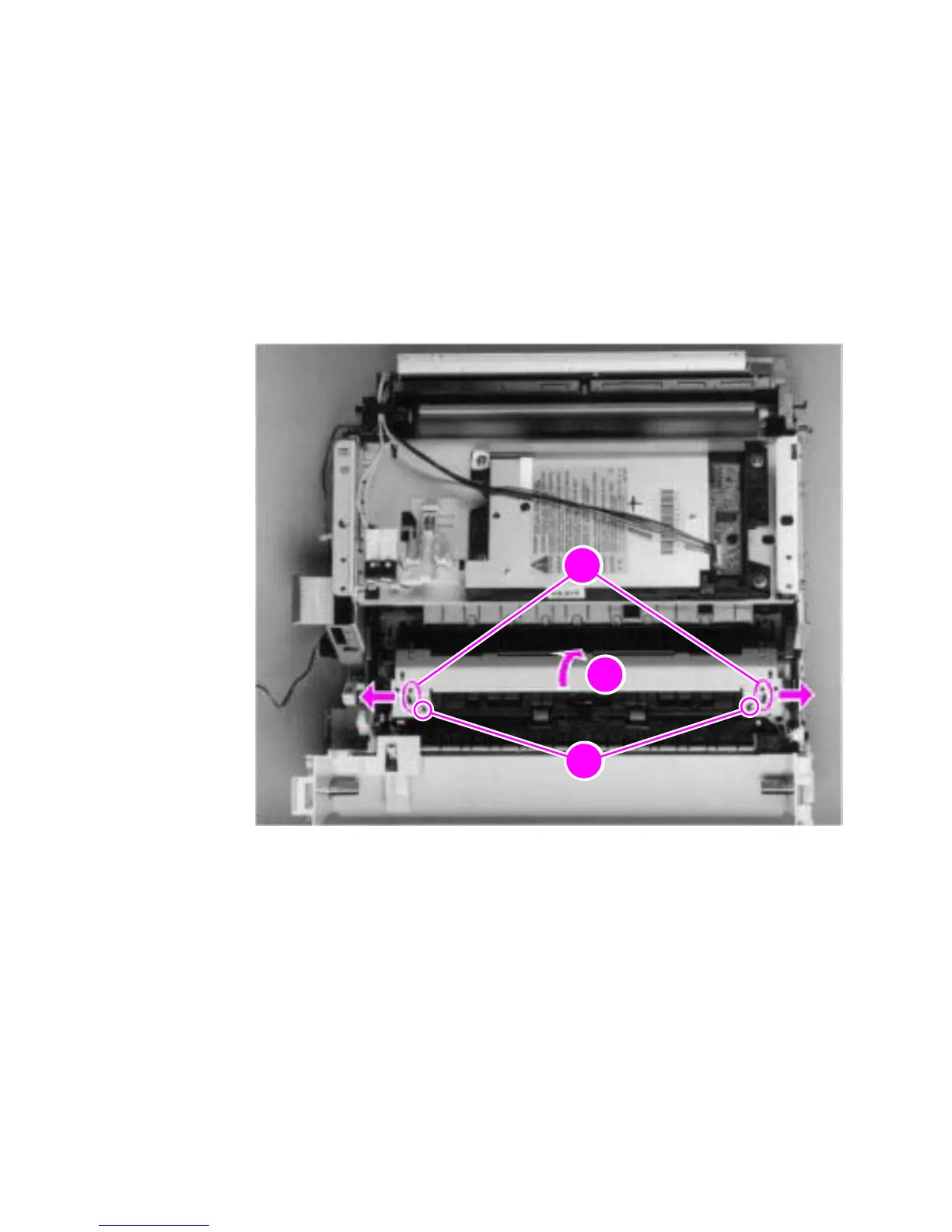
Fuser pressure plate
1 Remove all covers, the RFI shield, the printer door, the exit roller,
and the delivery assembly.
2 Remove the two (2) screws (callout 1).
3 Press the fuser plate retainer clips out (callout 2) to release the
pressure plate.
4 Rotate the plate around and toward the back (callout 3) and lift up
to remove it.
Figure 42. Fuser pressure plate removal



 To Next Page