EN
Internal assemblies
119
Pressure roller
1
Remove all covers, the RFI shield, the printer door, the exit roller,
the delivery assembly, the fuser pressure plate, the front casing,
and the heating element.
2
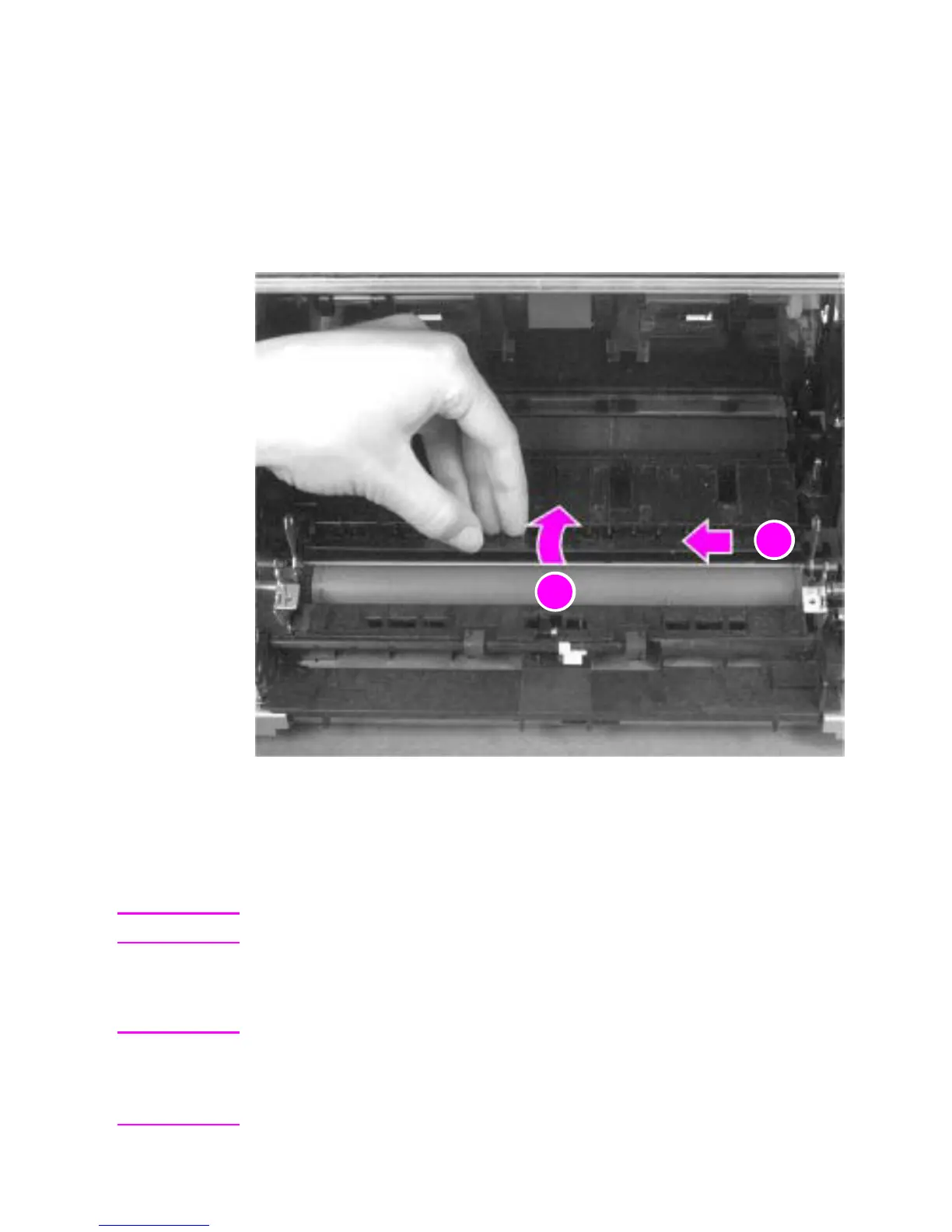
Remove the pressure roller guide by lifting the edge (callout 1)
and then rolling it gently backward (callout 2).
Figure 47. Pressure roller guide removal
3
Lift the right end of the pressure roller up and out of the printer
chassis.
Note
The right end of the pressure roller is greased.
4
The left side will follow easily with the pressure roller gear still
attached.
Note
When reinstalling the pressure roller, apply a drop of pressure roller
grease to the grounding plate on the right end of the shaft. See Chapter
7, “Parts and diagrams,” for information about ordering pressure roller
grease.



 To Next Page