132 Removal and replacement
EN
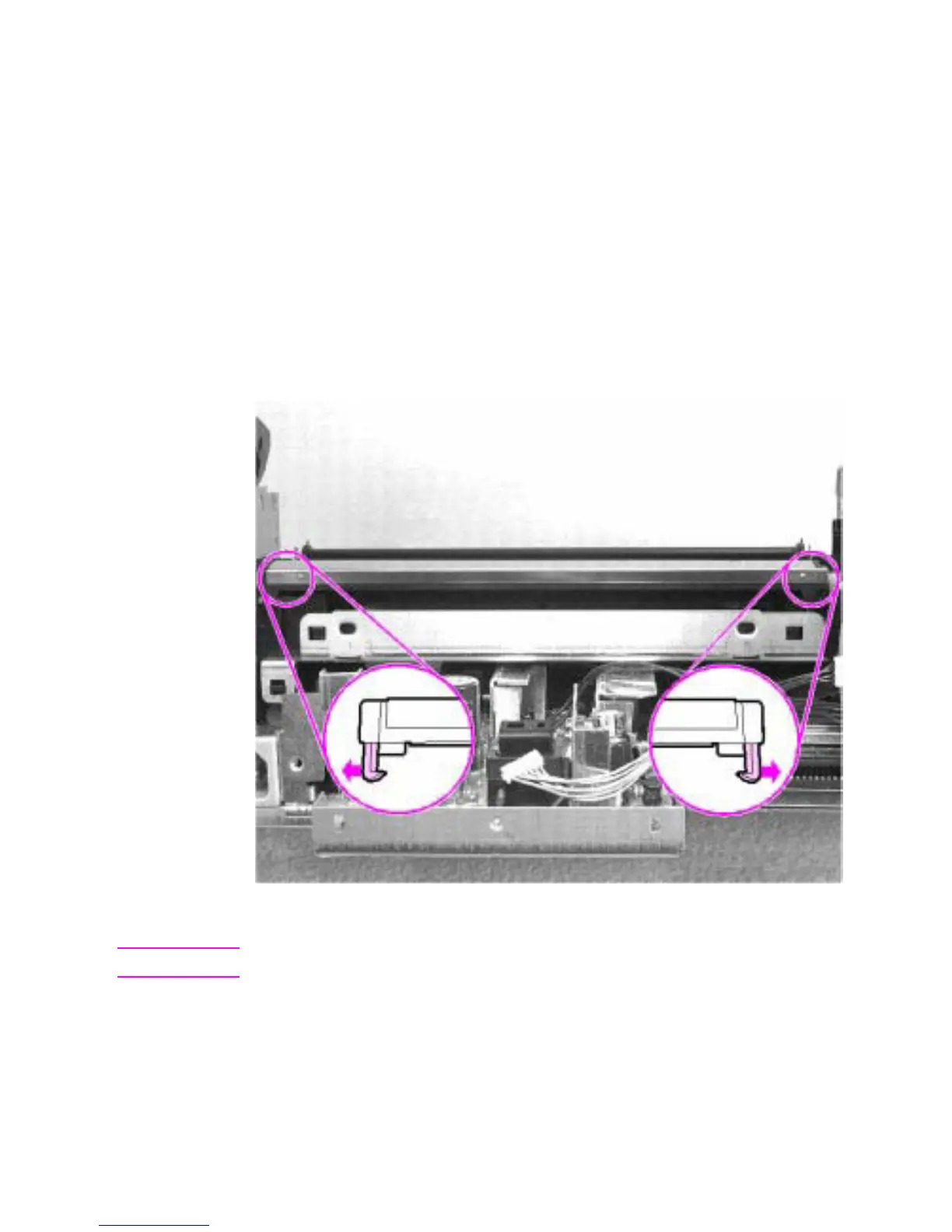
Transfer roller guide and transfer roller
1 Remove all covers, the RFI shield, the printer door, the LIU board,
the formatter board, the metal side plate, the paper pickup gear,
the pickup roller assembly, and the paper feed frame.
2 Looking at the back of the printer, note the two small, hook-
shaped release tabs on each end of the transfer roller guide.
Using the small flatblade screwdriver, carefully pry each tab
outward to release it.
3 Roll the released portion of the guide up. To remove the transfer
roller guide, pull it off each end of the transfer roller shaft. This
exposes the transfer roller.
Figure 60. Transfer roller guide and transfer roller removal
CAUTION Do not touch the transfer roller or otherwise allow it to be contaminated.
4 Working from the front of the printer, gently pry the gear side of
the transfer roller out first, then slide the other side out of its
socket.



 To Next Page