Model 3314A
Entry/Sweep
®
Modify
Operation
RANGE
UP
or
DOWN
(r or I) keys
multiply
or divide the displayed
value by
10
until the
3314A's
operating
limits
are reached
This provides an
extremely
fast
method
to
modify
the
displayed
parameter,
Most
of the keys In
this
group are
select
keys
for
variable en-
tries, The
top
row
contains
select
keys for the
more
universal
parameters
Note
that
the
blue
shifted
definition
of these keys
presets the parameter, The second
row
contains the select
keys
for
the
3314A's
sweep
capabilities The SW/TR INTVL
key IS
the
select key
for
the
sweep
Interval (SW INTVL) and
for
the
internal
trigger
Interval (TR INTVL), When ARB IS active,
the
sweep
functions
are redefined
to
ARB
functions,
The keys are
renamed by
the
labels
below
them,
@
Range
All variable
parameters
(selected by keys In the Entry Group)
are entered Into
the
3314A
uSing the
Modify
knob or the I or
I keys, These
controls
change
the
value of the displayed
operating
parameter
The
Modify
knob
has 2
baSIC
operating
modes
called
"Cursor"
and
Multi
Speed" ,
CURSOR
(a
digit
IS flashing), Thrs
mode
IS
useful when making
small
changes or changes of
constant
Increments The flashing
cursor
digit
IS
incremented
or decremented by 1
whenever
rotation
of
the
Modify
knob
IS sensed, The - and - keys
move
the
cursor
through
the display
MULTI
SPEED
(no
digit
IS flashing) This
mode
IS useful
when
making
large changes, The least Significant
digit
In the display
IS
incremented
or
decremented
1, 2, 4, B, 16 or
32
times
faster
depending
upon
how
fast
you turn the
Modify
knob,
•
RANGE
HOLD
inhibits auto-ranging of Frequency (8 ranges),
Amplitude
(4 ranges), and/or DC
Offset
(2 ranges)
when
these
parameters are changed
with
the
Modify
knob,
When
In Fin X
N and Fin - N, Frequency Range Hold also inhibits auto-
acqUisition
SWE'EF
• Lit.
•
• • •
•
•
@'1Rtj
GriD
EJ
G·
...
'
[SWI'EP'
>AI'''
fAI'l)
liWnp
I
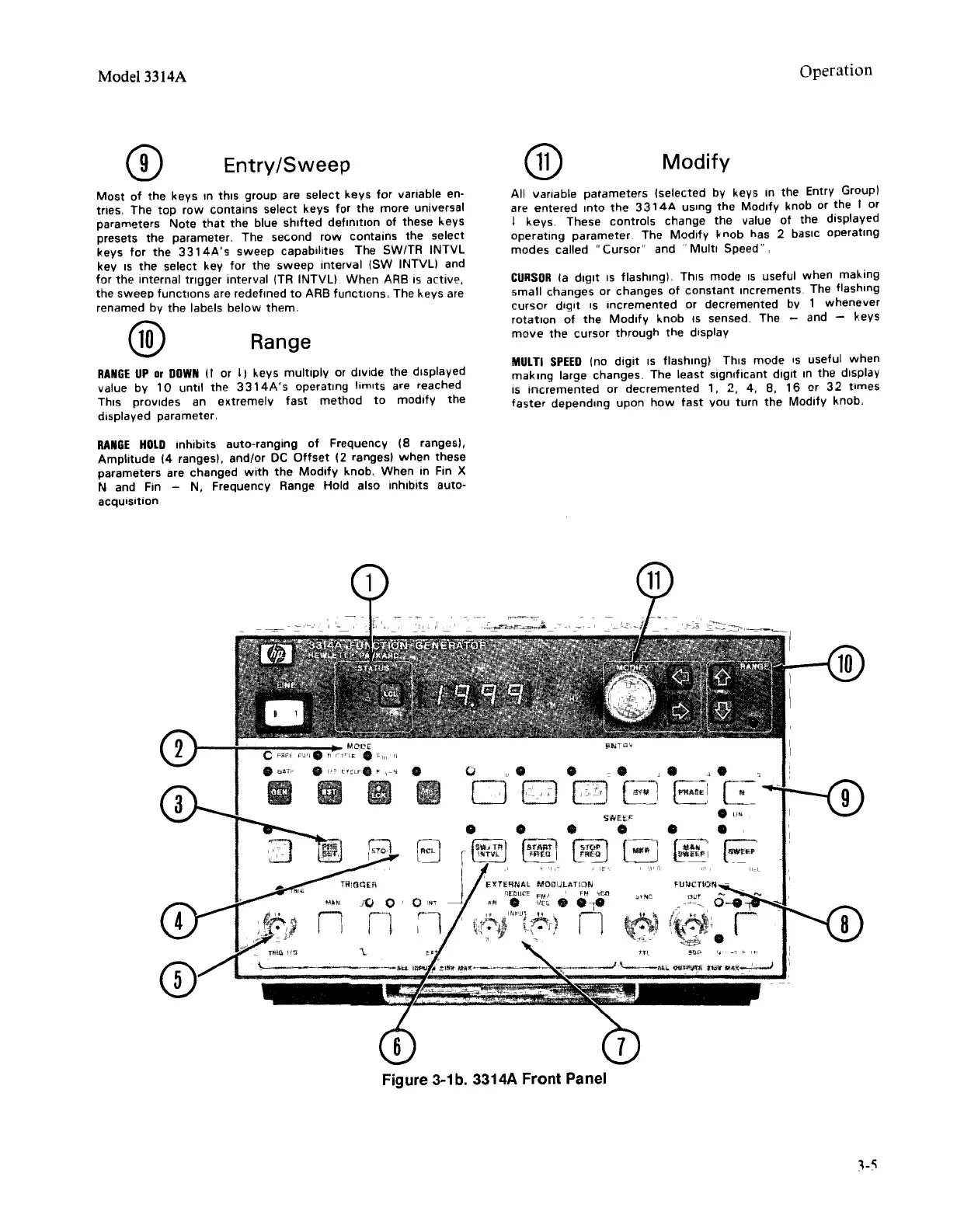
Figure 3-1b. 3314A Front Panel



 To Next Page