Model 3314A Performance Tests
o
SPECTRUM
ANALYZER
/
500
/ INPUT
/
ron
/
V----------//
VHF
ATTENUATOR
OUT\
\.
~----1
3314
L
[~
Lj[
Ire)
n.
[L
l L
LI
"" ... lo.. "" u
LLLLLL
[L L L
LJ
v
... ...
""
""
v
LLLLLL
I
~ ~
~ ~
II
" "
""I~
~
L L
L~
~
L e
@~;:
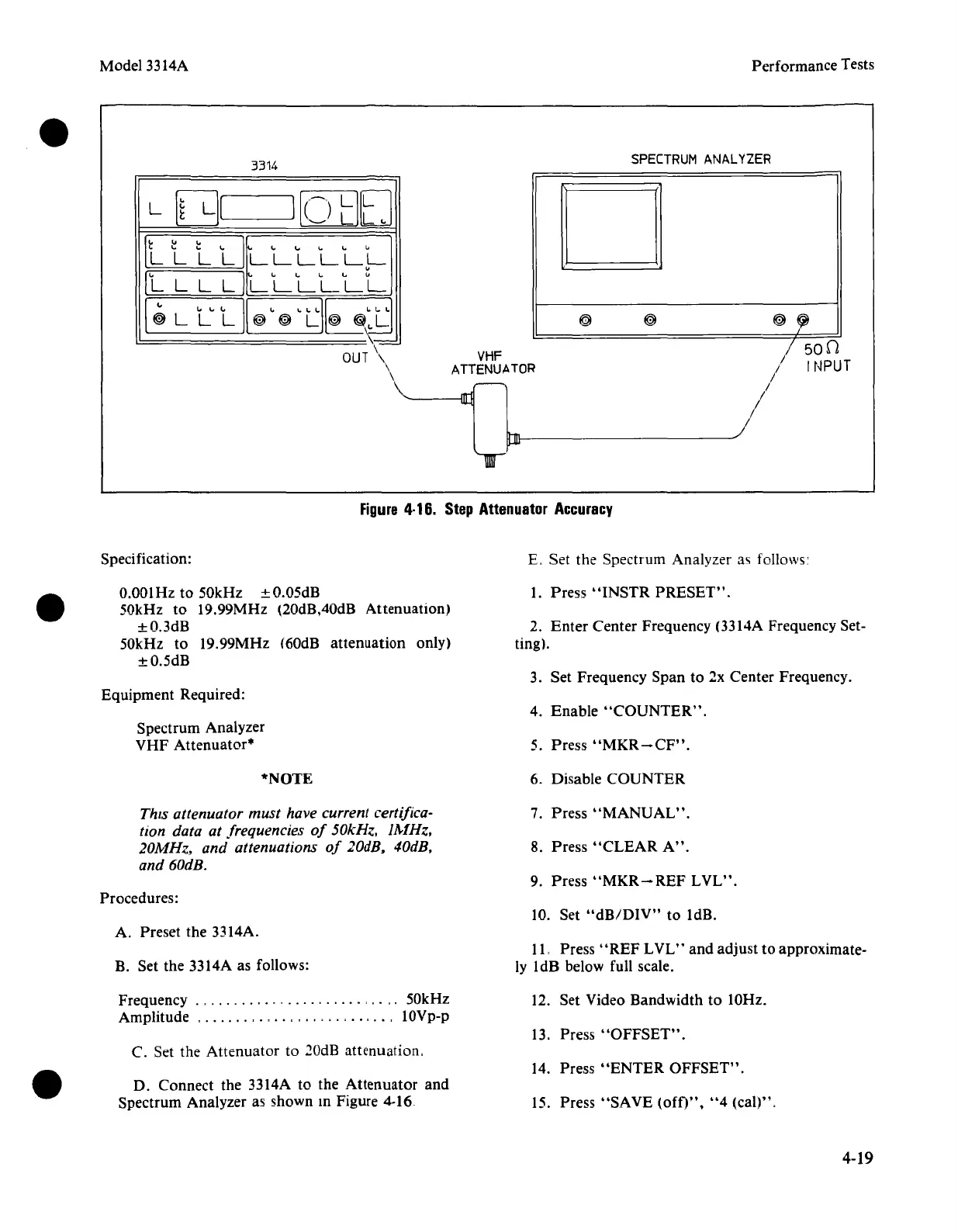
Figure
4·16.
Step
Attenuator
Accuracy
Specification:
E. Set the Spectrum Analyzer as follows'
O.OOIHz
to 50kHz ±O.05dB
50kHz to 19.99MHz (20dB,40dB Attenuation)
±O.3dB
50kHz to 19.99MHz (60dB attenuation only)
±O.5dB
Equipment Required:
Spectrum Analyzer
VHF
Attenuator"
1. Press
"INSTR
PRESET".
2.
Enter
Center Frequency (3314A Frequency Set-
ting).
3. Set Frequency Span to 2x Center Frequency.
4. Enable
"COUNTER".
5. Press
"MKR-CF".
*NOTE
6. Disable COUNTER
This attenuator must have current certifica-
tton data at frequencies
of
50kHz.
lA-1Hz.
20MHz. and attenuations
of
20dB. 40dB.
and 60dB.
7. Press
"MANUAL".
8. Press
"CLEAR
A".
9. Press
"MKR-REF
LVL".
Procedures:
10. Set
"dB/DIV"
to IdB.
A. Preset the 3314A.
B. Set the 3314A as follows:
11. Press" REF L
VL"
and adjust to approximate-
ly IdB below full scale.
Frequency ." ,
..
, 50kHz
Amplitude , , ,
..
, 10Vp-p
C. Set the Attenuator to
20dB attenuation.
D. Connect the 3314A to the Attenuator and
Spectrum Analyzer as shown
10
Figure 4-16
12. Set Video Bandwidth to 10Hz.
13. Press
"OFFSET".
14. Press
"ENTER
OFFSET".
15. Press
"SAVE
(oft)",
"4
(cal)".
4-19



 To Next Page