EasyManua.ls Logo

HP 416A - Page 43

HP 416A
109 pages
Print Icon
To Next Page IconTo Next Page
To Previous Page IconTo Previous Page
Loading...
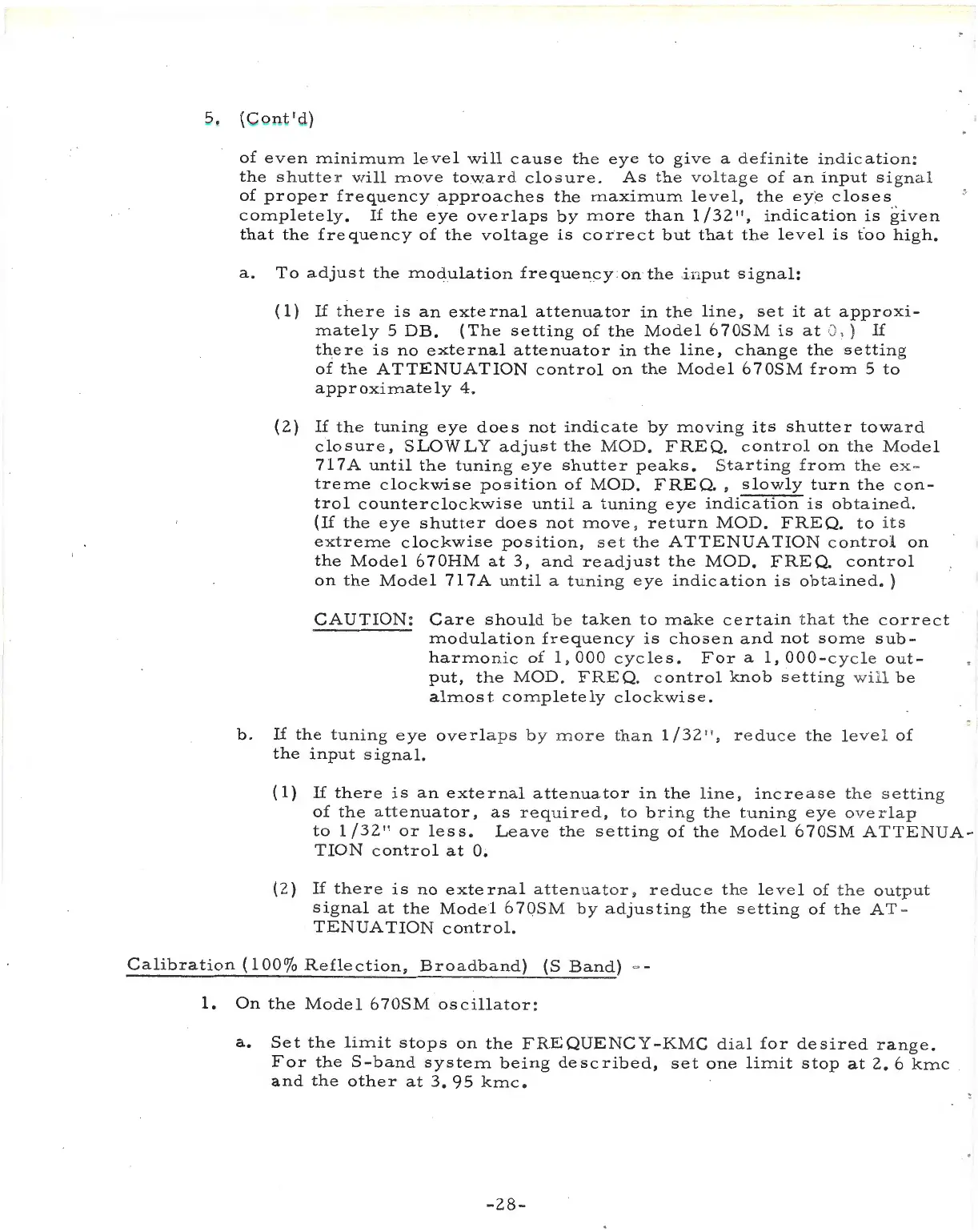
5,
(Cgnt'd)
of
even
minimum
level
will
cause
the
eye
to
give
a
definite
indication
:
the
shutte
r
will
move
toward
closure.
As
the
volt
age
of
an
input
sign
al
of
proper
frequency
approaches
the
maximum
level,
the
eye
closes
completely.
If
the
eye
overlaps
by
more
than
I
/32
11
,
indication
is
given
that
the
frequency
of
the
voltage
is
correct
but
that
the
level
is
foo
high.
a.
To
adjust
the
modulation
frequency
on
the
i n
put
signal:
(I)
If
there
is
an
external
attenuator
in
the
line
,
set
it
at
approxi-
mately
5
DB.
(The
setting
of
the
Model
6
70SM
is
at
·)
, )
If
there
is
no
external
attenuator
in
the
line,
change
the
setting
of
the
ATTENUATION
control
on
the
Model
670SM
from
5
to
approximately
4.
(2}
If
the
tuning
eye
does
not
indicate
by
moving
its
shutter
toward
closure,
SLOWLY
adjust
the
MOD.
FREQ.
control
on
th
e M
odel
717
A
until
the
tuning
eye
shutter
peaks
. S
tarting
fr
om
th
e
ex·
-
treme
clockwise
position
of
MOD.
FREQ.,
slowly
turn
the
con-
trol
counterclockwise
until
a
tuning
eye
indication
is
obtained.
(If
the
eye
shutter
does
not
mo
ve,
return
MOD.
FREQ.
to
its
extreme
clockwise
position,
s
et
t
he
ATTENUATION
control
on
the
Model
670HM
at
3,
and
readjust
the
MOD
.
FREQ.
control
on
the
Model
71 7 A
until
a t u
ning
e
ye
in
dication
is
o
btained.
)
CAUTION
:
Care
should
be
taken
to
make
c e
rtain
th
at
the
correct
modulation
frequency
is
chosen
and
not
some
sub-
harmon
ic
of
1,
000
cycles.
For
a
1,
000-
cycle
out-
put
,
the
MOD
. F R
EQ.
control
knob
s e
tt
i
ng
will
be
almost
completely
clockwise.
b.
If
the
tuning
eye
ove
r
lap
s
by
m
ore
t
han
1
/32
11
,
reduce
th
e
leve
l
oJ
the
input
signal.
(1)
If
there
is
an
external
atte
n
uator
inthe
l
in
e,
increase
the
setting
of
t
he
attenuator,
as
requ
ir
e
d,
to
br
i
ng
t
he
tuning
eye
overlap
to
1
/32
11
or
less
.
Lea
ve
the
s
et
ting
of
the
Model
670SM
ATTENUA-
T I
ON
control
at
O.
(2)
If
there
is
no
external
at
te
nua
t
or,
r e
duc
e
the
level
of t h e
output
sign.a
l
at
the
Model
670SM
by
adjusting
the
setting
of
the
AT-
TENUAT
I
ON
control.
Calibration
(
100%
R
eflecti
on
,
Broadband)
(S
Band
)
1.
On
the
Mode
l
670SM
oscillator
:
a.
Set
the
limit
stops
on
the
FREQUENCY
-
KM
C d
ial
for
desired
rang
e .
For
the
S -
band
system
being
described
,
set
one
limit
stop
at
2. 6
km
c
and
the
other
at
3.
95
kmc.
-
28
-

Related product manuals