3-6-5. LIMIT PAGE FORMAT
Cp—D
BIN
Nom :
LOW
1000pF
HIGH
COUNT MEAS
1
—1% +1%
0
PAGE
2
—2%
+2%
0
3
—3%
+3%
0
*LIMIT
4 —4%
+4%
0
PAGE
5 —5%
+5% 0
6 —6%
+6%
0
SORT
7 —7%
+7%
0
PAGE
8
—8%
+8% 0
9
—9% +9%
0
STATUS
2nd 0
.005 PAGE
Rei
cnt AUX: 0 OUT:
0
return
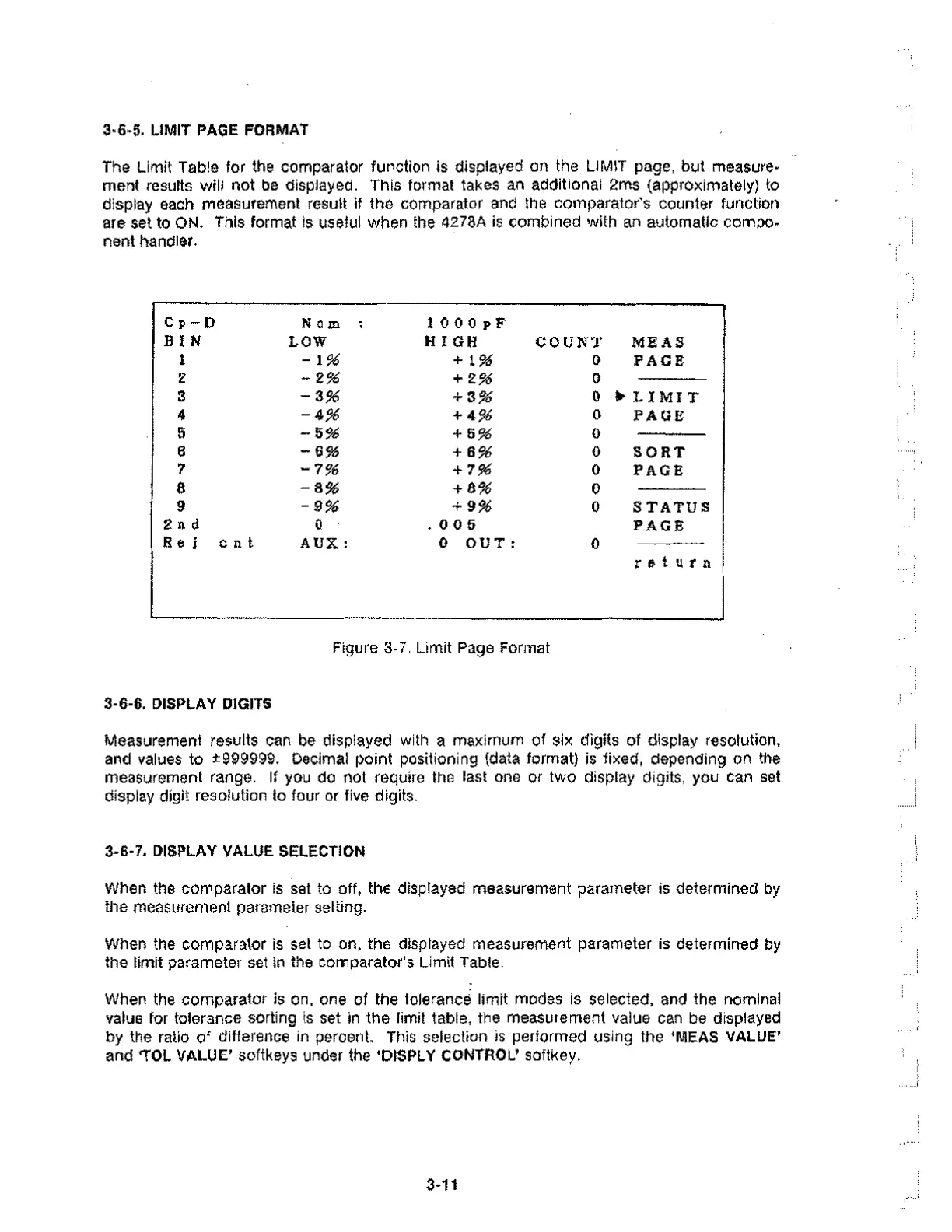
The Limit Table for the comparator function is displayed on the LIMIT page, but measure-
ment results will not be displayed. This format takes an additional 2ms (approximately) to
display each measurement result if the comparator and the comparator's counter function
are set to ON. This format is useful when the 4278A is combined with an automatic compo-
nent handler.
Figure 3-7. Limit Page Format
3-6-6. DISPLAY DIGITS
Measurement results can be displayed with a maximum of six digits of display resolution,
and values to ±999999. Decimal point positioning (data format) is fixed, depending on the
measurement range. If you do not require the last one or two display digits, you can set
display digit resolution to four or five digits.
3-6-7. DISPLAY VALUE SELECTION
When the comparator is set to off, the displayed measurement parameter is determined by
the measurement parameter setting.
When the comparator is set to on, the displayed measurement parameter is determined by
the limit parameter set in the comparator's Limit Table.
When the comparator is on. one of the tolerance limit modes is selected, and the nominal
value for tolerance sorting is set in the limit table, the measurement value can be displayed
by the ratio of difference in percent. This selection is performed using the `MEAS VALUE'
and TOL VALUE' softkeys under the 'DISPLY CONTROL' softKey.
3-11



 To Next Page