Bias Current Isolation
Function
Description (Refer to Appendix G.)
When Option 001 (Power Amplier/DC Bias is installed, the dc bias
can b e set up to
6
40 V. The dc bias current through the device
under test can be calculated using the following formula.
I
dc
=
Vs
100 + R
dc
=
Is
2
100
100 + R
dc
Where, Idc: Actual Bias Current [A]
Rdc: DUT's DC resistance []
Vs: Setting Value of the dc bias [V]
Is: Setting Value of the dc bias [A]
This bias current isolation function prevents the DC current from
aecting the measurement input circuit. The
DCI:ISO
eld allows
you to set the bias current isolation function to ON or OFF. When
the bias current isolation function is set to ON, the bias curren
t
through the device can be up to 100 mA. When the bias curren
t
isolation function is set to OFF, the current through the device can
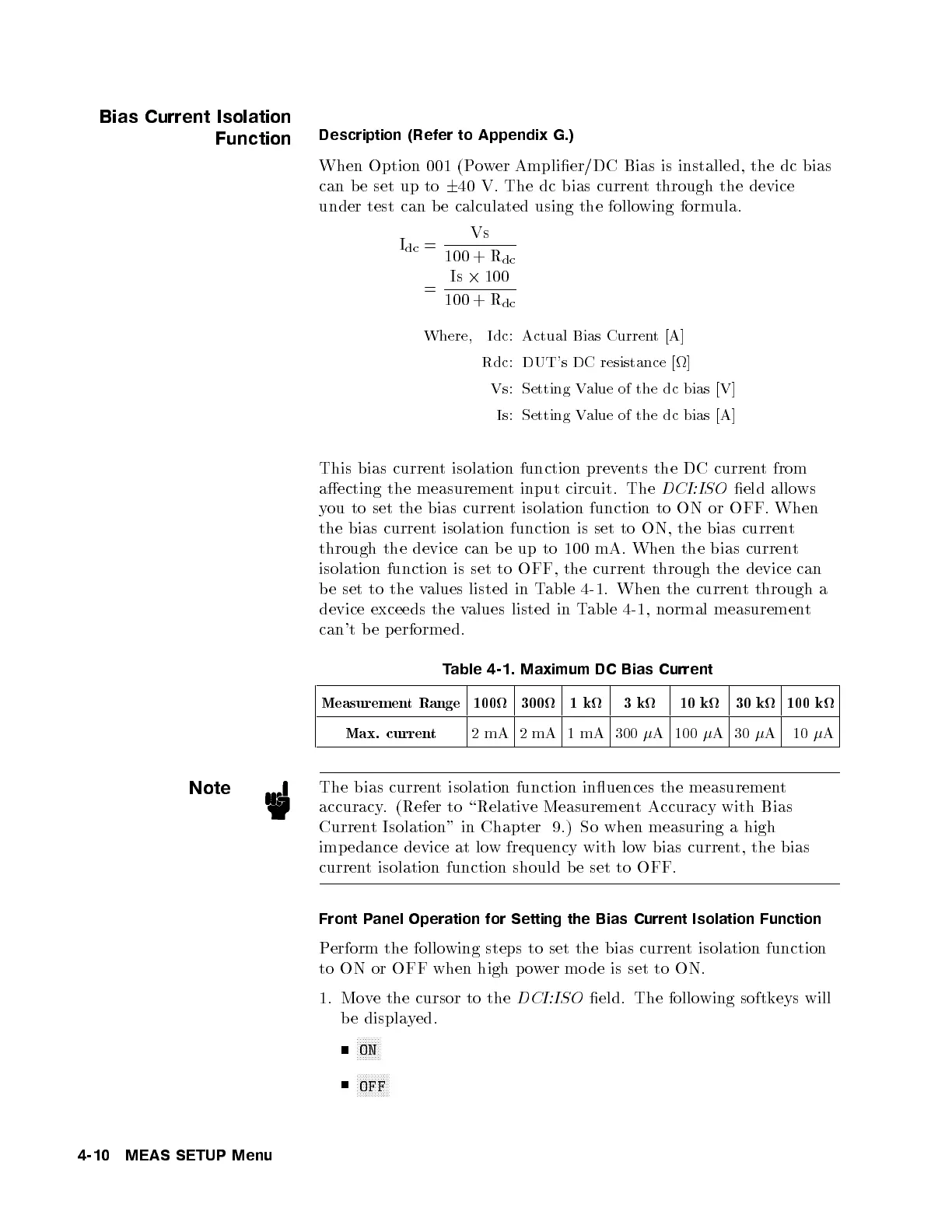
be set to the values listed in Table 4-1. When the current through a
device exceeds the values listed in Table 4-1, normal measurement
can't b e performed.
Table 4-1. Maximum DC Bias Current
Measurement Range 100 300 1k 3k 10 k 30 k 100 k
Max. current
2 mA 2 mA 1 mA 300
A 100
A30
A 10
A
Note
The bias current isolation function inuences the measurement
accuracy. (Refer to \Relative Measurement Accuracy with Bias
Current Isolation" in Chapter 9.) So when measuring a high
imp edance device at low frequency with low bias current, the bias
current isolation function should b e set to OFF.
Front Panel Operation for Setting the Bias Current Isolation Function
Perform the following steps to set the bias current isolation function
to ON or OFF when high p ower mo de is set to ON.
1. Move the cursor to the
DCI:ISO
eld. The following softkeys will
be displayed.
NNNNNNNN
ON
NNNNNNNNNNN
OFF
4-10 MEAS SETUP Menu



 To Next Page