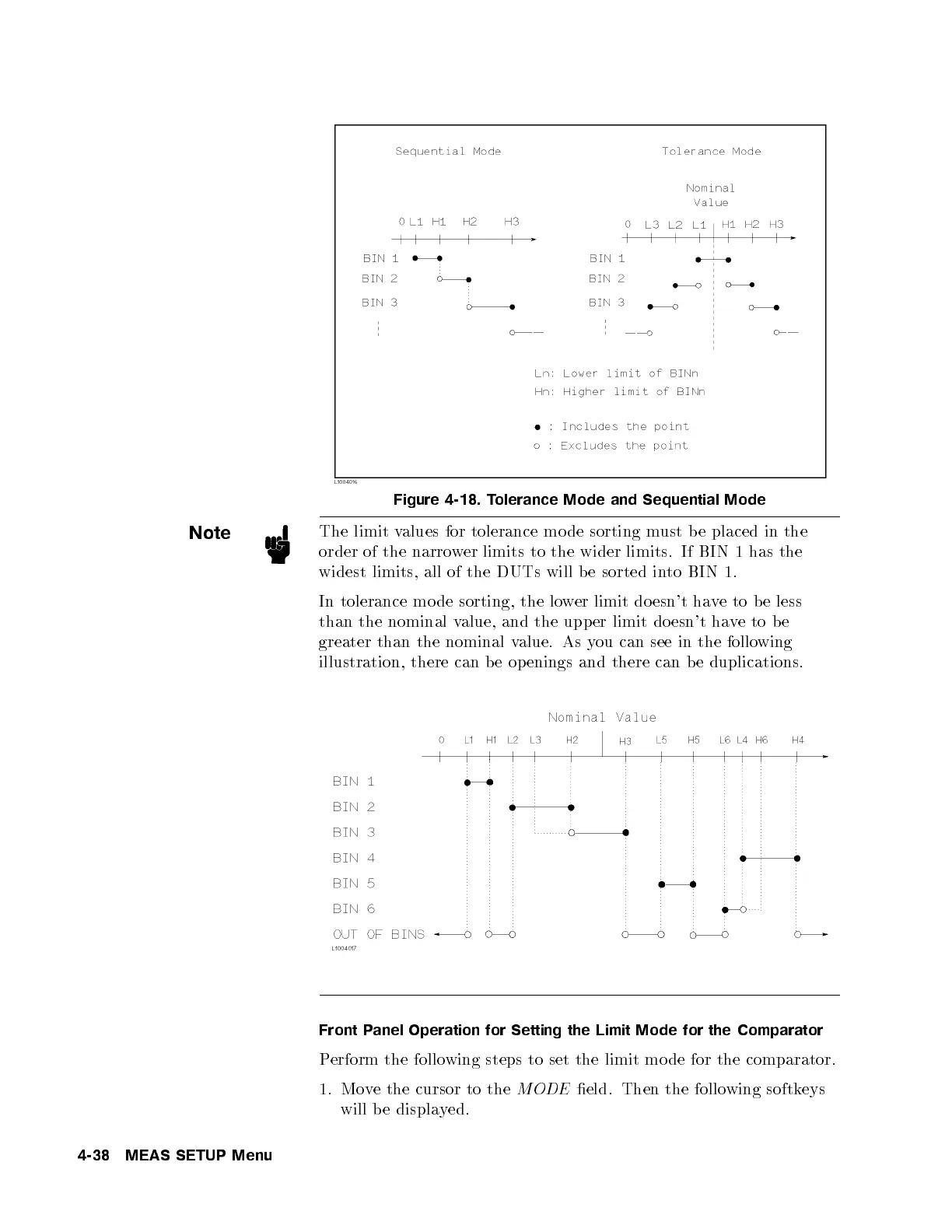
Figure 4-18. Tolerance Mode and Sequential Mode
Note
The limit values for tolerance mo de sorting must b e placed in the
order of the narrower limits to the wider limits. If BIN 1 has the
widest limits, all of the DUTs will b e sorted in
to BIN 1.
In tolerance mo de sorting, the lower limit do esn't have to be less
than the nominal value, and the upper limit do esn't ha
veto be
greater than the nominal value. As you can see in the following
illustration, there can be op enings and there can be duplications.
Front Panel Operation for Setting the Limit Mode for the Comparator
Perform the following steps to set the limit mo de for the comparator.
1. Move the cursor to the
MODE
eld. Then the following softkeys
will be displayed.
4-38 MEAS SETUP Menu



 To Next Page