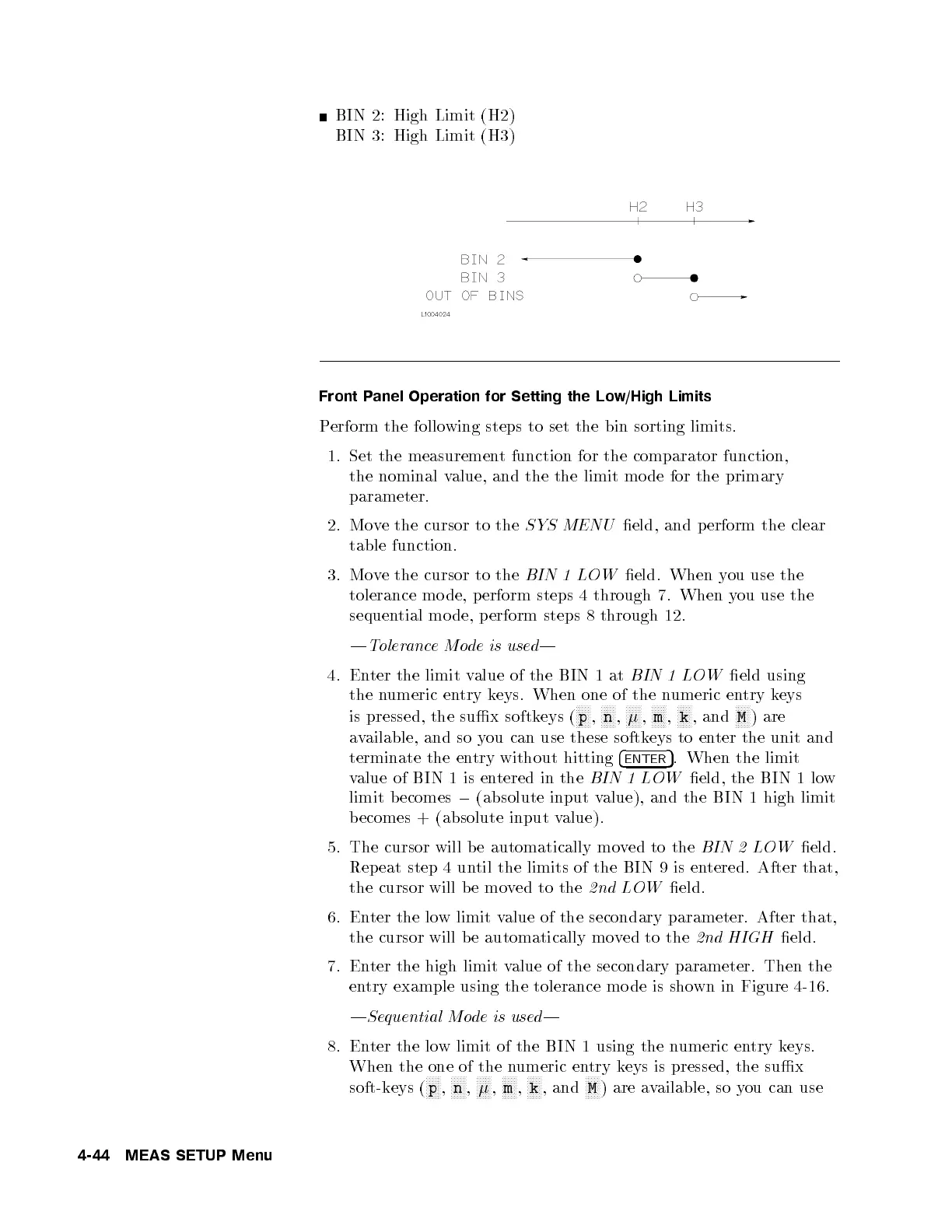
BIN 2: High Limit (H2)
BIN 3: High Limit (H3)
Front Panel Operation for Setting the Low/High Limits
Perform the following steps to set the bin sorting limits.
1. Set the measurement function for the comparator function,
the nominal value, and the the limit mo de for the primary
parameter.
2. Move the cursor to the
SYS MENU
eld, and perform the clear
table function.
3. Move the cursor to the
BIN 1 LOW
eld. When you use the
tolerance mo de, perform steps 4 through 7. When y
ou use the
sequential mo de, p erform steps 8 through 12.
|ToleranceMode is used|
4. Enter the limit value of the BIN 1 at
BIN 1 LOW
eld using
the numeric entry keys. When one of the numeric entry keys
is pressed, the sux softkeys (
NNNNN
p
,
NNNNN
n
,
NNNNN
,
NNNNN
m
,
NNNNN
k
, and
NNNNN
M
) are
available, and so you can use these softkeys to enter the unit and
terminate the entry without hitting
4
ENTER
5
. When the limit
value of BIN 1 is entered in the
BIN 1 LOW
eld, the BIN 1 low
limit b ecomes
0
(absolute input value), and the BIN 1 high limit
becomes + (absolute input value).
5. The cursor will be automatically moved to the
BIN 2 LOW
eld.
Repeat step 4 until the limits of the BIN 9 is en
tered. After that,
the cursor will b e moved to the
2nd LOW
eld.
6. Enter the low limit value of the secondary parameter. After that,
the cursor will b e automatically moved to the
2nd HIGH
eld.
7. Enter the high limit value of the secondary parameter. Then the
entry example using the tolerance mode is shown in Figure 4-16 .
|Sequential Mode is used|
8. Enter the low limit of the BIN 1 using the n
umeric entry keys.
When the one of the numeric entry keys is pressed, the sux
soft-keys (
NNNNN
p
,
NNNNN
n
,
NNNNN
,
NNNNN
m
,
NNNNN
k
, and
NNNNN
M
) are available, so you can use
4-44 MEAS SETUP Menu



 To Next Page